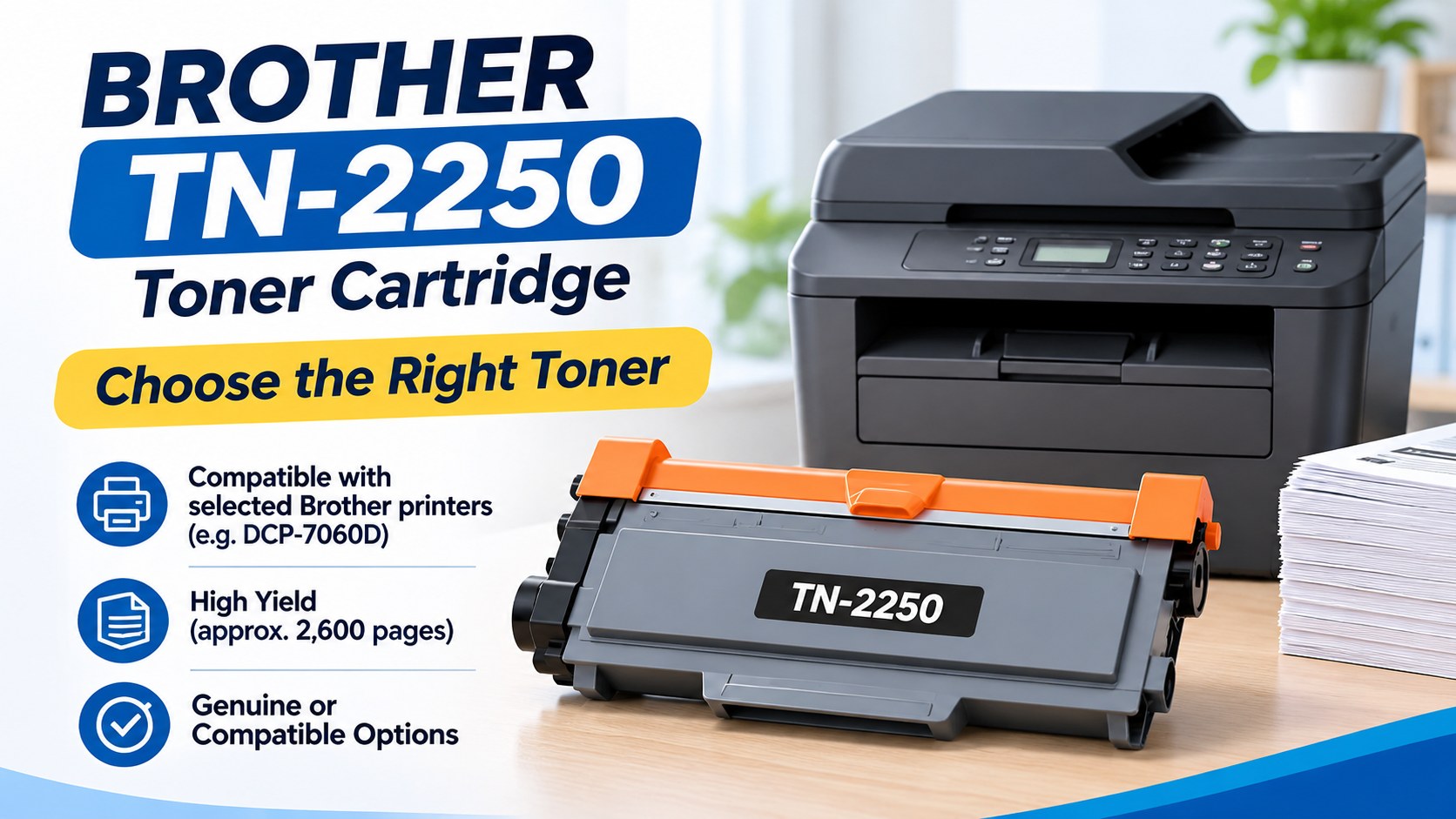
Choosing the right Brother 2250 toner cartridge is easier when you know exactly what to check. The toner code, your printer model and the type of cartridge you need all matter. A quick compatibility check before ordering can help you avoid buying the wrong product and dealing with unnecessary printing downtime.
The TN-2250 is a genuine Brother black high-yield toner cartridge designed for selected Brother laser printers. Brother Australia lists it with an approximate yield of up to 2,600 pages in accordance with ISO/IEC 19752. Actual page output can vary depending on printing conditions and the type of documents being printed. Brother Australia's official TN2250 product information
Whether you are replacing toner for a home office, small business, school or larger workplace, this guide explains how to confirm compatibility, understand your options and make a more informed purchase
Start With Your Printer Model
The safest way to find the correct toner is to start with your exact printer model rather than relying only on a product name from a search result.
You may see the TN-2250 described in several ways online, including:
- TN2250
- TN-2250
- Brother toner TN2250
- Brother TN-2250 toner cartridge black
These are useful search variations, but the important information is still the same: does your printer actually require the TN-2250?
Before ordering, check:
- Your exact printer model
- The code on your existing toner cartridge
- The compatibility information for the replacement
- Whether the product is genuine or compatible
- How many cartridges are included
This is particularly important if your workplace uses several Brother printers. Similar-looking models can require completely different consumables.
If you are managing more than one Brother device, you can also browse the wider Brother printer supplies range to identify the different products available for different printer models.
Why the Toner Code Matters
A printer brand alone is not enough to identify the correct replacement.
The toner code gives you a much more specific starting point. In this case, TN-2250 identifies the high-yield black cartridge discussed in this guide.
However, you should still confirm that the code is listed for your particular printer before buying. Taking a minute to check compatibility is much easier than arranging a return after receiving the wrong cartridge.
Which Printers Use the TN-2250?
The TN-2250 is not designed as a universal cartridge for every Brother printer. Compatibility depends on the printer model.
One confirmed example is the Brother DCP-7060D. Brother Australia's official consumables page lists both the standard TN-2230 and the high-yield TN-2250 for this printer. Brother lists the TN-2250 at approximately 2,600 pages under the ISO/IEC 19752 testing standard. Brother DCP-7060D consumables and accessories
This matters for people searching for Brother DCP7060D toner. The printer has more than one toner option, so checking the cartridge type is important.
A Quick Compatibility Checklist
Before placing an order, ask:
What is my exact printer model?
Check the front or back of the printer, or look at the model information in your printer settings.
What cartridge am I currently using?
Check the code printed on the existing cartridge or its packaging.
Is TN-2250 officially listed for my printer?
Use manufacturer information or verified compatibility details.
Do I need a standard or high-yield option?
Check the available consumables for your specific printer.
Brother's Australian support website also provides manuals, troubleshooting information, downloads and consumable details for the DCP-7060D. Brother DCP-7060D support and downloads
Genuine and Compatible Toner: What's the Difference?
One of the main decisions when buying replacement toner is whether to choose a genuine cartridge or a compatible alternative.
A Genuine Brother TN-2250 toner cartridge is produced by Brother. A compatible cartridge is manufactured by a third party and sold as an alternative for selected compatible printers.
These are different product types, so it is important to understand what you are comparing.
When Genuine Toner May Make Sense
A genuine cartridge may suit users or businesses that specifically want an original Brother consumable.
This can include:
- Businesses with procurement requirements for genuine products
- Offices that standardise their printer supplies
- Users who prefer original manufacturer consumables
- Workplaces managing multiple printers
Brother describes the TN2250 as a genuine black high-yield toner cartridge engineered for Brother laser printers and designed to provide consistent output.
For some buyers, choosing genuine toner is simply the most straightforward option because it matches their purchasing requirements.
What About Compatible Toner?
A Brother TN 2250 compatible toner cartridge is produced by a third-party manufacturer rather than Brother.
Compatible products can vary between manufacturers, so it is worth checking more than the product title before making a decision.
Look at:
- The exact printer models listed as compatible
- Whether the product is clearly identified as compatible
- Supplier returns information
- Available warranty or guarantee details
- Product support
Do not assume that every compatible cartridge offers the same specifications or support.
Which Option Should You Choose?
There is no single answer that suits every buyer.
If you specifically require an original Brother product, a genuine cartridge is the clear choice. If you are considering a compatible alternative, confirm the product details and compatibility information before ordering.
The most important thing is to compare similar products fairly. A genuine cartridge and a compatible cartridge should not be treated as identical simply because they are intended for similar printer models.
How to Replace the Toner Cartridge
Replacing a Brother 2250 toner cartridge is generally straightforward, but the exact procedure depends on your printer model.
Always use the manufacturer's instructions for your particular machine rather than relying on instructions for a different Brother printer.
Step 1: Check the Replacement First
Before opening the packaging, confirm:
- The toner code
- Your printer model
- Whether the cartridge is genuine or compatible
- The quantity supplied
Keeping the packaging until you have confirmed the product is correct can also be useful if you need assistance with an order.
Step 2: Follow Your Printer's Instructions
Open the printer according to the manufacturer's guidance and carefully remove the existing toner assembly.
Avoid forcing any component. If something does not move as expected, stop and check the instructions for your model.
Step 3: Prepare the New Cartridge
Remove the packaging and protective materials according to the instructions supplied with the cartridge.
Avoid touching internal printer components unnecessarily.
Step 4: Install the Cartridge
Install the replacement according to your printer's instructions and make sure it is properly seated.
Step 5: Check the Printer
Close the printer and allow it to complete its normal startup process. If needed, print a test page.
Brother's support centre provides model-specific manuals and troubleshooting information, which can be useful if you are unsure about the replacement process. Brother Australia support resources for the DCP-7060D
Why Is Your Brother Printer Showing a Toner Replacement Message?
A toner replacement message does not automatically mean there is a fault with your printer.
In many cases, the machine is simply telling you that the toner needs attention or replacement.
Start by reading the exact message displayed.
Then:
- Confirm your printer model.
- Check the toner currently installed.
- Confirm the replacement cartridge code.
- Follow the instructions for that specific printer.
Do not automatically order another cartridge without checking the message first.
Print Quality Problems Are Not Always Caused by Toner
Faded pages, streaks and other print-quality problems can have different causes.
Before ordering another cartridge, consider:
- What message the printer is displaying
- Whether the toner is actually low
- Whether the issue appeared suddenly
- Whether the printer requires further troubleshooting
Brother's support pages provide model-specific FAQs and troubleshooting resources, which can help you investigate a problem before buying additional supplies. Brother DCP-7060D troubleshooting and support
Managing Toner for an Office
For a home user, running out of toner can be inconvenient. For an office, school, healthcare provider or professional business, it can interrupt important day-to-day work.
A simple system for managing printer supplies can reduce last-minute orders and incorrect purchases.
Keep a Basic Printer List
Record:
| Printer Model | Toner Code | Location | Spare Stock |
| Brother DCP-7060D | TN-2250 | Office | As required |
You do not need complex software. A basic spreadsheet can make future ordering much easier.
Set a Reorder Point
Instead of waiting until the final cartridge is empty, decide when it makes sense to reorder.
A small office may prefer to reorder when only one replacement remains. Larger organisations may need a different system based on the number of printers and their normal printing volume.
The aim is not to overstock. It is to avoid unnecessary interruptions.
Don't Assume Similar Printers Use the Same Toner
This is one of the most common ordering mistakes.
Different Brother printers can require different toner cartridges, even when the models appear similar. Keeping printer models and toner codes together makes future purchasing faster and more accurate.
Is Buying a Five-Pack Worth It?
Buying multiple cartridges at once can be practical, but only if you have confirmed that the toner is correct for your printer and you expect to use the quantity.
A multipack may suit:
- Offices with regular printing needs
- Businesses that want replacement stock available
- Organisations that prefer fewer individual orders
- Users managing several compatible printers
Before buying a larger quantity, consider how often you print and how much toner you already have in storage.
For buyers who have confirmed their requirements and need multiple genuine cartridges, the 5 x Genuine Brother TN-2250 High Yield toner cartridge pack provides a five-unit option for the relevant product.
The important thing is to confirm compatibility first and quantity second.
How to Compare Toner Prices Properly
People searching for TN2250 toner best price are usually looking for good value, which is understandable. However, the lowest advertised price is not always the most useful comparison.
Compare Like With Like
Before comparing prices, make sure you are looking at:
- The same toner code
- Genuine products versus genuine products
- Compatible products versus compatible products
- Similar pack quantities
Comparing a single compatible cartridge with a five-pack of genuine cartridges does not give you a meaningful price comparison.
Consider Your Actual Printing Needs
For occasional printing, buying a large quantity may not be necessary.
For a busy office, keeping appropriate replacement stock may be more practical than repeatedly making urgent purchases.
The best option depends on:
- Your printer compatibility
- Your printing volume
- The quantity you need
- Your preference for genuine or compatible products
What to Check Before Ordering Online
Ordering toner online is convenient, but it is still important to check the details before completing your purchase.
Check the Toner Code
If your printer requires TN-2250, make sure that exact code appears in the product information.
Check Your Printer Model
Do not assume that every Brother printer uses the same cartridge.
Check the Product Type
Confirm whether you are buying a genuine cartridge or a compatible alternative.
Check the Quantity
Make sure you understand whether the listing includes:
- One cartridge
- Multiple cartridges
- A multipack
- A specific genuine or compatible product
Ask Before Guessing
If you are unsure whether a product is suitable for your printer, it is better to confirm before placing the order.
For compatibility or product enquiries, you can contact The Toner Group and check the details before purchasing.
Frequently Asked Questions
What printer uses the Brother 2250 toner cartridge?
The TN-2250 is used with selected Brother printers. One confirmed example is the Brother DCP-7060D, where Brother Australia lists TN-2250 as the high-yield toner option. Always check your exact printer model before ordering.
Can I buy Brother 2250 toner cartridges in a 5-pack?
Yes. Multipacks are available for buyers who need several replacement cartridges. Before purchasing, confirm that the toner code is correct for your printer and check the exact quantity included in the listing.
Where can I buy a Brother 2250 toner cartridge online in Australia?
Look for a supplier that clearly identifies the toner code, product type and compatibility information. Before ordering, confirm your exact printer model and check whether you are purchasing genuine or compatible toner.
Why is my Brother printer showing a toner replacement message?
The printer may simply be indicating that the toner needs replacement or attention. Check the exact message and follow the manufacturer's instructions for your specific printer model before assuming there is a fault.
Is TN-2250 a high-yield cartridge?
Yes. Brother Australia lists the TN-2250 as a high-yield toner option for the DCP-7060D, with an approximate yield of 2,600 pages under ISO/IEC 19752 testing.
How do I know if I am ordering the correct toner?
Check both your exact printer model and the toner code required for that model. Matching only the printer brand is not enough to confirm compatibility.
Is genuine Brother toner different from compatible toner?
Yes. Genuine toner is produced by Brother, while compatible toner is manufactured by a third party. Product descriptions should clearly identify which type of cartridge you are purchasing.
Should I buy one cartridge or a multipack?
It depends on how often you print. A multipack may suit regular business printing, while occasional users may prefer to purchase a smaller quantity.
Final Thoughts
Choosing the correct Brother 2250 toner cartridge is mainly about checking the right details before you buy.
Confirm your exact printer model, check the toner code and understand whether you are purchasing a genuine or compatible product. For the Brother DCP-7060D, Brother officially lists the TN-2250 as its high-yield toner option.
Once compatibility is confirmed, you can decide whether a single cartridge or a multipack better suits your printing requirements.
Taking a few minutes to check these details can help avoid incorrect purchases, unnecessary returns and interruptions when you need your printer.