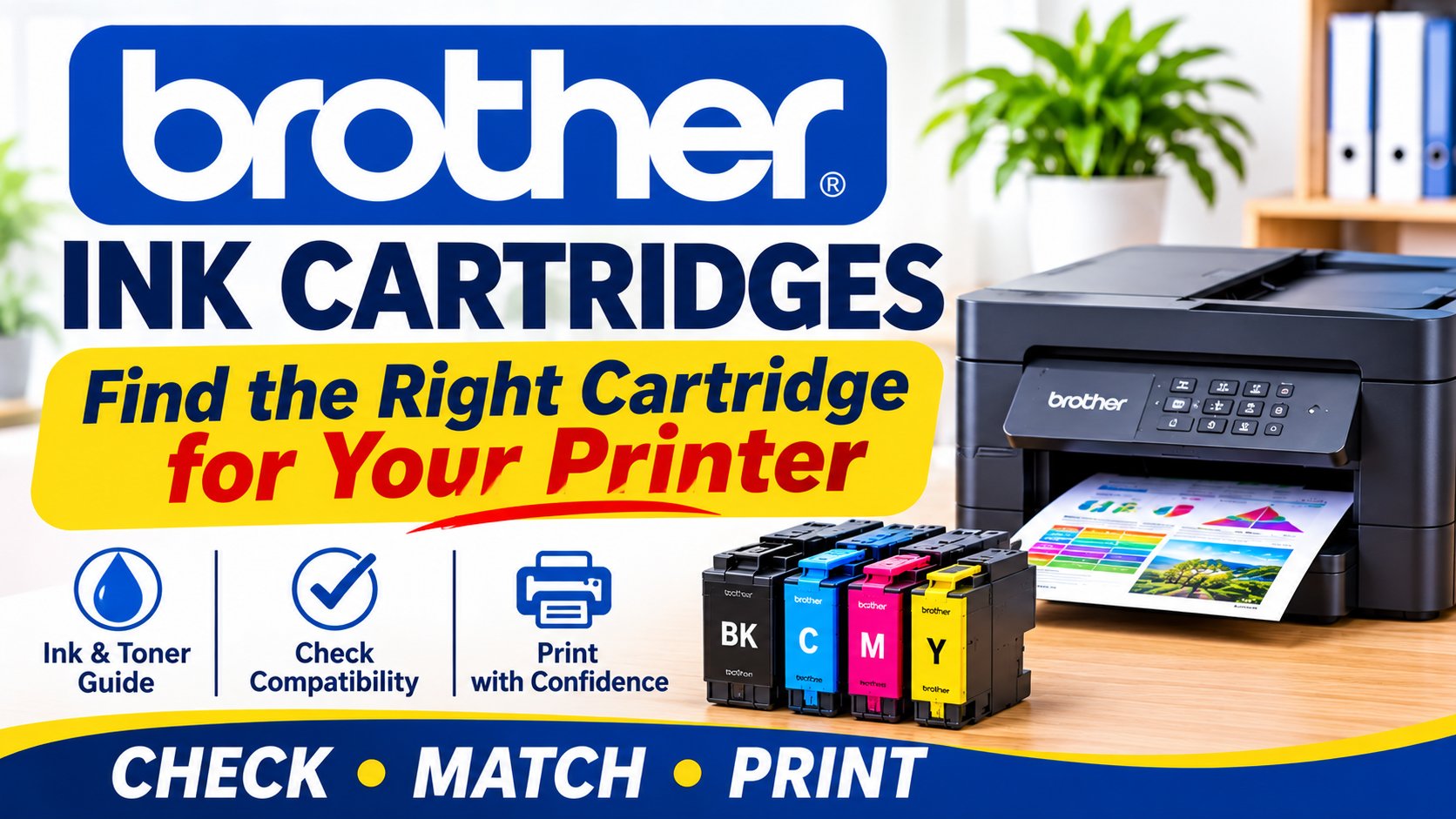
Choosing the right Brother ink cartridges is easier when you know exactly what your printer needs. The most important step is to check your Brother printer model and the cartridge code before ordering, as different machines use different consumables.
Brother printers are widely used in Australian homes, home offices, schools and small businesses. The range includes inkjet printers, monochrome laser printers, multifunction machines and label printers. Because these machines work differently, Brother printer cartridges can include liquid ink cartridges, toner cartridges and other printer consumables.
This guide explains how to choose the right replacement, understand the difference between Brother ink and toner, replace a cartridge correctly and avoid common ordering mistakes.
What Are Brother Ink Cartridges and How Do You Choose the Right One?
The correct Brother ink cartridge depends on your exact printer model and the cartridge code required by that machine. Always check these details before ordering because cartridges that look similar are not necessarily interchangeable.
The first step is to identify what type of Brother printer you own.
If your machine is an inkjet printer, it uses Brother printer ink cartridges containing liquid ink. If it is a laser printer, it uses Brother toner instead of liquid ink.
This difference matters when ordering replacements.
Don't choose a cartridge based only on:
- Its physical appearance
- The colour of the packaging
- A similar printer name
- A previous guess or assumption
Instead, check your exact printer model and the cartridge code currently used by your machine.
How to Find Your Brother Ink Cartridges Model Number
If you're searching for a Brother ink cartridges model number scanner, start with the printer and the cartridge already installed.
Check these places:
- The printer model label – This identifies the exact machine.
- The existing cartridge – The cartridge code may be printed on the product.
- The printer documentation – Manuals and support information can help identify the required consumable.
- Official manufacturer information – Use Brother's support resources when you need to verify printer requirements.
- The product compatibility information – Check the retailer's listing before ordering.
The safest approach is always to use the exact model and cartridge information rather than guessing.
Brother Ink vs Brother Toner: What Is the Difference?
Brother ink and Brother toner are different products designed for different printing technologies. Inkjet printers use liquid ink, while laser printers use toner, so it is important to identify your printer type before purchasing a replacement.
Many people search for Brother cartridges without knowing whether their machine needs ink or toner.
Understanding the difference can help prevent an incorrect order.
Brother Printer Ink Cartridges
Inkjet printers use liquid ink to create text and images on paper.
If you own an inkjet model, look for Brother printer ink replacement products that match your specific printer and cartridge code.
Depending on the printer, you may need black ink, colour ink or multiple individual cartridges.
Brother Toner
Laser printers use toner rather than liquid ink.
Toner is used in laser printing technology, which is common in workplaces that regularly print documents.
If you own a laser printer, you may need a Brother toner cartridge or other printer consumables depending on the machine.
Before purchasing Brother printer toner, check:
- Your exact printer model
- The required toner code
- The product's compatibility information
- Any instructions provided for your machine
This is particularly important for businesses that rely on Brother laser printer toner for regular printing.
Ink and toner are not interchangeable. Choosing the correct product begins with identifying the printing technology used by your Brother machine.
Genuine Brother Ink and Toner vs Compatible Cartridges
Genuine Brother supplies are produced by Brother, while compatible cartridges are third-party alternatives designed for specific printers. Before buying either option, check exactly what you are purchasing and confirm that it is listed as compatible with your machine.
Brother genuine ink and toner products are made by Brother for use with its printers.
Compatible cartridges are produced by third-party manufacturers.
The Toner Group offers compatible Brother cartridges designed to provide an alternative to genuine cartridges. When purchasing any compatible product, the most important step is confirming that the product is specifically suitable for your printer.
Before ordering, check:
- Whether the product is genuine or compatible
- Your exact printer model
- The cartridge or toner code
- The compatibility details
- Installation instructions
Brother provides information about its genuine supplies through its official Australian website. Brother Australia Genuine Supplies
What Should You Know Before Choosing Compatible Supplies?
Don't assume that every third-party cartridge will suit every Brother printer.
Read the product listing carefully and confirm compatibility before installing the product.
If you're unsure, check the printer model and cartridge code first.
The best decision depends on your printing needs, the available product and whether the cartridge has been clearly identified for your machine.
How to Change an Ink Cartridge in a Brother Printer
To change an ink cartridge in a Brother printer, first make sure you have the correct replacement. Then follow the instructions for your specific model and avoid forcing the cartridge into place.
The exact process can vary between Brother printer models, but the general approach is straightforward.
Step 1: Confirm the Correct Cartridge
Before opening the replacement cartridge, check:
- Your printer model
- The required cartridge code
- Whether you need black or colour ink
- The product compatibility information
Step 2: Prepare the Printer
Follow your printer's instructions to access the cartridge compartment.
Open only the relevant printer cover and avoid forcing any components.
Step 3: Remove the Old Cartridge
Remove the existing cartridge according to your printer's instructions.
Take note of where the cartridge was positioned, particularly if your printer uses separate colour cartridges.
Step 4: Prepare the New Cartridge
Follow the handling instructions supplied with the replacement product.
Remove packaging only as instructed.
Step 5: Install the Cartridge
Insert the cartridge into the correct position and ensure it is properly seated.
Never force a cartridge into the printer.
Step 6: Check the Printer
Close the compartment and check the printer display or software for any messages.
If an error appears, check:
- The exact error message
- The cartridge code
- Whether the cartridge is installed correctly
- Whether it has been confirmed as compatible with your printer
Common Mistakes to Avoid
The most common problems include:
- Ordering the wrong cartridge
- Confusing ink with toner
- Ignoring the cartridge code
- Installing a cartridge in the wrong position
- Forcing a cartridge into place
- Assuming every printing problem means the cartridge needs replacing
Taking a few minutes to check the details before installation can prevent unnecessary problems.
How to Avoid Common Brother Cartridge Problems
Most cartridge problems can be reduced by checking compatibility before ordering, monitoring your remaining supplies and investigating print problems before automatically replacing ink or toner.
A printer stopping when you need it can be frustrating. For a home office, school or small business, it can also interrupt important work.
Avoid Ordering the Wrong Cartridge
Keep a simple record of:
- Your Brother printer model
- The cartridge or toner code
- Whether the printer uses ink or toner
This makes future ordering much easier.
Don't Wait Until You Completely Run Out
Monitor your printer's supply messages and keep track of how quickly you use cartridges.
If you print regularly, planning ahead can help avoid urgent replacement orders.
Check Print Problems Before Buying a Replacement
Poor printing doesn't always mean you need a new cartridge.
Before ordering a Brother toner replacement or new ink cartridge, check:
- The printer's error message
- Cartridge installation
- Print settings
- The type of print-quality problem
- Other consumables that may be relevant to your machine
Avoid Buying More Than You Need
Keeping a suitable spare can be practical, particularly for regular printing.
However, your supply levels should match your actual printing requirements.
For offices using several printers, a basic reorder process can help prevent both shortages and unnecessary over-ordering.
What to Do When Your Brother Cartridge Is Out of Stock
If the cartridge you need is unavailable, don't substitute a similar-looking product without confirming compatibility. Check the exact printer model and cartridge code, then review available options carefully.
Start by confirming exactly what your printer requires.
Then consider your options based on the product information available.
If a compatible alternative is being considered, it should be clearly identified for your specific printer.
Don't install a cartridge simply because:
- It looks similar
- The packaging has a similar name
- Another Brother printer uses it
Compatibility needs to be confirmed.
Create a Simple Reorder System
If you regularly use the same supplies, create a basic reorder process.
For example:
- Record your printer model and cartridge code.
- Monitor your normal printing usage.
- Keep track of remaining supplies.
- Reorder before your final cartridge is needed.
This approach is particularly useful for workplaces that depend on regular printing.
Find Brother Cartridges Online
If you're ready to order Brother ink cartridges, start by confirming your printer details.
You can then browse Our Brother Printer Cartridges range and check the product information before ordering.
How to Find a Reliable Brother Cartridge Supplier in Australia
A reliable printer cartridge supplier should provide clear product information and make it easier for customers to check compatibility before purchasing. For regular business buyers, straightforward ordering, product clarity and delivery information can also be important.
The question, “Where can I get the best in class Brother toner printers and ink cartridges in Australia?”, does not have one answer for every buyer.
The best option depends on:
- Your printer type
- Your printing requirements
- Your budget
- Whether you need genuine or compatible supplies
- The level of information and support you require
Rather than relying only on broad marketing claims, assess a supplier using practical criteria.
Clear Product Descriptions
You should be able to identify exactly what the product is and what it is designed for.
Compatibility Information
The listing should help you confirm whether the product suits your printer.
Genuine or Compatible Product Clarity
A good listing should clearly identify what type of product you are purchasing.
Suitable Range for Different Printing Needs
Brother printers are used in different environments, from home offices to schools and small businesses.
Your supplier should make it easier to find the relevant category of consumables.
Returns Information
Check the supplier's current returns policy before ordering.
This is particularly important if you are unsure about a cartridge selection.
Brother Ink Cartridges Near Me: What Australian Buyers Should Check
When searching for Brother ink cartridges near me, finding a supplier is only one part of the process. You still need to confirm that the product is correct for your printer before completing your order.
A local or online search may be triggered by an urgent printing need, but rushing can result in the wrong cartridge being purchased.
Before placing an order, check:
- Your Brother printer model.
- The cartridge or toner code.
- Whether your printer uses ink or toner.
- The product compatibility information.
- The supplier's delivery and returns information.
For customers ordering from The Toner Group, orders placed before 3 pm are dispatched the same day from Australian warehouses, based on the business information provided.
The Toner Group also states that unopened or defective items can be returned or exchanged in line with its Delivery & Returns Policy.
Always review the current policy details before purchasing.
Brother Ink Cartridges for Home Office Use in Australia
The right Brother cartridge for a home office depends on how often you print, what you print and whether your machine uses inkjet or laser technology. Choosing based on your actual requirements can make supply management easier.
A home office may print:
- Documents
- Invoices
- Reports
- Forms
- Colour materials
Your printing habits should influence how you manage replacement supplies.
If you print occasionally, your needs may be different from a busy home office producing documents every day.
Start by understanding:
- How often you print
- Whether you mainly print black text or colour
- What type of Brother printer you use
- Which cartridge code the printer requires
A simple note containing your printer model and cartridge details can save time when you need a Brother printer ink replacement.
Repair or Replace? When the Cartridge Isn't the Problem
Poor print quality does not always mean your Brother cartridge needs replacing. Check the printer's message and investigate the type of problem before automatically purchasing a new cartridge.
Streaks or Lines on the Page
Look at the printer's messages and recommended troubleshooting steps before replacing supplies.
Faded Printing
Check whether the printer is reporting a low supply level or another issue.
Poor Colour Output
Confirm that the relevant cartridges are installed correctly and check for any messages displayed by the printer.
Laser Printer Problems
For laser machines, a printing issue may not always be solved by installing another toner cartridge.
The printer's error message can help identify whether another component or maintenance requirement needs attention.
Cartridge Errors After Installation
If a message appears after installing a replacement, check:
- The exact printer message
- The cartridge code
- Installation
- Product compatibility information
Avoid repeatedly buying replacements without identifying the actual problem.
For official printer guidance and information about Brother supplies, visit Brother Australia Support.
Key Takeaways
- Check your exact Brother printer model before ordering supplies.
- Confirm the cartridge or toner code rather than choosing based on appearance.
- Brother ink cartridges and Brother toner are used in different printer technologies.
- Check whether you are purchasing genuine or compatible supplies.
- Follow your printer's instructions when replacing cartridges.
- Investigate print problems before automatically ordering a replacement.
- Keep a simple record of your printer and cartridge details to make reordering easier.
Frequently Asked Questions About Brother Ink Cartridges
How do I know which Brother ink cartridge I need?
Check your exact Brother printer model and the cartridge code required by that machine. The existing cartridge, printer documentation and official support information can help you identify the correct replacement. Always confirm compatibility using the product information before ordering.
How do I change an ink cartridge in a Brother printer?
The process varies by model, so follow the instructions for your specific printer. Generally, you need to access the cartridge compartment, remove the existing cartridge carefully, prepare the replacement as instructed and install it in the correct position without forcing it.
What is the difference between Brother ink and Brother toner?
Brother ink is used in inkjet printers, while toner is used in laser printers. These products are not interchangeable. Before ordering, identify your printer type and check the exact cartridge or toner code required for your particular machine.
How can I find my Brother ink cartridge model number?
Check the printer model label and the code printed on your existing cartridge. Your printer documentation and Brother's official support resources can also help. Use this information when checking a replacement product's compatibility details.
What are genuine Brother ink cartridges?
Genuine Brother ink cartridges are supplies produced by Brother for its printers. Brother provides information about its genuine supplies through its official support channels. Compatible cartridges are third-party alternatives, so product information and printer compatibility should be checked carefully.
Where can I order Brother ink cartridges in Australia?
You can order Brother-compatible cartridge products online after confirming your printer model and required cartridge code. Check product descriptions, compatibility information and the supplier's current delivery and returns details before completing your purchase.
Can I use toner in a Brother inkjet printer?
No. Toner and liquid ink are used in different printing technologies. Inkjet printers use ink cartridges, while laser printers use toner. Always identify your printer type before purchasing replacement supplies.
Why is my Brother printer still showing a cartridge message?
Check the exact message displayed by the printer. The issue may relate to cartridge installation, the product used or another printer requirement. Confirm that the replacement has been installed correctly and that it is identified as suitable for your specific printer.
How often should I replace my Brother printer cartridge?
There is no single replacement schedule because cartridge use depends on how often you print and the type of documents you produce. Monitor your printer's supply messages and printing quality rather than replacing cartridges based only on a fixed time period.
What should I check before ordering Brother printer ink replacement?
Check your printer model, the required cartridge code and whether your machine uses ink or toner. Then review the product description and compatibility information carefully before placing your order.
Conclusion: Choosing the Right Brother Ink Cartridges
Choosing the right Brother ink cartridges does not need to be complicated.
Start with your exact printer model. Check whether your machine uses liquid ink or toner, confirm the required cartridge code and review compatibility information before purchasing.
This simple process can help prevent wrong orders, unnecessary replacement costs and printing interruptions.
Whether you are managing a home printer, a home office or regular workplace printing, keeping accurate records of your printer model and cartridge requirements makes future ordering much easier.
When you're ready to purchase, check your printer details first and then explore the available options at The Toner Group's Brother Printer Cartridges range.
Check the model. Confirm the cartridge. Order with confidence.