
Showing results for:
Category: Cartridge Maintenance
Clear Filter
-
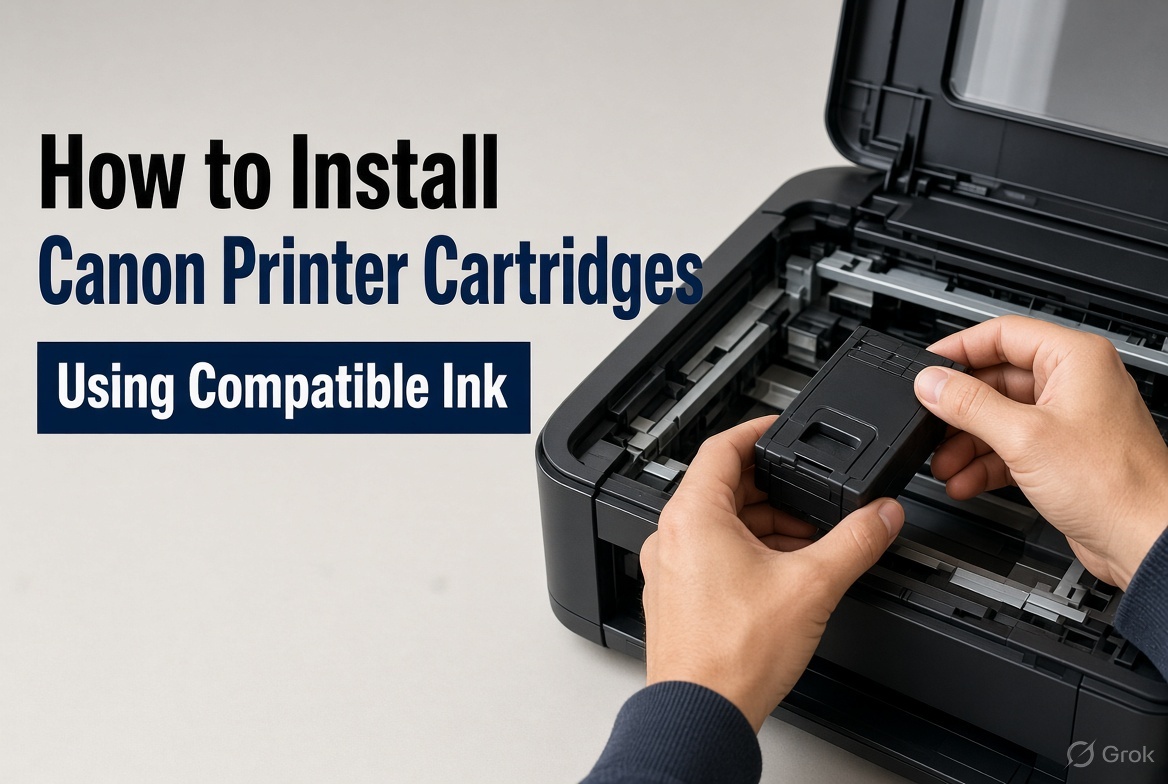
| November 20, 2026How to Install Canon Printer Cartridges and Use Compatible InkReplacing an empty printer cartridge should be straightforward, but installing the wrong one or missing an important step can cause printing problems. Knowing how to install Canon printer cartridges correctly helps prevent unnecessary errors, wasted ink and interruptions to your printing.Another common question is whether compatible ink cartridges work in Canon printers. The answer is yes. Compatible cartridges are available for selected Canon models and can provide an alternative to genuine Canon ink. However, the cartridge number, printer model and chip compatibility must be checked before ordering.Whether you use a Canon PIXMA printer at home or a MAXIFY printer in a small office, choosing the correct cartridge is essential.This guide explains how to replace Canon ink cartridges, check compatibility, troubleshoot common problems and choose suitable replacement supplies for home and business printing.How to Install Canon Printer CartridgesYou can install Canon printer cartridges by opening the cartridge access area, removing the empty cartridge and fitting the correct replacement. The exact process depends on your printer model, but these steps apply to many Canon PIXMA inkjet printers.Step 1: Switch on your Canon printerTurn on the printer before replacing the cartridge. Many Canon PIXMA models automatically move the cartridge holder into an accessible position when the access cover is opened.Wait until the holder stops moving before handling the cartridges. Never force it into position.Step 2: Open the cartridge access coverOpen the cartridge access cover or scanning unit, depending on your model.Locate the cartridge holder and allow it to settle. Some printers have a locking mechanism that must be released before removing a cartridge.Step 3: Remove the empty cartridgeIdentify the cartridge that needs replacing. Release it using the appropriate tab or locking mechanism and carefully remove it.Avoid touching the electrical contacts, printhead nozzles or ink outlet areas. Handling these parts can affect cartridge performance.Step 4: Prepare the replacement cartridgeRemove the new cartridge from its packaging. Take off the protective tape, plastic clips and seals specified in the installation instructions.Check that no protective material remains around the ink outlet or electrical contacts. Do not touch the exposed contacts or printhead nozzles.Step 5: Insert the new cartridgeMatch the replacement cartridge to the correct holder. For printers using separate ink tanks, each cartridge must go into its corresponding colour position.For models using black and colour FINE cartridges, install each cartridge in its designated holder.Push gently until the cartridge locks into place. If it does not fit, stop and check the cartridge number and orientation. Never force it into the holder.Step 6: Close the printer coverClose the access cover or scanning unit. The printer may take a short time to recognise the replacement and initialise the ink system.Follow any instructions displayed on the printer screen.Step 7: Print a test pagePrint a test page or nozzle check pattern to confirm that the replacement is working.Look for missing colours, faded text, white lines or uneven printing. If the output is poor, follow Canon's recommended nozzle-check and cleaning procedure.Avoid running repeated deep-cleaning cycles unnecessarily because they consume additional ink.Can You Use Compatible Ink Cartridges in Canon Printers?Yes, compatible ink cartridges can be used in selected Canon printers, provided they are designed for the exact printer model and required cartridge number.Compatible cartridges are manufactured by independent companies as alternatives to genuine Canon ink. They are commonly considered by homeowners, students and businesses looking to manage regular printing expenses.However, not every cartridge labelled as compatible with Canon will work in every Canon printer.Before purchasing, check:Your exact Canon printer model.The required cartridge number.Whether you need black or colour ink.Whether a standard or XL cartridge is suitable.Chip compatibility, where applicable.Relevant firmware requirements.A cartridge may look similar to another model's cartridge but still have different electrical contacts, chip technology or ink specifications.Genuine vs Compatible Canon Ink CartridgesGenuine cartridges are manufactured under the Canon brand, while compatible cartridges are produced by independent manufacturers for supported printer models.FeatureGenuine CanonCompatibleManufacturerCanonIndependent manufacturerDesignOriginal manufacturer designDesigned for supported modelsInk formulationCanon specificationsVaries by manufacturerRecognitionDesigned for supported modelsDepends on chip compatibilityPrint qualityDesigned to Canon specificationsVaries by product qualityPurchase priceGenerally higherOften lowerCompatible cartridges can offer a lower upfront price and provide a practical option for everyday documents. However, quality, colour reproduction, page yield and printer recognition can vary between manufacturers.Choose a supplier that clearly identifies supported printer models and provides product support.Does Compatible Ink Damage Canon Printers?Using a compatible cartridge does not automatically damage a Canon printer. However, unsuitable, poorly manufactured or incompatible ink can cause problems such as leakage, blocked nozzles, poor colour reproduction and cartridge recognition errors.Canon's warranty conditions exclude certain damage caused by unsuitable ink or toner and supplies that do not conform to its specifications. This does not mean that every problem occurring after compatible ink is installed is automatically caused by that cartridge.Australian Consumer Law also provides consumer guarantees that cannot simply be removed by a manufacturer's warranty statement.For further information, read Canon Australia's warranty conditions and the ACCC's consumer guarantees guidance.How to Check Which Canon Ink Cartridge Your Printer NeedsThe safest way to identify the correct replacement is to check your printer's full model number and confirm the corresponding cartridge number.You can usually find the model number on:The front or top of the printer.The identification sticker on the back or underside.The printer settings or maintenance menu.Your original purchase documentation.Once you have the model number, check Canon's official ink selection guide.Example: Canon PIXMA TS3465 InkIf you own a Canon PIXMA TS3465, check the black and colour cartridge numbers specified for the Australian model before ordering.Searching for Canon PIXMA TS3465 ink is more useful than searching for a general black ink cartridge.Do not assume that cartridges used by a similar-looking PIXMA printer will fit your machine.The same approach applies to Canon MG, TS, TR and MX series printers.Practical tip: Keep a note of your printer model and cartridge numbers. This makes future replacements quicker and reduces the risk of ordering the wrong product.How to Fix a Canon Printer Cartridge Not Recognised ErrorA Canon printer cartridge not recognised error can occur because of incorrect installation, dirty electrical contacts, an incompatible cartridge or a faulty chip.Before replacing the cartridge again, work through these checks.1. Check the cartridge number. Make sure it is designed for your exact printer model.2. Check the protective packaging. Remove all protective tape and packaging specified for removal.3. Reinstall the cartridge. Remove it using the correct release mechanism and reinstall it until it locks into place.4. Inspect the electrical contacts. Look for visible dirt or damage. Avoid touching the contacts, scraping them or using household cleaning chemicals.5. Restart the printer. Follow the manufacturer's recommended restart procedure and check whether the error remains.6. Contact the supplier. If the printer still does not recognise the replacement, the cartridge or its chip may be faulty or incompatible.Why Is My Canon Printer Printing Blank Pages?Blank pages after cartridge replacement may indicate incorrect installation, protective tape left attached, blocked printhead nozzles or a faulty cartridge.Check the cartridge installation and run a nozzle check before performing further cleaning.If the problem continues, follow the manufacturer's troubleshooting instructions.Canon Ink Cartridges vs Canon Toner CartridgesCanon ink cartridges are designed for inkjet printers, while Canon toner cartridges are designed for laser printers. They use different printing technologies and cannot be used interchangeably.FeatureCanon Inkjet PrintersCanon Laser PrintersConsumableLiquid inkToner powderCartridgeInk cartridge or tankToner cartridgeTechnologyInk dropletsElectrostatic imagingCommon useHome and colour printingOffice and document printingMaintenancePrinthead and nozzle careToner and imaging system maintenanceCanon PIXMA and MAXIFY inkjet printers use liquid ink. Supported Canon imageCLASS laser printers use toner.What About Canon Toner Cartridge 051 and CART337?Canon toner cartridge 051 and CART337 are toner product identifiers associated with particular laser printer families.If you are searching for Canon toner cartridge 051 or Canon CART337 toner, check your exact printer model before purchasing.You can explore available options through The Toner Group's Canon toner range.The same compatibility rules apply when looking for Canon toner in Melbourne or Brisbane. Your location does not change which cartridge your printer requires.What to Check Before Buying Compatible Canon InkBefore buying Canon printer ink cartridges, verify the printer model, cartridge number, chip requirements, supplier support and expected printing usage.Use this checklist:What to checkWhy it mattersPrinter modelConfirms the cartridge is designed for your machineCartridge numberPrevents ordering the wrong consumableColour or blackEnsures you select the correct replacementStandard or XLHelps match your printing requirementsChip compatibilityHelps prevent recognition problemsInk qualityAffects text and colour outputPage yieldHelps compare printing costsReturns policyClarifies what happens if the cartridge is defectiveCompare Cost Per PageThe cheapest cartridge is not always the most economical.Cost per page = Cartridge price ÷ Estimated page yieldFor example, a hypothetical cartridge costing $25 with an estimated yield of 300 pages has an indicative cost of approximately 8.3 cents per page.A $35 cartridge with an estimated yield of 500 pages has an indicative cost of 7 cents per page.Actual yields vary depending on document coverage, print settings, maintenance cycles and printer condition.For businesses printing invoices, reports and customer documents regularly, this calculation can be more useful than comparing purchase prices alone.How to Maintain Your Canon PrinterRegular maintenance helps maintain print quality, reduce avoidable faults and keep your printer ready for everyday use.Follow these practical habits:Check ink levels before important print jobs.Run a nozzle check when print quality deteriorates.Use the manufacturer's recommended cleaning process.Keep the printer in a clean, dry environment.Use paper suitable for your printer.Avoid touching cartridge contacts and nozzles.Replace empty cartridges promptly.Check for visible paper dust and obstructions.Keep printer software appropriately updated.Store unopened cartridges according to their packaging instructions.For businesses with several office printers, planned printer servicing and managed print services can help monitor consumable usage and reduce unexpected interruptions.Frequently Asked Questions About Canon Printer Cartridges1. How do I install Canon printer cartridges?Switch on your printer, open the cartridge access cover and wait for the holder to stop moving. Remove the empty cartridge, prepare the replacement and insert it into the correct position. Close the cover and print a test page. Follow your model's instructions.2. Can you use compatible ink cartridges in Canon printers?Yes. Compatible cartridges are available for selected Canon printers. The cartridge must match your exact printer model and required cartridge number. Check chip compatibility before purchasing.3. Are compatible Canon ink cartridges worth buying?They can be a practical alternative for everyday document printing. However, quality, recognition and reliability vary between manufacturers. Choose a product with clear compatibility information.4. Will compatible ink damage my Canon printer?Not necessarily. A suitable compatible cartridge does not automatically damage a printer. However, poorly manufactured, leaking or unsuitable ink can cause printing problems.5. Why is my Canon printer not recognising a new cartridge?Common causes include an incorrect cartridge number, incomplete installation, protective tape left attached, dirty electrical contacts or an incompatible chip. Check these issues before assuming the cartridge is faulty.6. How do I know which ink cartridge my Canon printer needs?Find the complete printer model number on the machine or its identification label. Check Canon's official ink selection guide and confirm the required cartridge numbers before ordering.7. Why is my Canon printer printing blank pages after replacing ink?Possible causes include incorrect installation, protective packaging left attached, blocked printhead nozzles or a faulty cartridge. Check the installation and run a nozzle check before performing further cleaning.8. Does installing compatible ink affect my Canon printer warranty?Using a compatible cartridge does not automatically cancel all warranty coverage or Australian Consumer Law rights. However, manufacturer warranty conditions may exclude damage caused by unsuitable supplies. Check the relevant terms and keep your purchase records.Conclusion: Choose the Right Canon Printer CartridgesInstalling Canon printer cartridges correctly is straightforward when you know your printer model, use the correct cartridge number and follow the manufacturer's replacement instructions.Compatible ink cartridges can also be a useful alternative for selected Canon printers. The key is to check compatibility, cartridge quality and supplier support before ordering.For home users, the right cartridge helps keep everyday printing simple. For businesses, suitable consumables can help manage printing expenses and reduce avoidable interruptions.The Toner Group supplies Canon ink and toner options, including compatible cartridges for supported models, for Australian customers looking for practical printing supplies.Before ordering, confirm your printer model and cartridge number so you get the right replacement the first time.Need help identifying the right cartridge? Explore Canon printer cartridges at The Toner Group or contact our team for assistance.
-
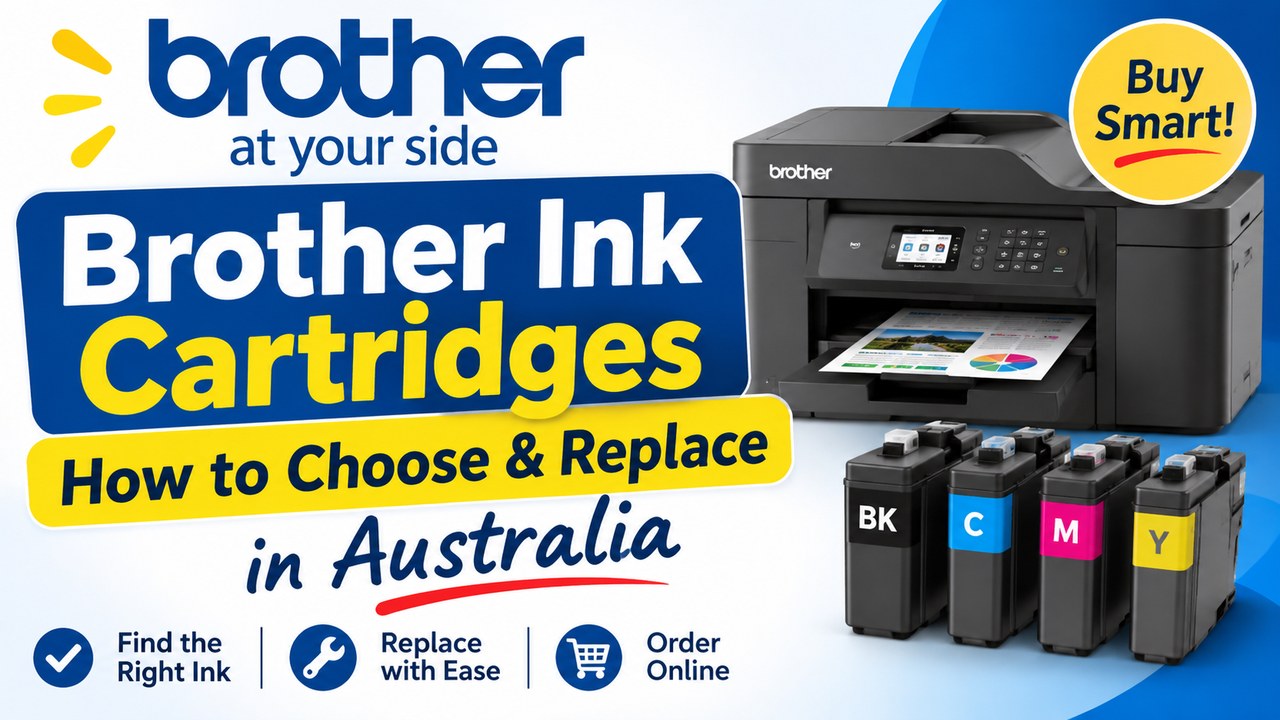
| November 11, 2026Choosing the right Brother ink cartridges is easier when you know exactly what your printer needs. The most important step is to check your Brother printer model and the cartridge code before ordering, as different machines use different consumables.Brother printers are widely used in Australian homes, home offices, schools and small businesses. The range includes inkjet printers, monochrome laser printers, multifunction machines and label printers. Because these machines work differently, Brother printer cartridges can include liquid ink cartridges, toner cartridges and other printer consumables.This guide explains how to choose the right replacement, understand the difference between Brother ink and toner, replace a cartridge correctly and avoid common ordering mistakes.What Are Brother Ink Cartridges and How Do You Choose the Right One?The correct Brother ink cartridge depends on your exact printer model and the cartridge code required by that machine. Always check these details before ordering because cartridges that look similar are not necessarily interchangeable.The first step is to identify what type of Brother printer you own.If your machine is an inkjet printer, it uses Brother printer ink cartridges containing liquid ink. If it is a laser printer, it uses Brother toner instead of liquid ink.This difference matters when ordering replacements.Don't choose a cartridge based only on:Its physical appearanceThe colour of the packagingA similar printer nameA previous guess or assumptionInstead, check your exact printer model and the cartridge code currently used by your machine.How to Find Your Brother Ink Cartridges Model NumberIf you're searching for a Brother ink cartridges model number scanner, start with the printer and the cartridge already installed.Check these places:The printer model label – This identifies the exact machine.The existing cartridge – The cartridge code may be printed on the product.The printer documentation – Manuals and support information can help identify the required consumable.Official manufacturer information – Use Brother's support resources when you need to verify printer requirements.The product compatibility information – Check the retailer's listing before ordering.The safest approach is always to use the exact model and cartridge information rather than guessing.Brother Ink vs Brother Toner: What Is the Difference?Brother ink and Brother toner are different products designed for different printing technologies. Inkjet printers use liquid ink, while laser printers use toner, so it is important to identify your printer type before purchasing a replacement.Many people search for Brother cartridges without knowing whether their machine needs ink or toner.Understanding the difference can help prevent an incorrect order.Brother Printer Ink CartridgesInkjet printers use liquid ink to create text and images on paper.If you own an inkjet model, look for Brother printer ink replacement products that match your specific printer and cartridge code.Depending on the printer, you may need black ink, colour ink or multiple individual cartridges.Brother TonerLaser printers use toner rather than liquid ink.Toner is used in laser printing technology, which is common in workplaces that regularly print documents.If you own a laser printer, you may need a Brother toner cartridge or other printer consumables depending on the machine.Before purchasing Brother printer toner, check:Your exact printer modelThe required toner codeThe product's compatibility informationAny instructions provided for your machineThis is particularly important for businesses that rely on Brother laser printer toner for regular printing.Ink and toner are not interchangeable. Choosing the correct product begins with identifying the printing technology used by your Brother machine.Genuine Brother Ink and Toner vs Compatible CartridgesGenuine Brother supplies are produced by Brother, while compatible cartridges are third-party alternatives designed for specific printers. Before buying either option, check exactly what you are purchasing and confirm that it is listed as compatible with your machine.Brother genuine ink and toner products are made by Brother for use with its printers.Compatible cartridges are produced by third-party manufacturers.The Toner Group offers compatible Brother cartridges designed to provide an alternative to genuine cartridges. When purchasing any compatible product, the most important step is confirming that the product is specifically suitable for your printer.Before ordering, check:Whether the product is genuine or compatibleYour exact printer modelThe cartridge or toner codeThe compatibility detailsInstallation instructionsBrother provides information about its genuine supplies through its official Australian website. Brother Australia Genuine SuppliesWhat Should You Know Before Choosing Compatible Supplies?Don't assume that every third-party cartridge will suit every Brother printer.Read the product listing carefully and confirm compatibility before installing the product.If you're unsure, check the printer model and cartridge code first.The best decision depends on your printing needs, the available product and whether the cartridge has been clearly identified for your machine.How to Change an Ink Cartridge in a Brother PrinterTo change an ink cartridge in a Brother printer, first make sure you have the correct replacement. Then follow the instructions for your specific model and avoid forcing the cartridge into place.The exact process can vary between Brother printer models, but the general approach is straightforward.Step 1: Confirm the Correct CartridgeBefore opening the replacement cartridge, check:Your printer modelThe required cartridge codeWhether you need black or colour inkThe product compatibility informationStep 2: Prepare the PrinterFollow your printer's instructions to access the cartridge compartment.Open only the relevant printer cover and avoid forcing any components.Step 3: Remove the Old CartridgeRemove the existing cartridge according to your printer's instructions.Take note of where the cartridge was positioned, particularly if your printer uses separate colour cartridges.Step 4: Prepare the New CartridgeFollow the handling instructions supplied with the replacement product.Remove packaging only as instructed.Step 5: Install the CartridgeInsert the cartridge into the correct position and ensure it is properly seated.Never force a cartridge into the printer.Step 6: Check the PrinterClose the compartment and check the printer display or software for any messages.If an error appears, check:The exact error messageThe cartridge codeWhether the cartridge is installed correctlyWhether it has been confirmed as compatible with your printerCommon Mistakes to AvoidThe most common problems include:Ordering the wrong cartridgeConfusing ink with tonerIgnoring the cartridge codeInstalling a cartridge in the wrong positionForcing a cartridge into placeAssuming every printing problem means the cartridge needs replacingTaking a few minutes to check the details before installation can prevent unnecessary problems.How to Avoid Common Brother Cartridge ProblemsMost cartridge problems can be reduced by checking compatibility before ordering, monitoring your remaining supplies and investigating print problems before automatically replacing ink or toner.A printer stopping when you need it can be frustrating. For a home office, school or small business, it can also interrupt important work.Avoid Ordering the Wrong CartridgeKeep a simple record of:Your Brother printer modelThe cartridge or toner codeWhether the printer uses ink or tonerThis makes future ordering much easier.Don't Wait Until You Completely Run OutMonitor your printer's supply messages and keep track of how quickly you use cartridges.If you print regularly, planning ahead can help avoid urgent replacement orders.Check Print Problems Before Buying a ReplacementPoor printing doesn't always mean you need a new cartridge.Before ordering a Brother toner replacement or new ink cartridge, check:The printer's error messageCartridge installationPrint settingsThe type of print-quality problemOther consumables that may be relevant to your machineAvoid Buying More Than You NeedKeeping a suitable spare can be practical, particularly for regular printing.However, your supply levels should match your actual printing requirements.For offices using several printers, a basic reorder process can help prevent both shortages and unnecessary over-ordering.What to Do When Your Brother Cartridge Is Out of StockIf the cartridge you need is unavailable, don't substitute a similar-looking product without confirming compatibility. Check the exact printer model and cartridge code, then review available options carefully.Start by confirming exactly what your printer requires.Then consider your options based on the product information available.If a compatible alternative is being considered, it should be clearly identified for your specific printer.Don't install a cartridge simply because:It looks similarThe packaging has a similar nameAnother Brother printer uses itCompatibility needs to be confirmed.Create a Simple Reorder SystemIf you regularly use the same supplies, create a basic reorder process.For example:Record your printer model and cartridge code.Monitor your normal printing usage.Keep track of remaining supplies.Reorder before your final cartridge is needed.This approach is particularly useful for workplaces that depend on regular printing.Find Brother Cartridges OnlineIf you're ready to order Brother ink cartridges, start by confirming your printer details.You can then browse Our Brother Printer Cartridges range and check the product information before ordering.How to Find a Reliable Brother Cartridge Supplier in AustraliaA reliable printer cartridge supplier should provide clear product information and make it easier for customers to check compatibility before purchasing. For regular business buyers, straightforward ordering, product clarity and delivery information can also be important.The question, “Where can I get the best in class Brother toner printers and ink cartridges in Australia?”, does not have one answer for every buyer.The best option depends on:Your printer typeYour printing requirementsYour budgetWhether you need genuine or compatible suppliesThe level of information and support you requireRather than relying only on broad marketing claims, assess a supplier using practical criteria.Clear Product DescriptionsYou should be able to identify exactly what the product is and what it is designed for.Compatibility InformationThe listing should help you confirm whether the product suits your printer.Genuine or Compatible Product ClarityA good listing should clearly identify what type of product you are purchasing.Suitable Range for Different Printing NeedsBrother printers are used in different environments, from home offices to schools and small businesses.Your supplier should make it easier to find the relevant category of consumables.Returns InformationCheck the supplier's current returns policy before ordering.This is particularly important if you are unsure about a cartridge selection.Brother Ink Cartridges Near Me: What Australian Buyers Should CheckWhen searching for Brother ink cartridges near me, finding a supplier is only one part of the process. You still need to confirm that the product is correct for your printer before completing your order.A local or online search may be triggered by an urgent printing need, but rushing can result in the wrong cartridge being purchased.Before placing an order, check:Your Brother printer model.The cartridge or toner code.Whether your printer uses ink or toner.The product compatibility information.The supplier's delivery and returns information.For customers ordering from The Toner Group, orders placed before 3 pm are dispatched the same day from Australian warehouses, based on the business information provided.The Toner Group also states that unopened or defective items can be returned or exchanged in line with its Delivery & Returns Policy.Always review the current policy details before purchasing.Brother Ink Cartridges for Home Office Use in AustraliaThe right Brother cartridge for a home office depends on how often you print, what you print and whether your machine uses inkjet or laser technology. Choosing based on your actual requirements can make supply management easier.A home office may print:DocumentsInvoicesReportsFormsColour materialsYour printing habits should influence how you manage replacement supplies.If you print occasionally, your needs may be different from a busy home office producing documents every day.Start by understanding:How often you printWhether you mainly print black text or colourWhat type of Brother printer you useWhich cartridge code the printer requiresA simple note containing your printer model and cartridge details can save time when you need a Brother printer ink replacement.Repair or Replace? When the Cartridge Isn't the ProblemPoor print quality does not always mean your Brother cartridge needs replacing. Check the printer's message and investigate the type of problem before automatically purchasing a new cartridge.Streaks or Lines on the PageLook at the printer's messages and recommended troubleshooting steps before replacing supplies.Faded PrintingCheck whether the printer is reporting a low supply level or another issue.Poor Colour OutputConfirm that the relevant cartridges are installed correctly and check for any messages displayed by the printer.Laser Printer ProblemsFor laser machines, a printing issue may not always be solved by installing another toner cartridge.The printer's error message can help identify whether another component or maintenance requirement needs attention.Cartridge Errors After InstallationIf a message appears after installing a replacement, check:The exact printer messageThe cartridge codeInstallationProduct compatibility informationAvoid repeatedly buying replacements without identifying the actual problem.For official printer guidance and information about Brother supplies, visit Brother Australia Support.Key TakeawaysCheck your exact Brother printer model before ordering supplies.Confirm the cartridge or toner code rather than choosing based on appearance.Brother ink cartridges and Brother toner are used in different printer technologies.Check whether you are purchasing genuine or compatible supplies.Follow your printer's instructions when replacing cartridges.Investigate print problems before automatically ordering a replacement.Keep a simple record of your printer and cartridge details to make reordering easier.Frequently Asked Questions About Brother Ink CartridgesHow do I know which Brother ink cartridge I need?Check your exact Brother printer model and the cartridge code required by that machine. The existing cartridge, printer documentation and official support information can help you identify the correct replacement. Always confirm compatibility using the product information before ordering.How do I change an ink cartridge in a Brother printer?The process varies by model, so follow the instructions for your specific printer. Generally, you need to access the cartridge compartment, remove the existing cartridge carefully, prepare the replacement as instructed and install it in the correct position without forcing it.What is the difference between Brother ink and Brother toner?Brother ink is used in inkjet printers, while toner is used in laser printers. These products are not interchangeable. Before ordering, identify your printer type and check the exact cartridge or toner code required for your particular machine.How can I find my Brother ink cartridge model number?Check the printer model label and the code printed on your existing cartridge. Your printer documentation and Brother's official support resources can also help. Use this information when checking a replacement product's compatibility details.What are genuine Brother ink cartridges?Genuine Brother ink cartridges are supplies produced by Brother for its printers. Brother provides information about its genuine supplies through its official support channels. Compatible cartridges are third-party alternatives, so product information and printer compatibility should be checked carefully.Where can I order Brother ink cartridges in Australia?You can order Brother-compatible cartridge products online after confirming your printer model and required cartridge code. Check product descriptions, compatibility information and the supplier's current delivery and returns details before completing your purchase.Can I use toner in a Brother inkjet printer?No. Toner and liquid ink are used in different printing technologies. Inkjet printers use ink cartridges, while laser printers use toner. Always identify your printer type before purchasing replacement supplies.Why is my Brother printer still showing a cartridge message?Check the exact message displayed by the printer. The issue may relate to cartridge installation, the product used or another printer requirement. Confirm that the replacement has been installed correctly and that it is identified as suitable for your specific printer.How often should I replace my Brother printer cartridge?There is no single replacement schedule because cartridge use depends on how often you print and the type of documents you produce. Monitor your printer's supply messages and printing quality rather than replacing cartridges based only on a fixed time period.What should I check before ordering Brother printer ink replacement?Check your printer model, the required cartridge code and whether your machine uses ink or toner. Then review the product description and compatibility information carefully before placing your order.Conclusion: Choosing the Right Brother Ink CartridgesChoosing the right Brother ink cartridges does not need to be complicated.Start with your exact printer model. Check whether your machine uses liquid ink or toner, confirm the required cartridge code and review compatibility information before purchasing.This simple process can help prevent wrong orders, unnecessary replacement costs and printing interruptions.Whether you are managing a home printer, a home office or regular workplace printing, keeping accurate records of your printer model and cartridge requirements makes future ordering much easier.When you're ready to purchase, check your printer details first and then explore the available options at The Toner Group's Brother Printer Cartridges range.Check the model. Confirm the cartridge. Order with confidence.
-
| August 27, 2026Wondering how long do ink cartridges last? The answer depends on whether the cartridge is still sealed, how it has been stored, the printer it is designed for and how often it is used. An unopened cartridge can remain usable for a considerable period when stored correctly, while an installed cartridge may experience drying or print-quality issues sooner, particularly if the printer sits unused.For Australian homes and businesses, understanding ink cartridge shelf life, proper cartridge storage and ink expiry can help prevent wasted cartridges and unexpected printing problems. Here is what you need to know before keeping spare cartridges in the cupboard or replacing an older one.How Long Do Ink Cartridges Last?There is no single expiry period that applies to every ink cartridge. Manufacturers can specify different recommended use-by dates and storage requirements depending on the cartridge design, ink formulation and printer.As a general rule, an unopened ink cartridge lasts longer than an installed cartridge, provided it remains sealed and is stored under suitable conditions. Once installed, the cartridge is exposed to the printer's operating environment and may gradually experience changes in ink flow or print performance.The actual ink cartridge shelf life can be influenced by several factors, including:Whether the cartridge is unopened or installedThe manufacturer's recommended expiry or use-by dateStorage temperature and humidityExposure to sunlightHow frequently the printer is usedThe type of printer and cartridgeWhether the cartridge is genuine, compatible or remanufacturedHow well the cartridge has been handled and storedFor example, someone who prints every day may use a cartridge well before its shelf life becomes a concern. Someone who prints only a few pages each month may keep cartridges for much longer and therefore needs to pay closer attention to storage and expiry information.It is also worth remembering that cartridge shelf life and page yield are different things. Page yield refers to approximately how many pages a cartridge can print under specified testing conditions. Shelf life refers to how long the cartridge can remain suitable for use.Can an expired ink cartridge still work?Sometimes, but there is no guarantee.An ink cartridge that has passed its manufacturer's recommended date may still produce acceptable prints, particularly if it has been stored correctly. However, its performance can become less predictable. You may notice faded output, inconsistent colours, streaking or other print-quality issues.Rather than relying only on the date printed on the packaging, consider the cartridge's condition, storage history and printer compatibility as well.What Affects Ink Cartridge Shelf Life?Ink is a liquid-based printing medium, so its performance can be affected by environmental conditions and time. The cartridge itself also contains components designed to deliver ink consistently to the printer.Keeping cartridges sealed is an important first step, but sealed does not mean immune to ageing. Poor storage conditions can affect cartridge performance even before it is opened.Key factors that affect cartridge lifeStorage temperatureAvoid storing ink cartridges in locations exposed to excessive heat or major temperature fluctuations. This is particularly relevant in Australia, where temperatures inside garages, sheds, vehicles and poorly ventilated storage areas can become very high during summer.A stable indoor environment is generally a better choice than a hot garage or car.HumidityExcessive moisture and damp conditions are not ideal for storing printer consumables. Keep cartridges in a dry location and away from areas such as bathrooms, laundry rooms or places prone to condensation.SunlightDirect sunlight and prolonged exposure to strong light can contribute to deterioration of packaging and cartridge components. Store cartridges away from windows and other locations where they receive direct sunlight.Original packagingKeep unused cartridges sealed in their original packaging until you actually need them. Packaging helps protect the cartridge from environmental exposure and physical damage.If you buy replacement cartridges in advance, avoid opening the packaging simply to inspect the cartridge. Keep it sealed until installation.Printer usageHow often you print matters once a cartridge has been installed. If a printer remains unused for extended periods, ink can dry around the printhead or ink delivery system, depending on the printer design.This is one reason occasional printing can be useful for people who rarely use their printer. Always follow the printer manufacturer's maintenance recommendations rather than repeatedly running cleaning cycles unnecessarily.Ink expiryCheck the manufacturer's information for any expiry, use-by or recommended-use date. Different manufacturers and cartridge types can have different guidance.An expiry date should not automatically be treated as a guarantee that a cartridge will stop working immediately. Instead, it indicates that the manufacturer no longer guarantees the same level of performance after that point.Cartridge compatibilityUsing the correct cartridge for your printer is essential. Even if an old cartridge physically fits, it may not be the correct consumable for the printer.Check the printer model and cartridge number before purchasing or installing a replacement. Compatibility can affect recognition, ink delivery and overall print performance.How Should You Store Ink Cartridges?Good cartridge storage is one of the easiest ways to protect unused ink cartridges.For Australian households and workplaces, choose a location that is cool, dry and away from direct sunlight. A cupboard inside the home or office is generally more suitable than a garage, car boot, shed or window ledge.Follow these practical steps:Keep cartridges sealed in their original packaging until required.Store them indoors rather than in areas exposed to extreme temperatures.Avoid direct sunlight, especially through windows.Keep cartridges dry and away from excessive humidity.Avoid significant temperature changes, such as moving cartridges repeatedly between hot and cool environments.Do not place heavy objects on cartridge packaging.Check the cartridge date and packaging condition before installation.Confirm the cartridge number matches your printer before opening it.It can also help to avoid buying far more cartridges than you are likely to use. If you print infrequently, purchasing a large stockpile may mean some cartridges sit unused for a long time.For businesses with several printers, it is worth keeping replacement cartridges organised by printer model and using older stock appropriately rather than allowing cartridges to remain forgotten at the back of a cupboard.What are the signs an old ink cartridge may need replacing?An ageing or poorly stored cartridge does not always fail completely. Instead, you may notice changes in print quality.Common warning signs include:Faded or unusually light printingMissing lines or sections of textStreaks across printed pagesIncorrect or inconsistent coloursFrequent printhead cleaning requirementsThe printer failing to recognise the cartridgeVisible damage or leakage around the cartridgeBefore replacing the cartridge, check whether the problem could instead be caused by clogged printheads, incorrect printer settings, low ink levels or another printer issue.How Can You Avoid Wasting Ink Cartridges?Understanding how long do ink cartridges last is useful, but good purchasing and storage habits can make an even bigger difference.If you only print occasionally, avoid buying large quantities of cartridges simply because they are discounted. Consider your actual printing volume and choose cartridges that you are likely to use within the manufacturer's recommended period.It is also sensible to check the cartridge number before purchasing. Ordering the wrong cartridge can turn a seemingly good deal into an unnecessary expense.For regular home, office and business printing, having the right replacement cartridge available when you need it can prevent last-minute purchases. The Toner Group provides Printer Cartridges for a range of printing requirements, making it easier to find a suitable replacement for your printer.Frequently Asked QuestionsHow long do ink cartridges last if unopened?An unopened ink cartridge can remain usable for a significant period when it is properly sealed and stored under suitable conditions. The exact shelf life varies by manufacturer and cartridge type, so check the manufacturer's date and recommendations.Do ink cartridges expire?Yes, ink cartridges can have expiry or recommended-use dates. However, an expired cartridge may not necessarily stop working immediately. Its performance may simply become less predictable, particularly if it has been stored poorly.Is it OK to store ink cartridges in a garage?It is generally better to avoid garages for long-term cartridge storage because Australian garages can experience substantial heat and temperature fluctuations. An indoor, dry and stable environment is usually more suitable.Should I keep spare ink cartridges in their packaging?Yes. Keeping unused cartridges in their original packaging until they are needed helps protect them from environmental exposure, light and physical damage.Does not using a printer make ink cartridges last longer?Not necessarily. An unopened cartridge can benefit from remaining sealed, but once installed, leaving a printer unused for a long time can contribute to ink drying or printhead issues depending on the printer. Follow the maintenance guidance for your specific printer.Conclusion: How Long Do Ink Cartridges Last?So, how long do ink cartridges last? There is no universal timeframe. An unopened cartridge that is kept sealed, stored correctly and used within the manufacturer's recommended period has the best chance of delivering reliable results. Heat, humidity, sunlight, poor storage and prolonged inactivity after installation can all contribute to printing problems.For Australian users, proper cartridge storage is especially important during periods of high temperatures. Rather than simply keeping spare cartridges wherever there is room, store them indoors in a stable, dry location and check the manufacturer's guidance before use.When it is time for a replacement, choosing the correct Printer Cartridge for your specific printer can help you avoid compatibility and print-quality problems.Need reliable ink cartridges for your printer? Explore Printer Cartridges from The Toner Group or contact the team for help finding the right option.Phone: 1300 041-170Email: info@thetonergroup.com.au
Recent Posts
Nov 20, 2026
Nov 19, 2026
Nov 18, 2026