Lexmark Toner Cartridges Australia: How to Choose the Right Toner
Choosing the right Lexmark toner cartridges starts with knowing your exact printer model. A cartridge that looks similar to your existing one may not fit or work correctly, even if it belongs to the same printer range.
This matters whether you print invoices in a small business, reports in an office or everyday documents at home. Ordering the wrong toner can mean extra costs, delays and unnecessary printer downtime.
Before buying, check your printer model, cartridge number, colour and required capacity. You should also understand the difference between genuine and compatible toner so you can choose an option that suits your printing needs and budget.
This guide explains what to check before ordering, how to compare cartridge options and how to avoid common purchasing mistakes.
1. How to Find the Correct Toner for Your Printer
The most important step is identifying your printer correctly. Do not rely on the appearance of an old cartridge or a product description that only mentions a similar model.
Use these checks before placing an order.
Find the full printer model
Look for the model name on the front, rear or side of your printer. You may also find it in the printer settings, user manual or computer's connected-device information.
Record the complete model number, including any letters at the end. Small differences in model names can indicate different printer versions.
For example, the B2236 and B2236DW belong to the same printer family, but you should still check the exact model against the product listing before purchasing.
Find the cartridge number
If you still have the previous toner cartridge, check its label for the supply number or OEM code.
This number is useful when searching for a replacement, but it should not be your only compatibility check. Confirm that the replacement listing specifically supports your printer.
Check the toner colour
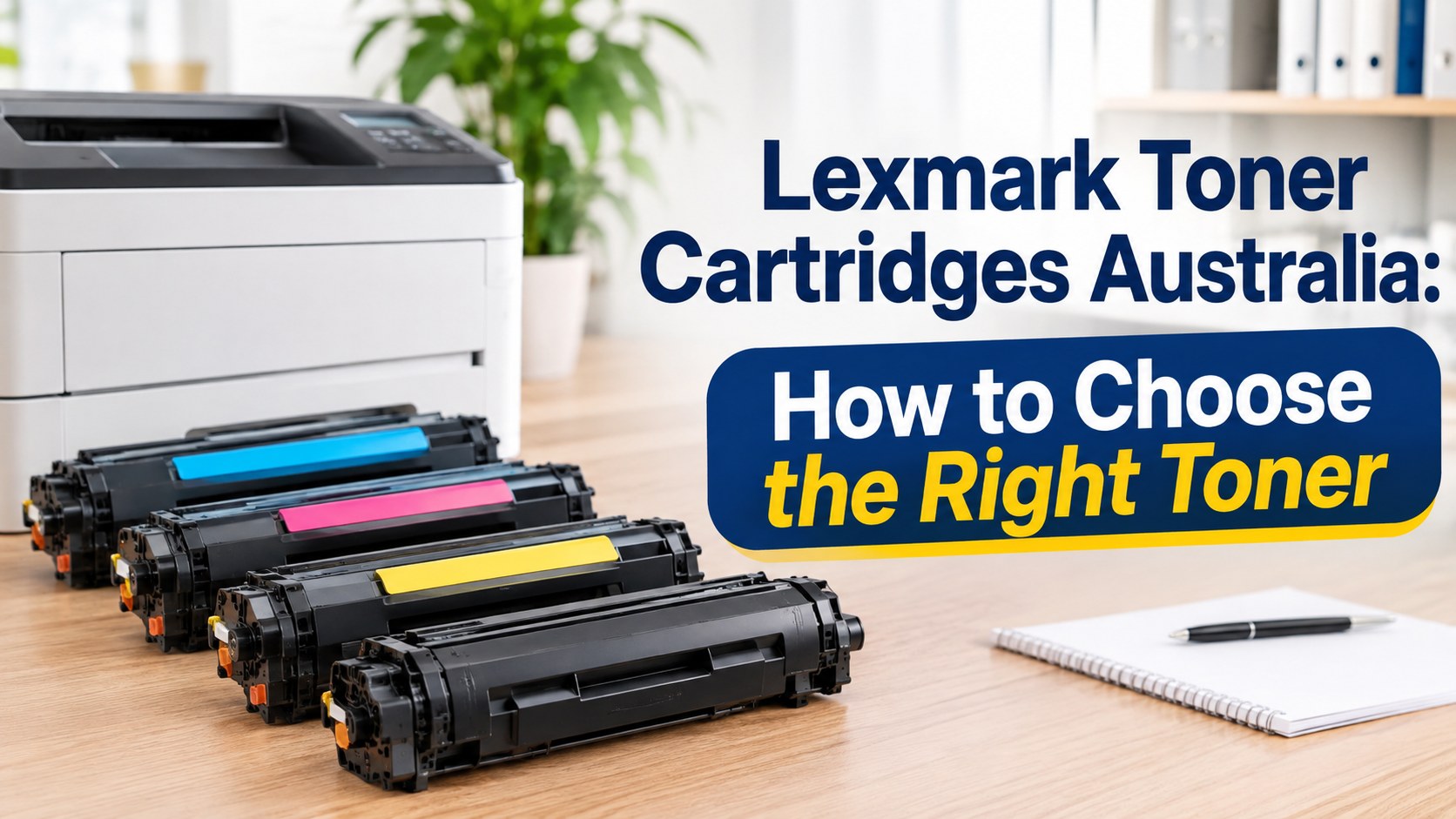
Monochrome laser printers generally use black toner. Colour laser printers may require four separate colours:
- Black
- Cyan
- Magenta
- Yellow
If your printer needs a cyan toner cartridge, for example, ordering black toner will not solve the problem. Check the required colour and cartridge number before adding a product to your cart.
Check the cartridge capacity
Some printer ranges support standard, high-yield or extra-high-yield cartridges. These options can have different page capacities and prices.
A higher-capacity cartridge may suit a workplace that prints regularly, while a standard option may be enough for occasional printing. However, the printer must support the selected cartridge type.
2. Printer Models and Toner Selection
Different printer families use different supplies. Checking the model name against the product listing is more reliable than searching for a broad phrase such as printer toner.
The online range includes supplies for several models, including:
- B2236DW: Check the listing for the correct B2236-series toner and capacity.
- MC3326: Confirm the exact model and whether you need black or colour supplies.
- CX410DE: Check the required black or colour cartridge and the correct capacity.
- MS521: Confirm the specific toner code and supported cartridge option.
These examples help narrow your search, but they are not interchangeable cartridge references. Always use the exact model and product compatibility information when selecting a replacement.
You can browse the Lexmark toner range to find products by printer model and compare the available options.
For another check, Lexmark provides an official printer supplies finder. This is particularly useful when you are unsure which original supply number belongs to your machine.
3. Genuine vs Compatible Toner: What Is the Difference?
When replacing toner, you will generally come across two types: genuine manufacturer supplies and compatible third-party cartridges.
Both are options to consider, but they are not the same product.
Genuine toner
Genuine cartridges are manufactured by the printer's original manufacturer for supported machines.
Some buyers prefer genuine supplies because they want to purchase directly from the printer brand's product range or follow a particular workplace purchasing requirement.
The important point is to select the genuine cartridge designed for your exact printer. Genuine does not mean universally compatible.
Compatible toner
Compatible cartridges are made by third-party manufacturers rather than the original printer manufacturer.
They can provide another purchasing option for people who want to manage printing costs. However, quality, construction and performance can vary between products.
Before choosing one, check:
- Whether your exact printer model is listed.
- Whether the cartridge is black or colour.
- Whether the capacity matches your requirements.
- Whether the supplier provides clear product information.
- What support and return conditions apply.
Do not assume every compatible cartridge performs identically. Review the specific product information rather than judging a cartridge by price alone.
Which option should you choose?
Your decision depends on your budget, printing volume and purchasing requirements.
If your organisation requires original manufacturer supplies, genuine toner may be the appropriate choice. If you are open to third-party products, compare compatible options carefully and confirm the exact printer match.
The aim is to choose a suitable product without paying for features or capacity you do not need.
4. Standard vs High-Yield Toner
Cartridge capacity affects how often you need to replace toner. Some models support more than one capacity, so it is worth checking the available options.
Standard-capacity toner
This may suit:
- Home offices.
- Occasional printing.
- Small workplaces with lower document volumes.
- Users who do not need frequent bulk replacements.
High-yield toner
This may suit:
- Businesses with regular printing.
- Offices that produce frequent reports and invoices.
- Workplaces that want fewer cartridge changes.
- Users whose printers support the relevant high-yield option.
A high-yield cartridge may have a higher upfront price, but the cost per printed page can be worth comparing.
For a useful comparison, divide the cartridge price by its stated page yield. Remember that published yields are based on standard testing conditions. Actual results vary with page coverage, document type, printer settings and usage.
Never choose a high-yield cartridge simply because it offers a larger capacity. First confirm that your printer supports it.
5. How to Replace a Toner Cartridge
Replacing toner is usually a straightforward task, but the process differs between printer models. Follow the instructions in your printer's manual rather than forcing a cartridge into place.
A general replacement process looks like this:
- Check the replacement: Confirm the model, cartridge number and colour before opening the package.
- Prepare the printer: Follow the manufacturer's instructions for accessing the toner compartment.
- Remove the old cartridge: Carefully take out the existing cartridge as directed.
- Prepare the replacement: Remove packaging and protective materials according to the product instructions.
- Install the new toner: Position it correctly and avoid forcing it into the printer.
- Close the printer: Make sure all covers and access panels are secure.
- Check the result: Allow the printer to recognise the supply and print a test page if required.
If the printer displays an error after installation, check the message and model-specific instructions before attempting further steps.
6. Why Is Your Printer Still Showing a Toner Warning?
A toner warning does not always mean that the replacement cartridge is faulty. The cause may relate to installation, compatibility or another printer component.
Here are a few things to check.
The cartridge is not recognised
Check that you have selected a cartridge listed for your exact printer model. Then review the installation instructions and make sure it is seated correctly.
The printer still shows low toner
Some printers display supply warnings based on their internal monitoring system. Follow the instructions for your model to check the cartridge status.
Prints look faded
Faded documents can be caused by low toner, print settings or other printer-related issues. Check the supply status and print settings before ordering another cartridge.
There are lines or streaks
Streaks may involve the cartridge, imaging components or other parts of the printer. Replacing toner without identifying the cause may not fix the problem.
Colour output looks incorrect
If a colour document is missing a shade, check the relevant cartridge and printer settings. For example, a cyan issue may not be resolved by replacing the black toner.
If the issue continues, refer to the manufacturer's troubleshooting guidance for your exact printer.
7. How to Manage Toner Costs in a Business
For offices and organisations, toner costs are not just about the price of an individual cartridge. Ordering errors, emergency purchases and poor stock management can also affect the printing budget.
A simple supply process can help.
Keep a printer and cartridge register
Record the following for each machine:
- Printer location.
- Full printer model.
- Required cartridge number.
- Required colour.
- Standard or high-yield options supported.
- Date of the last replacement.
This is especially useful when several people are responsible for ordering office supplies.
Set a reorder point
Do not wait until every spare cartridge has been used.
Review normal printing volume and decide when the business should reorder. The right stock level depends on usage, available storage and how quickly replacement supplies can be obtained.
Compare cost per page
A lower purchase price does not always mean better value. Compare the listed cartridge price with its stated page yield.
For example, a higher-capacity cartridge may cost more initially but could offer a lower estimated cost per page. Use the published yield as a guide rather than a guarantee of actual output.
Avoid unnecessary stock
Over-ordering can tie up money and storage space. Keep enough toner for normal operations, but base purchasing decisions on actual usage rather than assumptions.
8. What to Look for in a Toner Supplier
A good supplier should make it easier to identify the correct product and understand what you are purchasing.
Before ordering, look for:
- Clear printer compatibility information.
- Accurate cartridge codes and product descriptions.
- Genuine or compatible status clearly identified.
- Transparent dispatch and delivery information.
- Accessible support and returns information.
The product listing should answer the important questions before you place an order. If a cartridge code or compatibility detail is unclear, confirm it before purchasing.
The Toner Group's Lexmark toner range includes compatible products filled with premium-grade toner powder and tested for drum life, print density and streak-free output. The supplied product information also states that compatibility is tested before dispatch.
Orders placed before 3pm are dispatched the same day from Australian warehouses. This refers to dispatch, not guaranteed delivery on the same day.
Prices are positioned below genuine manufacturer toner, giving buyers another option when comparing supply costs.
9. Ordering, Dispatch and Returns
Before completing an order, check the printer model, product code, colour, quantity and cartridge type. Keep your order confirmation so you can refer to the product details if you need assistance.
Orders placed before 3pm are dispatched the same day from Australian warehouses, according to the product range information. Delivery time depends on the destination and transport arrangements.
It is also important to understand the returns conditions before buying.
Under the published Delivery & Returns Policy, eligible unopened products must be returned within 30 days of the invoice date, in their original and resellable condition, with a Return Authorisation (RA) number. A 15% restocking fee applies to eligible resellable returns.
Faulty or defective products are handled under the Warranty Policy. The published policy states that faulty products are replaced without a restocking fee. Your rights under Australian Consumer Law are not excluded.
Read the policy before sending a product back, and contact the supplier to obtain an RA number where required.
Frequently Asked Questions
1. Are toner cartridges compatible with all printers from the same brand?
No. Different printer families and models can use different toner supplies. Always check the full printer model and the cartridge number before ordering. Similar-looking cartridges are not necessarily interchangeable.
2. How do I find the correct toner for my B2236DW printer?
Start by confirming the complete printer model. Then check the cartridge number and product listing for compatibility. The B2236DW is included in the available model range, but you should verify the exact supply and capacity before purchasing.
3. What is the difference between genuine and compatible toner?
Genuine toner is manufactured by the original printer manufacturer. Compatible toner is made by a third party for supported printer models. Compare compatibility, product information, supplier support and price before choosing.
4. Is high-yield toner better than standard toner?
Not in every situation. High-yield options can suit frequent printing, while standard capacity may be enough for lower-volume use. Check whether your printer supports the option and compare the estimated cost per page.
5. Can compatible toner affect print quality?
Performance can vary between compatible products. Product construction, toner formulation and printer compatibility all matter. Choose a clearly listed product from a supplier that provides useful product information and support.
6. Why is my printer not recognising a new toner cartridge?
Possible causes include an incorrect cartridge, poor installation or a printer-specific supply recognition issue. Check the exact model, cartridge compatibility and installation instructions. If the warning remains, refer to the manufacturer's troubleshooting guidance.
7. How can I reduce toner costs in my office?
Keep a record of printer models and cartridge numbers, compare cost per page, monitor usage and set a sensible reorder point. These steps can help reduce incorrect orders and avoid unnecessary emergency purchases.
8. Where can I buy toner in Australia?
You can compare products through Australian printer-supply retailers. Before ordering, check the exact printer model, cartridge code, product type and returns conditions. The correct match matters more than choosing the first low-priced listing.
Find the Right Toner for Your Lexmark Printer
Ordering the wrong cartridge can cost you time and money. Before purchasing, check your printer's full model number, cartridge code, toner colour and capacity to make sure you select the correct replacement.
Looking for a cost-effective alternative to genuine toner? Explore the available range of compatible options, compare product details and check printer compatibility before ordering.
Browse Lexmark Toner Cartridges
Not sure which cartridge your printer needs? Contact The Toner Group on 1300 041 170 or email info@thetonergroup.com.au for assistance before placing your order.