
Showing results for:
Category: Buying Guides
Clear Filter
-
| November 19, 2026Lexmark Toner Cartridges Australia: How to Choose the Right TonerChoosing the right Lexmark toner cartridges starts with knowing your exact printer model. A cartridge that looks similar to your existing one may not fit or work correctly, even if it belongs to the same printer range.This matters whether you print invoices in a small business, reports in an office or everyday documents at home. Ordering the wrong toner can mean extra costs, delays and unnecessary printer downtime.Before buying, check your printer model, cartridge number, colour and required capacity. You should also understand the difference between genuine and compatible toner so you can choose an option that suits your printing needs and budget.This guide explains what to check before ordering, how to compare cartridge options and how to avoid common purchasing mistakes.1. How to Find the Correct Toner for Your PrinterThe most important step is identifying your printer correctly. Do not rely on the appearance of an old cartridge or a product description that only mentions a similar model.Use these checks before placing an order.Find the full printer modelLook for the model name on the front, rear or side of your printer. You may also find it in the printer settings, user manual or computer's connected-device information.Record the complete model number, including any letters at the end. Small differences in model names can indicate different printer versions.For example, the B2236 and B2236DW belong to the same printer family, but you should still check the exact model against the product listing before purchasing.Find the cartridge numberIf you still have the previous toner cartridge, check its label for the supply number or OEM code.This number is useful when searching for a replacement, but it should not be your only compatibility check. Confirm that the replacement listing specifically supports your printer.Check the toner colourMonochrome laser printers generally use black toner. Colour laser printers may require four separate colours:BlackCyanMagentaYellowIf your printer needs a cyan toner cartridge, for example, ordering black toner will not solve the problem. Check the required colour and cartridge number before adding a product to your cart.Check the cartridge capacitySome printer ranges support standard, high-yield or extra-high-yield cartridges. These options can have different page capacities and prices.A higher-capacity cartridge may suit a workplace that prints regularly, while a standard option may be enough for occasional printing. However, the printer must support the selected cartridge type.2. Printer Models and Toner SelectionDifferent printer families use different supplies. Checking the model name against the product listing is more reliable than searching for a broad phrase such as printer toner.The online range includes supplies for several models, including:B2236DW: Check the listing for the correct B2236-series toner and capacity.MC3326: Confirm the exact model and whether you need black or colour supplies.CX410DE: Check the required black or colour cartridge and the correct capacity.MS521: Confirm the specific toner code and supported cartridge option.These examples help narrow your search, but they are not interchangeable cartridge references. Always use the exact model and product compatibility information when selecting a replacement.You can browse the Lexmark toner range to find products by printer model and compare the available options.For another check, Lexmark provides an official printer supplies finder. This is particularly useful when you are unsure which original supply number belongs to your machine.3. Genuine vs Compatible Toner: What Is the Difference?When replacing toner, you will generally come across two types: genuine manufacturer supplies and compatible third-party cartridges.Both are options to consider, but they are not the same product.Genuine tonerGenuine cartridges are manufactured by the printer's original manufacturer for supported machines.Some buyers prefer genuine supplies because they want to purchase directly from the printer brand's product range or follow a particular workplace purchasing requirement.The important point is to select the genuine cartridge designed for your exact printer. Genuine does not mean universally compatible.Compatible tonerCompatible cartridges are made by third-party manufacturers rather than the original printer manufacturer.They can provide another purchasing option for people who want to manage printing costs. However, quality, construction and performance can vary between products.Before choosing one, check:Whether your exact printer model is listed.Whether the cartridge is black or colour.Whether the capacity matches your requirements.Whether the supplier provides clear product information.What support and return conditions apply.Do not assume every compatible cartridge performs identically. Review the specific product information rather than judging a cartridge by price alone.Which option should you choose?Your decision depends on your budget, printing volume and purchasing requirements.If your organisation requires original manufacturer supplies, genuine toner may be the appropriate choice. If you are open to third-party products, compare compatible options carefully and confirm the exact printer match.The aim is to choose a suitable product without paying for features or capacity you do not need.4. Standard vs High-Yield TonerCartridge capacity affects how often you need to replace toner. Some models support more than one capacity, so it is worth checking the available options.Standard-capacity tonerThis may suit:Home offices.Occasional printing.Small workplaces with lower document volumes.Users who do not need frequent bulk replacements.High-yield tonerThis may suit:Businesses with regular printing.Offices that produce frequent reports and invoices.Workplaces that want fewer cartridge changes.Users whose printers support the relevant high-yield option.A high-yield cartridge may have a higher upfront price, but the cost per printed page can be worth comparing.For a useful comparison, divide the cartridge price by its stated page yield. Remember that published yields are based on standard testing conditions. Actual results vary with page coverage, document type, printer settings and usage.Never choose a high-yield cartridge simply because it offers a larger capacity. First confirm that your printer supports it.5. How to Replace a Toner CartridgeReplacing toner is usually a straightforward task, but the process differs between printer models. Follow the instructions in your printer's manual rather than forcing a cartridge into place.A general replacement process looks like this:Check the replacement: Confirm the model, cartridge number and colour before opening the package.Prepare the printer: Follow the manufacturer's instructions for accessing the toner compartment.Remove the old cartridge: Carefully take out the existing cartridge as directed.Prepare the replacement: Remove packaging and protective materials according to the product instructions.Install the new toner: Position it correctly and avoid forcing it into the printer.Close the printer: Make sure all covers and access panels are secure.Check the result: Allow the printer to recognise the supply and print a test page if required.If the printer displays an error after installation, check the message and model-specific instructions before attempting further steps.6. Why Is Your Printer Still Showing a Toner Warning?A toner warning does not always mean that the replacement cartridge is faulty. The cause may relate to installation, compatibility or another printer component.Here are a few things to check.The cartridge is not recognisedCheck that you have selected a cartridge listed for your exact printer model. Then review the installation instructions and make sure it is seated correctly.The printer still shows low tonerSome printers display supply warnings based on their internal monitoring system. Follow the instructions for your model to check the cartridge status.Prints look fadedFaded documents can be caused by low toner, print settings or other printer-related issues. Check the supply status and print settings before ordering another cartridge.There are lines or streaksStreaks may involve the cartridge, imaging components or other parts of the printer. Replacing toner without identifying the cause may not fix the problem.Colour output looks incorrectIf a colour document is missing a shade, check the relevant cartridge and printer settings. For example, a cyan issue may not be resolved by replacing the black toner.If the issue continues, refer to the manufacturer's troubleshooting guidance for your exact printer.7. How to Manage Toner Costs in a BusinessFor offices and organisations, toner costs are not just about the price of an individual cartridge. Ordering errors, emergency purchases and poor stock management can also affect the printing budget.A simple supply process can help.Keep a printer and cartridge registerRecord the following for each machine:Printer location.Full printer model.Required cartridge number.Required colour.Standard or high-yield options supported.Date of the last replacement.This is especially useful when several people are responsible for ordering office supplies.Set a reorder pointDo not wait until every spare cartridge has been used.Review normal printing volume and decide when the business should reorder. The right stock level depends on usage, available storage and how quickly replacement supplies can be obtained.Compare cost per pageA lower purchase price does not always mean better value. Compare the listed cartridge price with its stated page yield.For example, a higher-capacity cartridge may cost more initially but could offer a lower estimated cost per page. Use the published yield as a guide rather than a guarantee of actual output.Avoid unnecessary stockOver-ordering can tie up money and storage space. Keep enough toner for normal operations, but base purchasing decisions on actual usage rather than assumptions.8. What to Look for in a Toner SupplierA good supplier should make it easier to identify the correct product and understand what you are purchasing.Before ordering, look for:Clear printer compatibility information.Accurate cartridge codes and product descriptions.Genuine or compatible status clearly identified.Transparent dispatch and delivery information.Accessible support and returns information.The product listing should answer the important questions before you place an order. If a cartridge code or compatibility detail is unclear, confirm it before purchasing.The Toner Group's Lexmark toner range includes compatible products filled with premium-grade toner powder and tested for drum life, print density and streak-free output. The supplied product information also states that compatibility is tested before dispatch.Orders placed before 3pm are dispatched the same day from Australian warehouses. This refers to dispatch, not guaranteed delivery on the same day.Prices are positioned below genuine manufacturer toner, giving buyers another option when comparing supply costs.9. Ordering, Dispatch and ReturnsBefore completing an order, check the printer model, product code, colour, quantity and cartridge type. Keep your order confirmation so you can refer to the product details if you need assistance.Orders placed before 3pm are dispatched the same day from Australian warehouses, according to the product range information. Delivery time depends on the destination and transport arrangements.It is also important to understand the returns conditions before buying.Under the published Delivery & Returns Policy, eligible unopened products must be returned within 30 days of the invoice date, in their original and resellable condition, with a Return Authorisation (RA) number. A 15% restocking fee applies to eligible resellable returns.Faulty or defective products are handled under the Warranty Policy. The published policy states that faulty products are replaced without a restocking fee. Your rights under Australian Consumer Law are not excluded.Read the policy before sending a product back, and contact the supplier to obtain an RA number where required.Frequently Asked Questions1. Are toner cartridges compatible with all printers from the same brand?No. Different printer families and models can use different toner supplies. Always check the full printer model and the cartridge number before ordering. Similar-looking cartridges are not necessarily interchangeable.2. How do I find the correct toner for my B2236DW printer?Start by confirming the complete printer model. Then check the cartridge number and product listing for compatibility. The B2236DW is included in the available model range, but you should verify the exact supply and capacity before purchasing.3. What is the difference between genuine and compatible toner?Genuine toner is manufactured by the original printer manufacturer. Compatible toner is made by a third party for supported printer models. Compare compatibility, product information, supplier support and price before choosing.4. Is high-yield toner better than standard toner?Not in every situation. High-yield options can suit frequent printing, while standard capacity may be enough for lower-volume use. Check whether your printer supports the option and compare the estimated cost per page.5. Can compatible toner affect print quality?Performance can vary between compatible products. Product construction, toner formulation and printer compatibility all matter. Choose a clearly listed product from a supplier that provides useful product information and support.6. Why is my printer not recognising a new toner cartridge?Possible causes include an incorrect cartridge, poor installation or a printer-specific supply recognition issue. Check the exact model, cartridge compatibility and installation instructions. If the warning remains, refer to the manufacturer's troubleshooting guidance.7. How can I reduce toner costs in my office?Keep a record of printer models and cartridge numbers, compare cost per page, monitor usage and set a sensible reorder point. These steps can help reduce incorrect orders and avoid unnecessary emergency purchases.8. Where can I buy toner in Australia?You can compare products through Australian printer-supply retailers. Before ordering, check the exact printer model, cartridge code, product type and returns conditions. The correct match matters more than choosing the first low-priced listing.Find the Right Toner for Your Lexmark PrinterOrdering the wrong cartridge can cost you time and money. Before purchasing, check your printer's full model number, cartridge code, toner colour and capacity to make sure you select the correct replacement.Looking for a cost-effective alternative to genuine toner? Explore the available range of compatible options, compare product details and check printer compatibility before ordering.Browse Lexmark Toner CartridgesNot sure which cartridge your printer needs? Contact The Toner Group on 1300 041 170 or email info@thetonergroup.com.au for assistance before placing your order.
-
| November 18, 2026When a printer runs out of ink, the immediate concern is usually getting it working again. But choosing a replacement is not always as simple as buying another cartridge with the same brand name.Brother has several ink cartridge ranges, and the correct one depends on the printer model. Some cartridges are available in different capacities, while others are designed for particular printer families. Buying the wrong one can mean another trip to the shop, a delayed job or an unopened cartridge that cannot be used.Whether you print occasionally at home or manage regular printing for a business, it helps to understand what you are buying before placing an order.This guide covers how to identify the right cartridge, replace it safely, compare genuine and compatible options, and avoid common purchasing mistakes.1. Start With Your Brother Printer Model, Not Just the Cartridge NameThe safest way to find the right replacement is to identify your printer's complete model number first.For example, a Brother MFC-J6930DW and MFC-J6530DW may look similar in terms of their printing functions, but you should never assume that two Brother printers use the same supplies simply because they belong to the same product family.Start by checking the model number printed on the front, rear or underside of your machine. You can also find it in the printer's settings or original documentation.Once you have the model number:Visit Brother Australia's support website.Search for your exact printer model.Open its consumables or supplies information.Check the cartridge numbers listed for that machine.Compare those numbers with the product description before ordering.This small check is more reliable than searching for a cartridge using only a colour or brand name.It is particularly important when shopping online, where product listings may contain several similar cartridge numbers. A cartridge that looks almost identical to the one you need is not necessarily compatible.2. Which Ink Does the Brother MFC-J6930DW Use?The Brother MFC-J6930DW is an A3 inkjet multifunction printer. It uses separate black, cyan, magenta and yellow ink cartridges.Brother Australia's published specifications list two cartridge capacity options for this model:Standard capacity: LC3317 seriesHigher capacity: LC3319XL seriesThe listed cartridge numbers are:ColourStandardHigher capacityBlackLC3317BKLC3319XL BKCyanLC3317CLC3319XL CMagentaLC3317MLC3319XL MYellowLC3317YLC3319XL YBrother's published approximate yields are 550 pages for the standard cartridges, 3,000 pages for XL black, and 1,500 pages for each XL colour cartridge. These are declared yields under specified testing conditions, not a promise of how many pages every user will print.For someone printing mostly invoices, reports and ordinary office documents, black ink may be replaced more frequently than colour. However, the actual replacement pattern depends on the type of documents and print settings.Before ordering MFC-J6930DW ink, check the cartridge number against the manufacturer's documentation and the product listing.3. Which Ink Does the Brother MFC-J6530DW Use?The Brother MFC-J6530DW is another A3 inkjet multifunction printer. Its Australian product documentation also lists the LC3317 and LC3319XL cartridge ranges.That means the listed options include:LC3317BK or LC3319XL BK for blackLC3317C or LC3319XL C for cyanLC3317M or LC3319XL M for magentaLC3317Y or LC3319XL Y for yellowThe standard and XL options give users a choice based on their printing volume and budget.If you own this printer, check the exact cartridge number before purchasing. Do not rely on a general search result or a photograph of a cartridge to confirm compatibility.For other Brother models, the cartridge family may be completely different. Always use the manufacturer's model-specific information as your reference.4. Genuine or Compatible: Which Brother Cartridge Should You Choose?After confirming the cartridge number, the next decision is whether to buy genuine or compatible ink.There is no single answer for every printer owner. The right option depends on your expectations, printing requirements and budget.Genuine Brother ink cartridgesGenuine cartridges are manufactured and sold under the Brother brand. They are specified for the printer models listed by the manufacturer.They may be the preferred choice if:You want manufacturer-branded consumables.You prefer to follow the printer manufacturer's recommendations.You want to use the cartridge range specified for your machine.You have particular requirements for document or colour output.For workplaces where predictable printing is important, using the manufacturer's specified supplies may be a straightforward purchasing decision.Brother compatible ink cartridgesCompatible cartridges are produced by third-party manufacturers for use in selected Brother printers.They offer another option for people who want to compare the cost of replacing their ink. This can be relevant for home offices, small businesses and other users who print regularly.However, the word compatible does not mean that every cartridge will work in every Brother printer.Before buying, check:The exact printer models supported.The cartridge number and colour.Whether the listing identifies the product as compatible rather than genuine.The seller's product information and support arrangements.The applicable returns conditions if the cartridge is faulty or unsuitable.A lower purchase price is only useful if the cartridge is suitable for your printer and meets your printing needs. Compare the full product details rather than making a decision based on price alone.5. Standard vs XL: Is a Higher-Capacity Cartridge Worth It?Some Brother cartridge ranges offer standard and XL versions. The main difference is the stated page yield.A higher-capacity cartridge contains more ink and is designed to print more pages before replacement. It generally costs more upfront, but that does not automatically make it the better-value option.Consider a small business that prints invoices, customer records and reports every week. Replacing cartridges regularly can interrupt work, so a higher-capacity option may be more convenient.By comparison, someone who prints only a few pages each month may not need the larger cartridge.A practical way to compare the options is to look at the cost per declared page:Cost per page = Cartridge price ÷ Declared page yieldFor example, if a cartridge costs $30 and has a declared yield of 550 pages:$30 ÷ 550 = approximately 5.45 cents per page.This is a comparison based on the published yield, not a guaranteed real-world printing cost. Actual ink use varies with page coverage, document type, print settings and maintenance cycles.The best choice is the cartridge capacity that matches how often you print—not simply the one with the largest number on the box.6. How to Replace an Ink Cartridge in a Brother PrinterReplacing an ink cartridge is usually a simple process, but the exact procedure varies between Brother models.Always follow the instructions in your printer's manual. The general process for many Brother inkjet models is as follows.Step 1: Switch on the printerKeep the printer powered on and wait until it is idle. Some models move the print head into a replacement position when the cartridge cover is opened.Step 2: Open the cartridge coverLocate the ink compartment and open the cover carefully. Wait for the printer to finish any movement before touching the cartridges.Step 3: Remove the cartridge that needs replacingIdentify the colour indicated by the printer. Release the cartridge using the mechanism provided and remove it carefully.Avoid touching the ink outlet or electrical contacts.Step 4: Prepare the replacementTake the new cartridge out of its packaging and remove the protective materials as instructed. Do not remove parts that the installation instructions tell you to leave in place.Step 5: Install the new cartridgePlace it in the correct colour slot, following the direction shown in the printer. Make sure it is securely fitted.Step 6: Close the cover and follow the displayThe printer may perform an ink check or display a confirmation message. Allow it to finish before printing.If the printer does not recognise the cartridge, check the installation and cartridge number before trying anything else.7. Why Is Your Brother Printer Not Recognising a New Cartridge?Installing a replacement does not always resolve an ink warning immediately. If your printer displays a cartridge error, avoid repeatedly removing and reinstalling it without checking the cause.Start with these checks.The cartridge is not seated correctly. Remove it carefully and reinstall it according to the model's instructions.The cartridge number is incorrect. Check the number against your printer's official consumables list. Similar-looking cartridges are not necessarily interchangeable.Protective packaging has not been removed. Check the installation instructions to make sure all required seals or protective materials have been handled correctly.The printer is displaying a different error. Read the complete message rather than assuming every warning means the cartridge is empty.The cartridge may be faulty. If the number is correct and installation is correct but the error continues, contact the seller or consult Brother support.For model-specific help, use the Brother Australia support website.8. What Should You Check Before Ordering Brother Ink Online?Ordering online is convenient, especially when you already know the cartridge number. But it is worth checking a few details before completing your purchase.Confirm the printer model. Use the full model number, including its letters and numbers.Match the cartridge number. Do not choose a product simply because it says Brother ink or Brother black ink.Check the colour. If you need black only, make sure you are not ordering a colour cartridge or a multipack by mistake.Compare standard and XL options. Think about how often you print and whether a higher page yield would be useful.Read the product description. Confirm whether the cartridge is genuine or compatible and check the models listed as supported.Review delivery and returns information. Check the expected delivery arrangements and the conditions that apply if a product arrives faulty or is unsuitable.If you are searching for Brother ink cartridges online in Australia, start with the exact cartridge number. It makes comparing products much easier and reduces the risk of an incorrect order.You can browse the available Brother ink cartridge range and compare the product details with your printer's requirements.9. How to Get More From Your Brother InkThe amount of ink a printer uses depends on what you print and how you use the machine. A few practical habits can help avoid unnecessary consumption.Check documents before printing: Review spelling, layout and page selection to prevent avoidable reprints.Use suitable print settings: Draft or economy mode may be enough for internal documents.Avoid printing unnecessary colour: Use black-and-white settings when colour is not required.Choose the right paper: Use paper suitable for the type of printing you are doing.Follow maintenance instructions: Use the printer's recommended cleaning and maintenance procedures.Keep replacement supplies ready: If your printer is important to daily work, check cartridge levels before they become critically low.One point worth understanding is that inkjet printers may use some ink during maintenance and print-head cleaning. This means cartridge life is not determined only by the number of pages printed.If you print frequently, tracking your typical monthly usage can help you decide whether standard or XL cartridges make more sense.Frequently Asked Questions1. How do I find the correct Brother ink cartridge for my printer?Check the full printer model number and look up its consumables on Brother Australia's support website. Match the listed cartridge number before ordering.2. Can I use compatible ink in a Brother printer?Some third-party cartridges are designed for selected Brother models. Check the exact printer and cartridge numbers in the product description before buying.3. What is the difference between genuine and compatible Brother ink?Genuine cartridges are sold under the Brother brand. Compatible cartridges are made by third-party manufacturers for use in selected Brother printers.4. What ink does the Brother MFC-J6930DW use?Brother Australia's published specifications list LC3317 standard and LC3319XL higher-capacity cartridges in black, cyan, magenta and yellow.5. What ink does the Brother MFC-J6530DW use?Brother Australia's published specifications also list the LC3317 and LC3319XL ranges for this model. Confirm the cartridge number before purchasing.6. Are XL Brother cartridges better value?They can offer a lower cost per declared page, depending on the purchase price and published yield. Compare both figures and consider your actual printing volume.7. Why is my Brother printer not recognising a replacement cartridge?The cartridge may be incorrectly installed, unsuitable for the printer or faulty. Check the cartridge number, installation instructions and exact error message.8. Can I order Brother ink cartridges online in Australia?Yes. Before ordering, confirm the printer model, cartridge number, colour, capacity and product type. Also review delivery and returns information.Ready to Order Brother Ink Cartridges in Australia?Don't wait until your printer runs completely out of ink. Once you've confirmed your printer model and cartridge number, explore the Brother ink cartridge range at The Toner Group.Choose from available genuine and compatible options, compare cartridge capacities and find the replacement that suits your printing needs.Whether you're buying Brother ink for your home, small business or office, check the product compatibility details before ordering.Shop Brother ink cartridges online: www.thetonergroup.com.au/brother/brother-ink/Need help with your order? Contact The Toner Group on 1300 041 170 or email info@thetonergroup.com.au.Get the right ink for your Brother printer and keep your printing running without unnecessary interruptions.
-
| November 17, 2026Choosing the right HP toner cartridge is not always straightforward. HP uses different cartridge numbers across its LaserJet and colour laser printer ranges, and cartridges that look similar are not necessarily interchangeable. Regional differences can also affect which toner works with an Australian-market printer.Ordering the wrong cartridge can mean unnecessary returns, delays and additional costs. Before buying, it is important to check your printer model, cartridge number, colour and regional compatibility.Whether you print occasionally at home or manage several printers in a busy workplace, this guide explains how HP printer toner works, how to identify the correct cartridge and what to consider when comparing genuine and compatible options.We will also cover popular HP toner families, including HP 48A, 206A, 410A, 119A, 83A and 78A, along with practical advice on replacement, troubleshooting and cartridge maintenance.How to Find the Correct HP Toner CartridgeThe most reliable way to find the right HP toner cartridge is to check the exact printer model against the manufacturer's compatibility information.Do not rely only on a printer's product family or a similar-looking cartridge. Two HP printers from the same general range can use different cartridge numbers. Imported printers can also have regional differences.Follow these steps before ordering:Identify your exact printer model. Check the label on the printer, its control panel, original packaging or printer settings.Find the cartridge information. Use the printer model to look up the recommended supplies on HP Support.Check the complete cartridge number. Pay attention to letters and numbers, not just the main series name.Confirm the colour. Colour laser printers usually require separate black, cyan, magenta and yellow cartridges.Check the cartridge capacity. Some HP toner families have standard and high-yield versions.Confirm the printer's region. A printer purchased overseas may use a different toner family from an Australian-market version.Review the product listing. Make sure the exact printer model and cartridge number are included in the compatibility information.You can use HP Support Australia to find official product information and check which cartridges are listed for your printer.Common HP Toner Cartridges and Their Printer CompatibilityHP uses several toner families across its monochrome and colour laser printers. Each family has a specific cartridge number, and the correct choice depends on the printer model and, in some cases, its region.The following examples cover popular HP toner searches in Australia. Use them as a starting point, then verify the exact model before ordering.HP 48A toner for HP LaserJet Pro M15wThe HP LaserJet Pro M15w toner is a common search among people using HP's compact monochrome laser printer.For the Asia-Pacific version of the HP LaserJet Pro M15w, the relevant cartridge is generally HP 48A black toner (CF248A).The M15w is designed for black-and-white printing, so it uses a black toner cartridge rather than a four-colour toner set.Before purchasing HP M15w toner, check the following:Your printer is the HP LaserJet Pro M15w.The cartridge number is CF248A.The printer is not a regional version requiring a different cartridge.The product listing confirms compatibility with your exact model.HP lists different cartridge families for different regions. For example, the M15w range uses 48A in Asia-Pacific markets other than China and India, while other regions use different cartridge numbers.This is why checking the printer's region is just as important as checking its model number.HP 206A and 206X toner for HP Color LaserJet Pro M283fdwThe HP M283fdw toner range is used with the HP Color LaserJet Pro M283fdw, a multifunction colour laser printer.For the Asia-Pacific version, the standard-capacity HP 206A cartridges are:Black: W2110ACyan: W2111AYellow: W2112AMagenta: W2113AThe corresponding high-yield HP 206X cartridges are:Black: W2110XCyan: W2111XYellow: W2112XMagenta: W2113XThe main difference between HP 206A and HP 206X is cartridge capacity. The 206X range is designed for higher printing volumes, making it worth considering when a printer is used regularly.The HP M283fdw uses four separate toner cartridges. You can replace the colour that runs low rather than automatically replacing the complete set.However, do not assume that every HP M283-series printer uses the same cartridge in every country. HP lists 206A and 206X for the relevant Asia-Pacific and other specified markets, while European versions use 207A and 207X.If your printer was imported, verify its regional compatibility before ordering.HP 410A and 410X tonerHP 410A toner is a colour laser cartridge family used in selected HP Color LaserJet Pro printers.The HP 410A cartridge numbers are:Black: CF410ACyan: CF411AYellow: CF412AMagenta: CF413AThe HP 410X range offers higher-capacity alternatives for compatible printers.These cartridges are associated with selected models, including the HP Color LaserJet Pro M452, M377 and M477 families. Compatibility should still be checked against the complete printer model.When comparing HP 410A and 410X, consider how frequently your workplace prints. A standard-capacity cartridge may suit occasional printing, while a higher-capacity option may reduce replacement frequency for regular workloads.Do not select a cartridge simply because the product listing mentions HP Color LaserJet Pro. Confirm that the specific printer is supported.HP 119A toner for HP Color Laser 150nwThe HP 150nw toner search needs particular attention because HP uses different cartridge numbers for different regions.For Australian and other Asia-Pacific-market versions of the HP Color Laser 150nw, the relevant toner family is generally HP 119A, rather than HP 117A.The HP 119A cartridge numbers are:Black: W2090ACyan: W2091AYellow: W2092AMagenta: W2093AHP 117A is associated with other regional versions of the HP Color Laser 150 series, including Europe, Russia, CIS, the Middle East and Africa.For Australian-market printers, check the HP 119A range first. If the machine was purchased overseas, confirm the exact regional specification before ordering.This is a useful example of why searching for toner by printer model alone can sometimes produce confusing results. The same printer family can have different cartridge requirements depending on where the machine was manufactured or intended to be sold.HP 83A toner (CF283A)HP 83A toner is a black toner cartridge family used in selected HP LaserJet Pro printers.Its cartridge number is CF283A. It is associated with selected models in the HP LaserJet Pro M125–M128 and M201–M202 families.If you are searching for an 83A toner HP cartridge, check the complete printer model rather than relying only on the series name.Some regional versions of certain printers may use a different cartridge family. For example, HP lists different supplies for selected models sold in China and India. This makes it particularly important to confirm the printer's region before ordering.HP 78A toner cartridge (CE278A)The HP 78A toner cartridge is another black toner option used in selected HP LaserJet printers.Its cartridge number is CE278A. It is associated with selected printers, including models in the HP LaserJet P1566, P1606 and M1530/M1536 families.HP 78A and HP 83A are different cartridge families. They should not be treated as interchangeable, even if a retailer's search results display them alongside one another.If you need HP 78A toner, check the printer's exact model and the cartridge number specified for its region before purchasing.Genuine vs Compatible HP Toner Cartridges: What Is the Difference?When buying HP toner cartridges in Australia, you will generally come across genuine HP cartridges and compatible alternatives.Both options may be available for selected printer models, but they are not the same product. Understanding the difference can help you compare cost, product information and supplier support.What are genuine HP toner cartridges?Genuine HP toner cartridges are manufactured and sold under the HP brand. They are designed for the specified HP printer models and are listed in HP's product and technical information.Some buyers prefer genuine HP toner because they want a manufacturer-branded product and a direct match with the printer's listed supplies.When purchasing genuine toner, check the cartridge number, colour and capacity. A genuine cartridge is not automatically suitable for every HP printer.What are compatible HP toner cartridges?Compatible HP toner cartridges are third-party products designed to work with specified HP printer models. They are not manufactured by HP, even when they are designed for an HP printer.Compatible cartridges can provide an alternative to genuine supplies, but product quality and performance can vary between manufacturers and suppliers.Before choosing a compatible HP toner cartridge, check:Whether your exact printer model is listed.Whether the cartridge number matches the required toner family.Whether the product is the correct colour and capacity.Whether the supplier provides clear product information.Whether there is a straightforward process for handling faulty or incorrectly supplied products.Avoid assuming that every compatible cartridge carrying the same main series number will work with every regional version of a printer.Does using compatible toner automatically void your printer warranty?No. Using a third-party cartridge does not automatically remove your rights under Australian Consumer Law.However, this does not mean every printer fault must be covered regardless of its cause. If a particular problem is shown to have been caused by a cartridge or its use, that may be relevant when responsibility for the repair is assessed.The important distinction is between using a third-party product and establishing that the product caused a specific fault.For information about consumer guarantees, repairs and refunds, refer to the Australian Competition and Consumer Commission (ACCC).Common HP Toner Problems and How to Fix ThemEven when you have the correct HP toner cartridge, printing problems can occur. Some issues are related to the cartridge, while others may involve the printer, paper or settings.Printer says toner is low after replacementA toner warning may remain after installing a replacement cartridge.First, check that the cartridge is the correct one for your printer. Confirm that all protective packaging has been removed as instructed and that the cartridge is seated properly.If the warning continues, restart the printer and consult the model-specific HP troubleshooting instructions.Remember that toner-level readings are estimates. They do not always represent the exact amount of toner remaining.Faded or light printingFaded printing can have several causes, including low toner, incorrect print settings, unsuitable paper or a problem with the cartridge or printer.Check the toner status and print settings first. If the cartridge is new, confirm that it is compatible and installed correctly.If the issue continues, follow the printer's cleaning and troubleshooting instructions before replacing additional supplies.Black marks or repeated spots on pagesBlack marks, streaks or repeated spots can be caused by toner contamination, a damaged cartridge, paper problems or an internal printer component.Print a test page and check whether the marks appear in the same position each time. This can help determine whether the problem is related to the cartridge or the printer.If the marks continue, consult the printer's troubleshooting guide or arrange a professional inspection.Printer does not recognise the toner cartridgeA recognition error can occur if the cartridge is incorrect, not seated properly or not recognised by the printer.Try the following:Check the complete cartridge number.Confirm the printer model and region.Remove and reinstall the cartridge according to the manufacturer's instructions.Check that protective packaging has been removed.Restart the printer.If the issue remains, contact the cartridge supplier or HP support for further assistance.Toner is leaking from the cartridgeStop using a cartridge that appears damaged or is leaking.Avoid touching or inhaling toner powder. Keep it away from children and pets, and follow the manufacturer's handling and cleaning instructions.Do not use a household vacuum to clean toner spills. Contact the supplier for advice about the affected cartridge.Responsible Disposal of Used HP Toner CartridgesUsed toner cartridges should not automatically be placed in general waste.Some manufacturers and recycling programs accept used ink and toner supplies for recovery or recycling. HP operates its Planet Partners program for eligible HP supplies.You can check the HP Planet Partners recycling program for current Australian participation details.Another useful Australian resource is Planet Ark, which provides information about recycling and responsible waste management.Check the program's accepted products and collection arrangements before sending cartridges. Not every cartridge or location will necessarily be eligible.Frequently Asked Questions About HP Toner1. How do I know which HP toner cartridge my printer needs?Find your exact HP printer model and check its cartridge information through HP Support. Confirm the full toner number, colour, capacity and regional compatibility before ordering.2. Is HP 61 a toner cartridge?No. HP 61 is an ink cartridge range used in selected HP inkjet printers. It is not laser printer toner. If your printer uses HP 61, you need the correct ink cartridge rather than an HP LaserJet toner cartridge.3. Which toner does the HP LaserJet Pro M15w use?The HP LaserJet Pro M15w uses HP 48A black toner (CF248A) in the relevant Asia-Pacific markets, including Australia. Regional versions for China and India use a different cartridge. Check your printer's region before purchasing.4. Which toner does the HP Color LaserJet Pro M283fdw use?The relevant Asia-Pacific version generally uses HP 206A or HP 206X toner. The range includes black, cyan, yellow and magenta cartridges. Check the complete part numbers and regional compatibility before ordering.5. What is the difference between HP 206A and HP 206X?HP 206A is the standard-capacity cartridge family, while HP 206X is the higher-capacity option for compatible printers. Compare the purchase price and stated page yield to decide which suits your printing volume.6. Does the HP Color Laser 150nw use HP 117A or HP 119A toner?Australian and other Asia-Pacific-market versions generally use HP 119A. HP 117A is associated with other regional versions of the printer family. Check the exact printer's region and cartridge information before buying.7. Are HP 78A and HP 83A toner cartridges interchangeable?No. HP 78A (CE278A) and HP 83A (CF283A) are different toner families. Use the cartridge number specified for your exact printer model and region.8. Are compatible HP toner cartridges worth buying?Compatible HP toner can provide an alternative to genuine cartridges, but quality and performance vary between products and suppliers. Check exact printer compatibility, product details and the supplier's support process before purchasing.Final ThoughtsChoosing the right HP toner starts with knowing your printer model and checking the correct cartridge number. HP 48A, 206A, 410A, 119A, 83A and 78A belong to different printer families, so they should never be selected based on appearance or a similar product name alone.Pay particular attention to regional compatibility. Australian-market printers can require different cartridges from overseas versions of the same printer family. This is especially important when checking HP LaserJet Pro M15w and HP Color Laser 150nw toner.When comparing HP toner cartridges in Australia, consider the cartridge number, printer compatibility, capacity, expected printing volume and supplier information. These checks can help you avoid ordering mistakes and choose a cartridge that suits your printer.If you need help finding printer consumables, The Toner Group provides printer supplies for Australian customers. Explore the printer cartridge range or contact the team for assistance.
-
| November 13, 2026Buying printer supplies can become confusing when you see genuine, compatible and other cartridge options at different prices. For anyone looking for ink and toners in Melbourne, the biggest questions usually come down to safety, printer compatibility, cost and where to buy the right product.Compatible cartridges can offer an alternative to genuine products, but choosing the right one requires more than simply selecting the cheapest option. Your printer model, cartridge number and printing needs all matter.This guide answers the most common questions in the order customers usually ask them.Are Compatible Ink and Toner Cartridges Safe to Use?Compatible ink and toner cartridges can be a suitable option when they are specifically designed for your exact printer. The most important step is checking compatibility before you buy rather than assuming a similar-looking cartridge will work.A genuine cartridge is made by the original printer manufacturer. A compatible cartridge is produced by another manufacturer for use with specific printer models.The word "compatible" does not mean universal.Before buying a compatible cartridge, check:Your exact printer modelThe cartridge number required by your printerWhether the product specifically lists your printer as compatibleThe supplier's product informationApplicable guarantee and returns termsThis is especially important when buying replacement printer cartridges in Melbourne, where a quick search can show many products that look similar but are designed for different machines.Genuine and Compatible Cartridges: What's the Difference?The main difference is who manufactures the cartridge.Genuine CartridgeCompatible CartridgeMade by the original printer manufacturerMade by another manufacturerDesigned for supported printer systemsDesigned for specific compatible printer modelsPrice varies by brand and productPrice varies by product and supplierMust still match the correct printerMust also match the exact printerNeither option should be selected without first checking compatibility.The Toner Group supplies both genuine and compatible printer consumables. According to the business information provided, its non-genuine products come with a lifetime guarantee.You can start by browsing the available printer cartridges and checking products against your printer model.How to Choose a Compatible Cartridge SafelyA simple buying process can reduce the risk of ordering incorrectly.Step 1: Find your printer's complete model number.Step 2: Check the number on your existing cartridge.Step 3: Confirm whether you need ink or toner.Step 4: Check that the replacement is specifically listed for your printer.Step 5: Follow the installation instructions provided for your printer and cartridge.If you are unsure about the product you need, it is better to check before ordering than to guess.Will Compatible Cartridges Damage My Printer?Using a compatible cartridge does not automatically mean your printer will be damaged. The more important issue is whether the cartridge is correctly designed for your specific printer and installed properly.Many people confuse a compatible cartridge with an incorrect cartridge.They are not the same thing.A correctly matched compatible cartridge is designed for particular printer models. An incorrect cartridge may look similar but can have a different design, code or compatibility requirement.Why Compatibility MattersBefore installing any replacement cartridge, confirm:Your exact printer model.The cartridge number required by your printer.That the replacement product specifically lists compatibility.Do not rely only on:The printer brandThe colour of the cartridgeThe physical appearanceA similar product nameWhat if My Printer Shows a Cartridge Error?Messages may include:Cartridge not recognisedIncorrect cartridgeCartridge errorReplace cartridgeBefore deciding that the cartridge is faulty, check:Is it the correct product for your printer?Is it installed in the correct position?Is it fully seated?Has all protective packaging been removed?Depending on the printer, other factors may also affect cartridge recognition.Sometimes the Cartridge Isn't the ProblemIf you replace a cartridge and the same problem continues, another part of the printer may be responsible.Common causes of printing problems can include:Printer maintenance requirementsCartridge contactsPrinter software or firmwareOther consumable componentsMechanical printer issuesFor laser printers, some components may be separate from the toner cartridge.This is why repeatedly buying replacement cartridges without checking the actual problem can become expensive.The Toner Group also provides nationwide technical support and works with skilled printer technicians across Australia. This can be useful when the problem appears to involve the printer rather than simply an empty cartridge.Why Are Printer Cartridges So Expensive?Printer cartridge prices vary because printers use different technologies, cartridge designs and capacities. The best way to manage your printing costs is to choose the correct cartridge and compare suitable options for your printer.Printer cartridges are not all the same.Pricing can vary based on:Printer technologyInk or toner typeCartridge capacityCartridge designGenuine or compatible productsIndividual cartridges or multipacksGenuine and Compatible Options Can Have Different PricesGenuine products are produced by the original printer manufacturer, while compatible products are produced by another manufacturer for specific printer models.Prices can vary between these options.However, choosing purely on price can cause problems if the product is not correct for your printer.The first question should always be:Is this cartridge specifically compatible with my printer?Only after confirming compatibility should you compare the available options.Cartridge Capacity Can Affect CostSome printers use different capacity options.A higher-capacity cartridge may cost more upfront, but the right choice depends on your printing needs.Consider:How often you printHow many pages your workplace producesWhether you regularly run out of cartridgesHow many printers you manageA busy office may have very different requirements from a home printer used occasionally.The Wrong Cartridge Can Be the Most Expensive OneOne of the easiest ways to waste money is ordering a cartridge that does not fit your printer.Before buying printer ink in Melbourne or replacement toner, check:The complete printer modelThe required cartridge codeInk or toner typeColour requirementsProduct compatibilityTaking a few minutes to check these details can help prevent unnecessary replacement orders.How Businesses Can Better Manage Cartridge CostsBusinesses that print regularly can benefit from a simple supply process.Keep track of:Frequently used cartridgesHigh-volume printersSpare cartridge levelsRegular ordering patternsInstead of waiting until the last cartridge runs out, establish a practical reorder point for your most frequently used supplies.Where Can I Buy Ink and Toner Cartridges in Melbourne?You can buy printer ink and toner in Melbourne from specialist suppliers, office retailers and online stores. The best choice is a supplier that helps you confirm cartridge compatibility and provides suitable options for your printing requirements.When looking for ink and toners Melbourne customers have plenty of options. However, the most important factor is not simply finding the nearest supplier or the lowest advertised price.You need the correct product for your printer.What Should You Look for in an Ink and Toner Supplier?A reliable ink and toner supplier in Melbourne should make it easier to check:Printer model compatibilityCartridge numbersGenuine and compatible optionsProduct availabilityDelivery informationTechnical support where neededThe Toner Group provides genuine and compatible printer consumables, printer hardware and technical support for customers across Australia.Customers can browse more than 20,000 products online or use the printer cartridges section to begin searching for suitable consumables.Buying Ink Cartridges in MelbourneIf you need ink cartridges in Melbourne, start by identifying:Your printer brandThe complete printer modelThe cartridge numberThe colours requiredInkjet printers commonly use separate cartridges for different colours, although cartridge systems vary between models.Always check the specific requirements of your machine.Buying Toner Cartridges in MelbourneFor toner cartridges in Melbourne, follow the same principle.Laser printers can use different toner cartridge systems, even within the same printer brand.Check:The complete printer modelThe required toner codeThe colour requiredWhether another consumable component is neededDo not assume that a toner cartridge that fits physically is automatically correct for your printer.How to Find the Right Printer Cartridge Before OrderingThe easiest way to find the right cartridge is to identify your exact printer model and then confirm the cartridge number required by that machine.Follow these steps.Step 1: Find Your Printer ModelCheck:The front of the printerThe back or undersideThe printer settingsThe original packagingThe manufacturer's softwareWrite down the full model number.Step 2: Check Your Current CartridgeLook for a:Cartridge numberProduct codeToner codePart numberStep 3: Confirm Ink or TonerInkjet printers generally use ink cartridges.Laser printers generally use toner cartridges.These are different printing systems.Step 4: Check the Required ColoursYour printer may require:BlackCyanMagentaYellowSome printers use individual cartridges, while others use different cartridge configurations.Step 5: Compare Genuine and Compatible OptionsOnce you know the correct product, you can compare the suitable options available for your printer.This is the point where price comparisons become meaningful.Ink and Toner Delivery in MelbourneBefore ordering printer supplies for urgent use, check product availability and delivery details for your specific location. Do not assume same-day delivery is available unless the supplier confirms it.People often search for:same day printer ink Melbourneprinter cartridges delivered Melbourneink and toner delivery Melbournewhen a printer has already run out of supplies.Before ordering, check:Whether the item is currently availableOrder processing requirementsDelivery coverageThe delivery addressThe estimated delivery timeframeSame-Day Delivery Should Always Be ConfirmedSame-day dispatch and same-day delivery are different.An order may leave a warehouse quickly but still arrive later depending on location and delivery arrangements.If you urgently need a cartridge, confirm the delivery option before completing your purchase.Preventing Printer Supply EmergenciesFor regular business printing, keep track of your commonly used products.A simple system can help prevent:Running out during important jobsLast-minute ordersUnexpected printer downtimeMonitor your frequently used printer cartridges and reorder before your final spare is used.Choosing the Right Ink and Toner Supplier for Your NeedsThe right supplier should make purchasing printer supplies easier, not more confusing. Clear compatibility information and practical support can be just as valuable as the product price.When comparing suppliers, look for:Clear Product InformationYou should be able to identify:What printers a product suitsThe relevant cartridge numberWhether the product is genuine or compatibleA Suitable Product RangeDifferent printers require different consumables.A broad range can be useful for businesses managing multiple printer brands and models.The Toner Group offers a range of printer consumables and hardware, with more than 20,000 products available online.Technical SupportNot every printer issue can be solved by replacing a cartridge.If you continue experiencing:Poor print qualityRepeated cartridge errorsMechanical problemsPrinter performance issuestechnical assistance may be required.According to the business information provided, skilled printer technicians are available across Australia to provide practical on-site solutions.Key TakeawaysCompatible cartridges should always be checked against your exact printer model.A compatible cartridge and an incorrect cartridge are not the same thing.Do not assume every printer problem is caused by the cartridge.Genuine and compatible products can both be considered once compatibility is confirmed.Cartridge prices vary based on technology, design and capacity.The wrong cartridge can create unnecessary costs and downtime.Check delivery details if you need printer supplies urgently.Keep track of frequently used cartridges to avoid running out.Frequently Asked QuestionsAre compatible ink and toner cartridges safe to use?Compatible cartridges can be a suitable option when they are specifically designed for your printer. Always check the exact printer model, cartridge number and compatibility information before buying.Will compatible cartridges damage my printer?Using a compatible cartridge does not automatically mean your printer will be damaged. The important factor is choosing a correctly matched product and installing it properly.Why are printer cartridges so expensive?Prices vary according to printer technology, cartridge design, capacity and whether the product is genuine or compatible. Choosing the correct cartridge for your needs can help you manage costs.Where can I buy ink and toner cartridges in Melbourne?You can buy printer supplies from specialist suppliers, retailers and online stores. Choose a supplier that provides clear compatibility information and suitable options for your exact printer.How do I know which cartridge fits my printer?Check your complete printer model and the cartridge number required by that printer. Do not rely only on the printer brand or the appearance of the cartridge.What is the difference between ink and toner?Inkjet printers generally use liquid ink, while laser printers use toner. They are different printing technologies and require different consumables.Why is my printer not recognising a new cartridge?Check that the cartridge is correct for your printer and properly installed. Depending on the printer, recognition issues may also involve contacts, software, firmware or other printer components.Can I get printer cartridges delivered in Melbourne?Delivery availability depends on the product, your location and the supplier's delivery arrangements. Always check the available delivery timeframe before ordering, especially for urgent requirements.Find the Right Ink and Toner for Your PrinterWhen buying ink and toners Melbourne customers should focus on compatibility first.Start with your printer model. Check the cartridge number. Confirm whether you need ink or toner. Then compare genuine and compatible options that are specifically designed for your machine.Whether you are buying supplies for a home printer or managing cartridges for a busy workplace, choosing the correct product can help reduce unnecessary costs and downtime.Browse the available printer cartridges to find suitable printer consumables, or visit the The Toner Group website for printer supplies, hardware and technical support.
-
| November 12, 2026Buying printer ink can become expensive, especially for households, students and small businesses that print regularly. That is why many Australians consider compatible ink cartridges as an alternative to original manufacturer cartridges.However, choosing the right cartridge is about more than finding the lowest price. You need to understand what compatible cartridges are, check whether they suit your printer and confirm the exact cartridge before ordering.This guide explains everything you need to know about compatible ink cartridges, including compatibility, affordability and how to avoid buying the wrong replacement.If you already know your printer model or cartridge number, you can use an Ink & Toner Finder to narrow down the available options.What Are Compatible Ink Cartridges?Compatible ink cartridges are new cartridges manufactured by a third-party company rather than the original printer manufacturer. They are designed to work with specific printer models and cartridge systems.For example, someone using an HP, Canon, Epson or Brother printer may have the choice between genuine cartridges and third-party alternatives designed for that particular machine.These compatible printer cartridges are not universal. A cartridge needs to be specifically designed for your printer model and the correct cartridge series.Before buying, check:Your exact printer modelThe cartridge number requiredThe correct colourStandard or high-yield capacityWhether the product is genuine or compatibleThe exact model matters because printers from the same manufacturer can use completely different cartridges. As explained in this printer cartridge compatibility guide, even small differences in model numbers or cartridge codes can affect whether a replacement will work.Compatible Ink Cartridges vs Genuine InkThe main difference between genuine and compatible ink cartridges is who manufactures them.Genuine cartridges are produced by the original printer manufacturer. Compatible alternatives are produced by third-party manufacturers for specific printer systems.The right choice depends on your printing requirements, budget and the importance of factors such as consistent output and cartridge availability.When comparing compatible printer ink with genuine cartridges, look beyond the upfront price. Consider:Printer compatibilityExpected page yieldCartridge capacityYour print volumePrint quality requirementsSupplier reliabilityReturns and warranty informationOverall cost per printed pageA cartridge with the lowest price is not always the best value. A poorly matched cartridge can create unnecessary costs if it does not work with your printer.Are Compatible Ink Cartridges Right for Your Printer?Compatible ink cartridges can be suitable for many printers, but only when the cartridge is specifically designed for your exact machine.This is one of the most important points to understand.Two printers from the same brand may look similar and have almost identical names while requiring completely different cartridges.Instead of searching only by printer brand, follow this process:Exact printer model → cartridge number → colour → capacity → cartridge typeStart by finding your complete printer model. You can usually locate it:On the printer itselfOn a label at the back or underneathInside the cartridge compartmentIn the printer settingsIn the manufacturer's softwareIn the original manualThen confirm the cartridge number required by that model.For additional help identifying cartridge-related issues, see this guide on how to tell if your printer problem is the cartridge.How to Find Affordable Compatible Printer Ink in AustraliaFinding affordable printer ink does not simply mean buying the cheapest cartridge available.A better approach is to compare price, compatibility and expected value.1. Search Using Your Exact Printer ModelStart with your complete printer model rather than searching only for the brand.This makes it easier to find compatible ink for my printer and reduces the chance of ordering the wrong cartridge.A dedicated printer and cartridge search tool can also help you search by printer model or cartridge number instead of relying on product images.2. Check the Cartridge NumberYour cartridge number is one of the most useful details when buying replacement ink cartridges.You can often find it:Printed on the existing cartridgeOn the cartridge packagingIn the printer's supply settingsIn the printer manualOn the manufacturer's support informationDo not order from memory if you can avoid it. Two cartridge numbers may look very similar but be designed for different printers.3. Compare Standard and High-Yield OptionsSome printers support both standard-capacity and high-yield cartridges.High-yield cartridges can cost more upfront but may provide better value for people who print regularly.However, a higher-capacity cartridge is not automatically the best option for everyone. Your decision should depend on how frequently you print and your expected usage.4. Look Beyond Cheap Printer InkThere are many options available when searching for cheap printer ink, but price should not be the only consideration.Before ordering, check:Which printer models the cartridge supportsWhich cartridge number it replacesThe cartridge capacityWhether it is genuine or compatibleProduct information and returns policiesA cheap cartridge is not a bargain if it is not compatible with your printer.What Are Generic Ink Cartridges?The term generic ink cartridges is commonly used to describe third-party alternatives to original manufacturer cartridges.The words “generic” and “compatible” are sometimes used interchangeably, depending on the retailer or manufacturer.However, the most important detail is not the wording on the listing. It is whether the cartridge has been specifically identified as suitable for your exact printer.A product described simply as suitable for an HP, Canon or Epson printer does not provide enough information.You should always confirm the precise printer model or cartridge reference before buying.Compatible Ink Cartridges for Popular Printer BrandsCompatible options are available for many major printer brands, but compatibility should always be checked model by model.Compatible HP Ink CartridgesWhen buying compatible HP ink cartridges, check both your printer model and the cartridge code.HP has a large range of printers, and cartridges designed for one machine may not work in another.Some printers also use cartridge authentication or security technologies, so it is worth checking your specific model before purchasing compatible alternatives. You can review relevant information through HP's official support resources.Compatible Canon Ink CartridgesCompatible Canon ink cartridges should be matched to the exact printer model and cartridge series.Different Canon printers can use individual colour cartridges, combined colour cartridges or different ink systems.Checking the cartridge number is the safest way to narrow down the correct replacement. For model-specific information, refer to Canon Australia's official support.Compatible Epson Ink CartridgesWhen purchasing compatible Epson ink cartridges, confirm both the printer model and cartridge number.Epson has multiple printer ranges with different consumable requirements, so cartridges should never be selected simply because they are labelled for an Epson printer.You can check printer-specific information through Epson Australia's support centre.Compatible Brother Ink CartridgesCompatible Brother ink cartridges also need to be matched to the exact printer model.Brother uses different cartridge systems across its printer ranges. If you are comparing options, you can browse Brother ink cartridges by series and then confirm the specific cartridge code required by your machine.For official machine and consumable information, visit Brother Australia's support pages.Why Buying the Correct Cartridge MattersChoosing the correct cartridge is essential.The wrong cartridge may:Not fit the printer correctlyNot be recognised by the printerBe the wrong colourHave the wrong capacityBe designed for a different printer modelThis is why printer cartridge compatibility should always be checked before you buy.Similar Printer Names Can Cause MistakesOne of the most common mistakes is assuming that printers with similar names use the same cartridges.A printer series may contain several models with only minor differences in their names. Those small differences can sometimes mean completely different cartridge requirements.Always check the full model number, including any letters or numbers at the end.Cartridge Numbers MatterIf you still have your old cartridge, check the number printed on it before ordering a replacement.If the old cartridge is unavailable, check your printer manual or the manufacturer's official compatibility information.This is much more reliable than selecting a cartridge based on appearance alone.Check Colour and Capacity TooCompatibility is not only about whether the cartridge fits.You should also confirm whether you need:Black inkCyan, magenta or yellowAn individual colour cartridgeA multi-colour cartridgeStandard capacityHigh-yield capacityTaking a few minutes to check these details can help prevent incorrect orders and unnecessary returns.Can You Mix Genuine and Compatible Cartridges?In many printers, it may be possible to use a combination of genuine and compatible cartridges, provided every cartridge is designed for the correct printer.For example, you may replace an empty black cartridge with a compatible option while genuine colour cartridges remain installed.The most important factor is correct compatibility rather than having every cartridge from the same manufacturer.For a more detailed explanation, read Can You Mix Different Printer Cartridge Brands in the Same Printer?.How Do I Know What Compatible Ink to Buy?If you are asking, “What compatible ink for my printer should I buy?”, start with two details:Your exact printer model and the cartridge number it requires.Once you have those details, compare suitable products based on:CompatibilityCapacityExpected page yieldPriceYour printing requirementsAvoid choosing a cartridge simply because it is labelled for a particular printer brand.The exact printer model is far more important.Where Can Australians Find Compatible Printer Ink?Australians can buy compatible printer ink through specialist printer consumable suppliers, office supply retailers and online stores.You may also compare prices with major retailers when searching for terms such as printer ink Officeworks.However, price and availability should come after compatibility.A simple buying process is:Identify your exact printer modelConfirm the required cartridge numberDecide between genuine and compatible optionsCompare standard and high-yield capacityCompare overall valueReview the supplier's product and returns informationFollowing these steps makes it easier to find suitable replacement ink cartridges without relying on guesswork.How to Get Better Value From Compatible InkIf your goal is to manage printing costs, consider how often you actually print.Regular users may find that higher-capacity cartridges offer better long-term value. Occasional users may prefer buying only the capacity they need.You can also reduce unnecessary ink consumption by:Printing in draft mode when appropriateUsing black and white for everyday documentsPreviewing documents before printingPrinting only the pages you needSelecting the correct paper and print settingsThese habits can help your cartridges last longer, whether you use genuine or compatible products.Final ThoughtsCompatible ink cartridges can be a practical option for Australians looking for alternatives to original manufacturer cartridges.The key is not simply finding the cheapest option. The priority should always be finding a cartridge that is correctly matched to your exact printer.Check your printer model, cartridge number, colour and capacity before placing an order.Whether you are looking for compatible printer cartridges, affordable printer ink or reliable replacement ink cartridges, accurate compatibility information can help you avoid costly mistakes.If you are unsure, check the printer manufacturer's official compatibility information or use a reliable printer cartridge finder before purchasing.Frequently Asked QuestionsWhat are compatible ink cartridges?Compatible ink cartridges are new third-party cartridges designed for specific printer models. They are alternatives to cartridges produced by the original printer manufacturer.Are compatible ink cartridges right for your printer?They may be suitable if they are specifically designed for your exact printer model and cartridge system. Always confirm compatibility before buying.How can I find affordable compatible printer ink in Australia?Compare compatibility, cartridge capacity, expected page yield and overall value rather than choosing a product based only on the lowest upfront price.Why does buying the correct cartridge matter?The wrong cartridge may not fit, may not be recognised or may provide the wrong colour or capacity. Checking compatibility before ordering helps avoid these problems.
-
| November 11, 2026Choosing the right Canon TS3465 ink cartridges starts with checking your exact printer model and cartridge code before ordering. The Canon PIXMA HOME TS3465 uses the PG-645 black and CL-646 colour ink family, with standard and XL cartridge options available.Whether you print schoolwork, household documents, photos or home-office paperwork, using the correct Canon TS3465 ink helps you avoid compatibility mistakes and unnecessary interruptions.This guide explains which cartridges the printer uses, the difference between standard and XL options, and what to check before you buy.What Ink Cartridges Does the Canon TS3465 Use?The Canon PIXMA HOME TS3465 uses PG-645 black ink and CL-646 colour ink. Canon Australia also lists the PG-645XL and CL-646XL as extra-large options for this printer family.For official printer specifications and compatible ink information, see the Canon PIXMA HOME TS3465 product page.The compatible ink options include:PG-645 standard black inkPG-645XL extra-large black inkCL-646 standard colour inkCL-646XL extra-large colour inkIf you regularly print and want to keep replacement cartridges availableWhich Ink Is Compatible With Canon PIXMA TS3465?The safest answer is to use the PG-645 black and CL-646 colour cartridge family, including the XL options listed by Canon for the PIXMA HOME TS3465.The Canon PG-645XL CL-646XL combination includes:PG-645XL extra-large black inkCL-646XL extra-large colour inkBefore ordering, check:Your exact printer model.Your existing cartridge code.Whether you need black, colour or both.Whether standard or XL cartridges suit your printing needs.The supplier's compatibility information.This simple check can help prevent ordering the wrong Canon TS3465 printer ink.What Is the Difference Between PG-645 and PG-645XL?The main difference between PG-645 and PG-645XL is capacity. PG-645 is the standard black cartridge, while PG-645XL is the extra-large black option.According to Canon Australia's official PG-645 cartridge information, the stated approximate page yields are:PG-645 standard black: 180 pagesPG-645XL extra-large black: 400 pagesActual page yield can vary depending on what and how you print.For official specifications, see Canon Australia's PG-645 ink cartridge information.Is PG-645XL the Right Option for You?The Canon PG-645XL black ink cartridge may be a practical choice if you print regularly and prefer an extra-large cartridge option.Consider:How frequently you printWhether you use the printer for workHow often you replace black inkWhether keeping spare cartridges suits your needsIf you print less frequently, the standard PG-645 may be sufficient. The right choice depends on your usage and purchasing preferences.What Is the Difference Between CL-646 and CL-646XL?The CL-646 and CL-646XL are colour cartridge options from the same Canon ink family. CL-646 is the standard colour cartridge, while CL-646XL is the extra-large colour option.Canon Australia's product information lists the following approximate yields:CL-646 standard colour: 180 pagesCL-646XL extra-large colour: 300 pagesActual results can vary depending on printing conditions and usage.For more information, see Canon Australia's CL-646 ink cartridge page.Canon PG-645XL CL-646XL Ink Cartridges ExplainedWhen replacing both cartridges, you may search for:Canon PG-645XL CL-646XL ink cartridgesYou may also see people search without hyphens:Canon PG645XL CL646XLThe important thing is to check the full cartridge code rather than relying only on the way the keyword is written.For buyers looking for a multi-cartridge genuine option, We offers a 12-Pack Genuine Canon PG-645XL & CL-646XL Ink Cartridge Set.Genuine Canon TS3465 Ink: What Should You Check?Genuine Canon TS3465 ink is manufactured by Canon for use with compatible Canon printing systems. Before purchasing, check the product description carefully so you understand exactly which cartridge and product type you are buying.Canon's official cartridge information describes its genuine PG-645 and CL-646 supplies and their compatibility and product specifications.When buying Canon PG-645XL CL-646XL genuine ink, check:The full cartridge codeWhether you need black, colour or bothWhether the product is standard or XLWhether it is listed for your exact printerThe complete supplier product descriptionAvoid choosing a cartridge simply because it looks similar to your existing ink.How to Replace Canon TS3465 Ink CartridgesReplacing Canon TS3465 ink cartridges is straightforward when you have the correct cartridge and follow the instructions for your printer.Step 1: Confirm You Have the Correct CartridgeBefore opening the replacement, check:Canon PIXMA TS3465 printer modelCartridge codeBlack or colour requirementStandard or XL optionStep 2: Prepare the PrinterFollow the official instructions for your printer before opening the ink cartridge access area.Canon provides support resources and setup instructions for the TS3400/TS3465 printer series.Step 3: Remove the Existing CartridgeRemove the existing cartridge carefully according to the printer instructions.Do not force the cartridge or any printer component.Step 4: Prepare the Replacement CartridgeFollow the handling instructions supplied with the replacement cartridge.Step 5: Install the New CartridgeInstall the black or colour cartridge in the correct position.Step 6: Close the Printer ProperlyMake sure the relevant covers and access panels are fully closed.Step 7: Check Printer StatusAllow the printer to recognise the replacement cartridge and check for any remaining messages.Common Mistakes to AvoidWhen completing a Canon TS3465 ink replacement, avoid:Ordering based only on product imagesIgnoring the full cartridge codeConfusing black and colour cartridgesForcing a cartridge into placeAssuming every printer message means the ink is emptyHow to Avoid Common Canon TS3465 Ink ProblemsMost ink-related purchasing mistakes can be reduced by checking compatibility before ordering and identifying the actual cause of a printing problem.Avoid Ordering the Wrong CartridgeKeep a simple record of:Printer modelBlack cartridge codeColour cartridge codePreferred cartridge capacityThis is particularly useful for households or small offices with more than one printer.Avoid Running Out of InkDon't wait until you have an urgent print job before checking your supplies.If you print regularly, monitor your printer messages and review your replacement stock before your final cartridge runs out.Monitor Print QualityPoor printing does not always mean you need a new cartridge.Before buying more Canon print cartridges, check:The exact printer messageCartridge installationPrint qualityPrinter settingsAvoid Over-OrderingKeeping replacement ink available can be useful, but buying excessive quantities without considering your printing needs may not be necessary.Review how often you print and purchase accordingly.Where Can You Buy Canon TS3465 Ink Cartridges?When searching for Canon TS3465 ink cartridges Australia, focus on verified compatibility information and clear product descriptions.The correct cartridge is more important than simply choosing the first product that appears in a search.Look for:Clear Compatibility InformationThe product listing should clearly identify compatible printer models or cartridge requirements.Accurate Product DetailsCheck:Cartridge codeGenuine product statusBlack or colourStandard or XL capacityClear Ordering InformationBefore placing an order, review the full product title and description.Don't rely only on a product image.Support for Compatibility QuestionsIf you are unsure, provide your exact printer model and cartridge code when contacting a supplier.Buy Canon TS3465 Ink Online: What Should You Check?If you want to buy Canon TS3465 ink online, take a few moments to verify the product before adding it to your cart.Check:Your exact printer modelPG-645 or PG-645XL for blackCL-646 or CL-646XL for colourWhether you need one cartridge or multiple replacementsThe supplier's compatibility informationFor regular buyers, The Toner Group's 12-Pack Genuine Canon PG-645XL & CL-646XL Ink Cartridge Set provides a genuine Canon purchasing option.Repair or Replace? When the Ink Cartridge Isn't the ProblemA faded page, streaky printing or an error message does not automatically mean you need a new cartridge.Before replacing your Canon TS3465 ink cartridges, identify the exact problem.Faded PrintingFaded output may be related to ink levels, print settings or another printer issue.Streaks or LinesStreaks may not always be solved by replacing ink.Check the exact appearance of the print problem and follow the relevant printer troubleshooting instructions.Poor Colour OutputIf colours are not printing correctly, check the cartridge installation and printer status before purchasing more ink.Persistent Ink MessagesIf a replacement cartridge has been installed but the message remains, check:The exact messageCartridge codeInstallationOfficial printer instructionsCanon provides TS3465 support and setup resources through its Australian support pages.Key TakeawaysCanon TS3465 ink cartridges should be selected using your exact printer model and cartridge code.The TS3465 uses the PG-645 black and CL-646 colour ink family.PG-645XL is the extra-large black option.CL-646XL is the extra-large colour option.Canon lists approximate yields of 400 pages for PG-645XL and 300 pages for CL-646XL.Always check compatibility before ordering.Poor print quality does not always mean the cartridge needs replacing.Frequently Asked Questions About Canon TS3465 Ink CartridgesWhat ink cartridges does the Canon TS3465 use?The Canon PIXMA HOME TS3465 uses the PG-645 black and CL-646 colour ink family. Canon also lists PG-645XL and CL-646XL as extra-large options for this printer. Always check your printer model and cartridge code before ordering.What is the difference between PG-645 and PG-645XL?PG-645 is the standard black cartridge, while PG-645XL is the extra-large black option. Canon lists approximate page yields of 180 pages for PG-645 and 400 pages for PG-645XL, with actual yield varying depending on usage.What is the difference between CL-646 and CL-646XL?CL-646 is the standard colour cartridge, while CL-646XL is the extra-large colour option. Canon lists approximate page yields of 180 pages for CL-646 and 300 pages for CL-646XL, subject to printing conditions and usage.Which ink is compatible with Canon PIXMA TS3465?Canon Australia lists PG-645 black ink and CL-646 colour ink for the PIXMA HOME TS3465. Extra-large PG-645XL and CL-646XL options are also listed for the printer.Can I use PG-645XL and CL-646XL in the Canon TS3465?Canon Australia's TS3465 product information lists the PG-645XL and CL-646XL combination among the available compatible ink options. Always confirm the complete cartridge code before purchasing.How do I find the right Canon TS3465 ink cartridge?Start by confirming that your printer is the Canon PIXMA TS3465. Then check the cartridge code on your existing ink and compare it with verified Canon or supplier compatibility information.Where can I buy Canon TS3465 ink cartridges in Australia?Look for suppliers with clear product descriptions and compatibility information. Before ordering, check your exact printer model and cartridge code. You can also explore The Toner Group's genuine 12-Pack PG-645XL & CL-646XL Ink Cartridge Set.Why is my Canon TS3465 still showing an ink message?Check the exact printer message, cartridge code and installation before assuming the replacement cartridge is faulty. Follow Canon's model-specific instructions and identify the exact issue before purchasing additional supplies.How do I replace Canon TS3465 printer ink?Confirm that you have the correct cartridge, follow the printer instructions, remove the existing cartridge carefully and install the replacement in the correct position. Check the printer status after installationConclusion: Choosing the Right Canon TS3465 Ink CartridgesChoosing the right Canon TS3465 ink cartridges comes down to checking the details before you buy.Confirm your exact Canon TS3465 printer model, check the cartridge code and decide whether you need black, colour or both. You can then choose between the standard PG-645 and CL-646 cartridges or the PG-645XL and CL-646XL extra-large options.Canon Australia's official TS3465 information confirms the PG-645 and CL-646 ink family and lists the XL options for the printer.If you're looking for a larger supply of genuine replacement cartridges, explore the 12-Pack Genuine Canon PG-645XL & CL-646XL Ink Cartridge Set from The Toner Group.Check your printer, confirm your cartridge code and choose the right ink before ordering.
Recent Posts
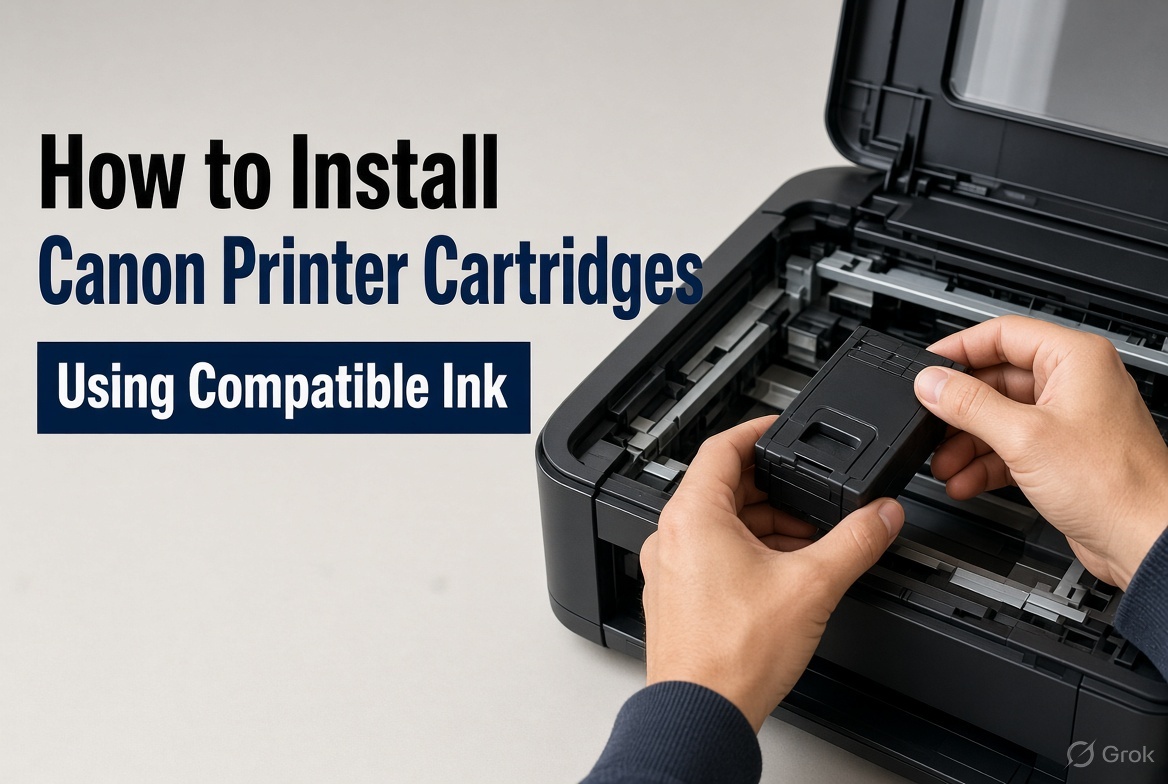
Nov 20, 2026
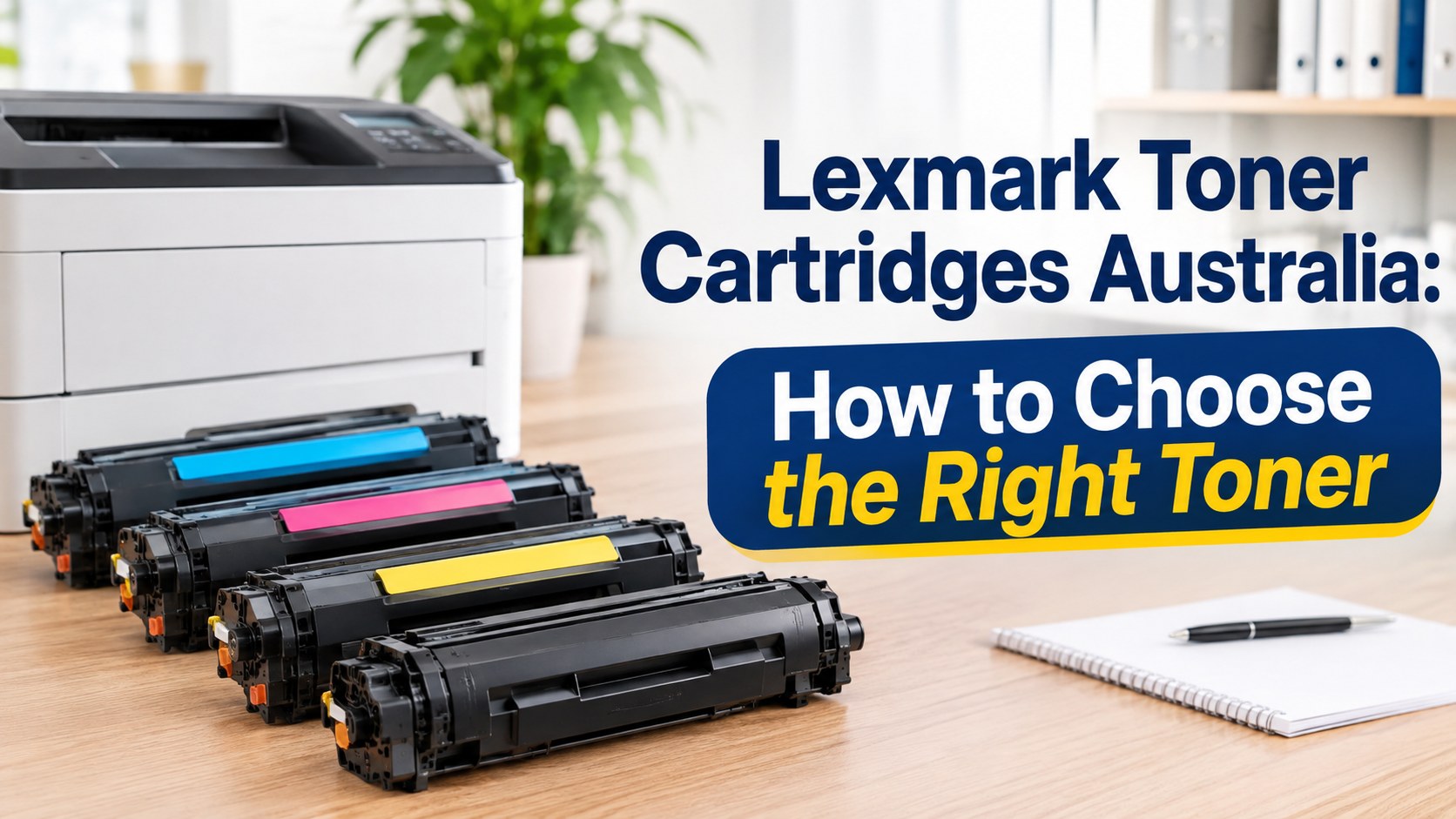
Nov 19, 2026
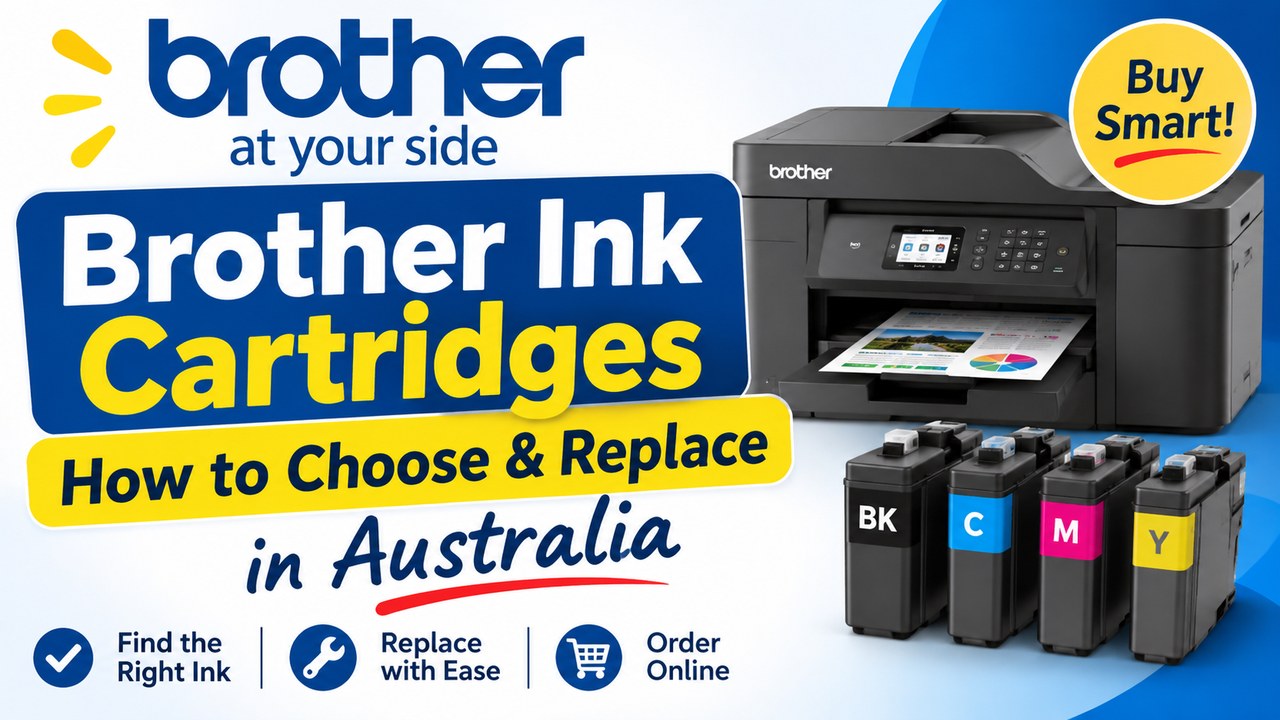
Nov 18, 2026