
Showing results for:
Category: Business Printing
Clear Filter
-
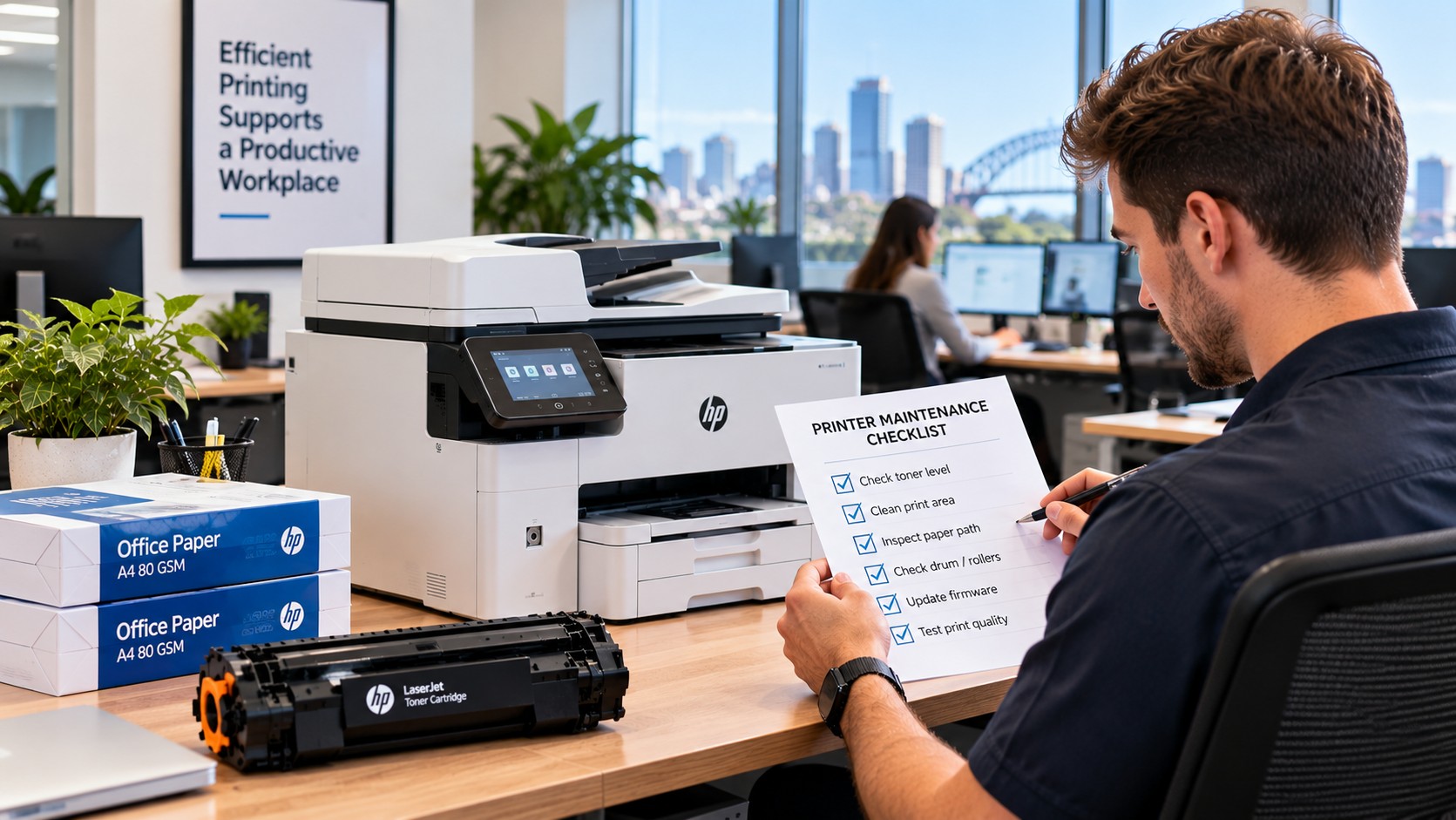
| October 12, 2026When the office printer stops working, it rarely happens at a convenient time.Someone might be waiting for an invoice. A customer document needs printing. A team member is preparing for a meeting. Then the printer runs out of toner, starts jamming or suddenly refuses to print.For a busy office, even a small printer problem can interrupt several people's work.The good news is that many common issues can be avoided or dealt with before they become a major interruption. A little preparation, sensible printer maintenance and having the right supplies on hand can go a long way.Here are some practical ways to reduce printer downtime in a busy Australian office.What Causes Printer Downtime?Printer problems can come from several different sources. Sometimes it's simply a consumable running out. Other times, the cause may be paper, maintenance, connectivity or the way the printer is being used.Common causes include:Running out of toner or inkUsing the wrong cartridgePaper jamsPoor-quality or unsuitable paperLow-toner warnings being ignoredDirty or worn componentsNetwork or connection problemsDelayed maintenanceHeavy printing workloadsNo replacement supplies availableThe important thing is that some of these problems give you warning signs first. Recognising them early can prevent an inconvenient problem from becoming a complete stoppage.Keep a Spare Toner Cartridge for Important PrintersOne of the easiest ways to reduce printer downtime is to have a replacement ready before the current cartridge runs out.You don't necessarily need to stock large quantities of every cartridge in the office. Focus on the printers that are used most often or are particularly important to your daily operations.A simple system is:Current toner → Spare toner → ReorderWhen the spare cartridge is installed, reorder another one.This keeps your toner stock moving without tying up money in unnecessary supplies.It's also worth recording the exact cartridge number for each printer. Ordering based only on the printer brand or model can result in the wrong cartridge being purchased.Pay Attention to Changes in Print QualityA printer often gives you clues before a problem becomes serious.You might notice:Faded textLight or uneven areasStreaks across the pageMissing sectionsRepeated marksColours looking different from normalDon't automatically assume the printer itself has failed.A change in output can sometimes point to a cartridge that is running low or another consumable that needs attention. If you notice the problem early, you have more time to investigate it instead of discovering it when an urgent document needs to be printed.Keep Printer Maintenance SimpleOffice printer maintenance doesn't have to become another complicated task on someone's to-do list.The basics are often enough to keep things running smoothly:Keep the area around the printer cleanUse the correct paperRemove paper jams carefullyFollow the manufacturer's maintenance instructionsReplace consumables when requiredKeep vents and accessible areas clearTake recurring print problems seriouslyThe type of maintenance needed will depend on the printer.For example, laser printers may require attention to toner and imaging components, while inkjet printers can be more sensitive to dried ink and blocked nozzles when they aren't used regularly.The key is to follow the requirements of the particular printer rather than treating every machine in the office the same way.Store Toner and Paper ProperlyHaving spare supplies is only useful if they are stored properly.Keep toner cartridges somewhere clean and dry, away from excessive heat, moisture and direct sunlight. Avoid leaving boxes where they can easily be knocked around or damaged.Paper needs some attention too.Paper that has absorbed moisture can contribute to feeding problems and jams. Keep paper in a dry storage area and avoid placing it directly against damp walls or in areas where conditions change significantly.This is worth considering in Australian offices, where temperatures, humidity and air-conditioning can vary throughout the year.Make Sure Staff Know the BasicsNot every printer problem needs an IT technician.Staff should know a few simple things, such as:Which cartridge the printer usesWhere replacement toner or ink is storedHow to replace a cartridge correctlyHow to deal with a basic paper jamWhich paper should be usedWho to contact when an issue keeps happeningIt's also important to avoid forcing paper out of a jam or removing components without knowing what they do. A rushed attempt to fix a simple problem can sometimes create a bigger one.A short set of printer instructions kept near the machine can make everyday issues much easier to handle.Don't Ignore Printer Warning MessagesModern printers provide warnings for a reason, but not every warning means the printer needs to stop immediately.For example, a low-toner message may appear while the printer is still producing perfectly usable pages.That doesn't necessarily mean the warning is wrong. Laser printers estimate toner levels in different ways, and there may still be enough toner for additional printing.The sensible approach is to look at the message alongside the actual print quality.If the pages still look good, you may have some time. But it's a good point to make sure a replacement is available.Use the Correct CartridgeThe right cartridge can make a big difference to office printer reliability.Before ordering, confirm:The exact printer modelThe cartridge numberWhether it is black or colourThe required cartridge typeWhether a standard or high-yield version is neededDon't choose a cartridge simply because it looks similar to the one currently installed.Different cartridges can have very similar designs while being intended for completely different printers.This becomes especially important when an office has several printers from different manufacturers.Take Repeated Paper Jams SeriouslyAn occasional paper jam can happen in any office.Repeated jams are a different story.If the same printer keeps stopping, there may be an underlying issue worth investigating. Possible causes include:Incorrect paper sizePaper that has absorbed moistureOverfilled paper traysIncorrectly positioned paper guidesDebris inside the paper pathWorn rollersUnsuitable paperClearing the jam every time may get the printer working again, but it doesn't solve the reason the jam keeps happening.If the same problem continues, it is worth looking into the cause before it starts affecting the working day regularly.Identify Your Most Important PrintersNot every printer in an office needs the same level of attention.A machine used occasionally for internal documents isn't as critical as one that prints invoices, shipping documents, customer paperwork or other time-sensitive material.Identify the printers that would cause the biggest disruption if they stopped.For these machines, it makes sense to have:A spare toner cartridgeSuitable paperThe correct cartridge number recordedBasic troubleshooting information availableA clear process for reporting recurring problemsThis helps you put your time and budget where they will have the greatest impact.Make Sure the Printer Matches the WorkloadSometimes printer downtime is a sign that the machine simply isn't suited to the job.A printer designed for occasional use may struggle if it is handling large volumes of documents every day.If a printer regularly experiences faults, needs frequent consumable changes or struggles with the office's workload, it may be worth reviewing whether it is still the right machine.When choosing an office printer, consider more than the purchase price. Print volume, speed, reliability, consumable costs and maintenance requirements all matter.Keep a Simple Toner Stock RecordYou don't need a complicated inventory system to manage printer supplies.A simple spreadsheet can be enough.PrinterCartridge NumberSpare AvailableReorderOffice Printer 1Cartridge referenceYesWhen spare is usedOffice Printer 2Cartridge referenceNoNowAccounts PrinterCartridge referenceYesWhen spare is usedThe exact system doesn't matter as much as having a clear view of what you have.It should be easy to answer:Which cartridge does this printer use?Do we have a spare?When should we order another one?That alone can prevent the familiar situation where a printer runs out of toner and nobody knows whether a replacement has been ordered.What Should You Do When a Printer Starts Acting Up?When something goes wrong, start with the basics before replacing parts or consumables.Ask:Is there an error message?Is the printer completely unable to print?Has the print quality changed?Is there enough paper?Is the correct cartridge installed?Has this problem happened before?These simple questions can help you work out whether you're dealing with a consumable issue, a paper problem, a connection issue or something that needs further attention.If the same fault keeps returning, don't keep relying on the same temporary fix. Finding the cause can save much more time in the long run.Give Frequently Used Printers More AttentionThere isn't one maintenance schedule that works for every office printer.A machine printing hundreds of pages each week will naturally need more attention than one used occasionally.Instead of waiting for a complete failure, build a quick review into your normal office routine.Look for:Low toner levelsRepeated paper jamsChanges in print qualityDamaged or forgotten suppliesPrinters handling unusually high workloadsCartridges that need to be reorderedIt doesn't need to take long. A few minutes of attention can be much easier to manage than dealing with an unexpected printer failure when everyone is busy.Common Habits That Increase Printer DowntimeSome printer problems are made worse by everyday habits.Waiting Until Toner Is Completely EmptyIf there is no spare cartridge available, running a cartridge until it produces its final page can leave you stuck when you need the printer most.Ordering Without Confirming the Cartridge NumberA similar-looking cartridge isn't necessarily the correct one. Confirm the cartridge reference before ordering.Ignoring Early Print ProblemsFaded or streaky pages can be an early sign that something needs attention.Storing Supplies AnywhereHeat, moisture and poor storage conditions can affect paper and printer consumables.Repeatedly Treating the SymptomIf a printer keeps jamming, repeatedly clearing the same jam won't necessarily solve the underlying problem.Treating Every Printer the SameHigh-use printers usually deserve more preparation than machines that are rarely used.A Simple Way to Reduce Printer DowntimeYou don't need a complicated system to improve office printer reliability.Start with these basics:Keep spare toner for critical printersRecord cartridge numbersStore paper and consumables properlyPay attention to print-quality changesDeal with recurring paper jamsFollow suitable maintenance routinesMake sure staff know the basicsReview printers that are handling heavy workloadsSet a sensible reorder point for important cartridgesThese small steps can make everyday printing much more predictable.The Bottom LineReducing printer downtime isn't about trying to make a printer completely problem-free.It's about being prepared for the problems that are most likely to interrupt your day.Keep the right toner stock available, use the correct cartridges, look after your printers and pay attention when something starts behaving differently.For a busy Australian office, those simple habits can help turn printer problems from an unexpected disruption into something that's much easier to manage.
-
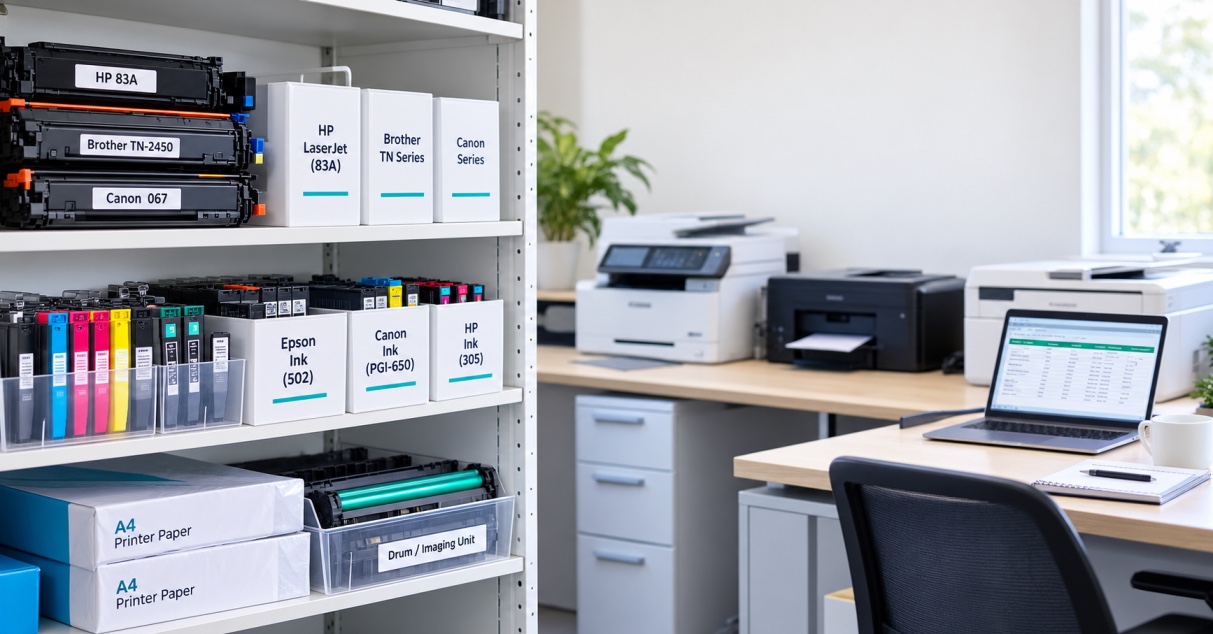
| October 05, 2026Running out of printer supplies is rarely convenient.It might happen just before an important meeting, when someone needs to print invoices, or when a team member is trying to get a document out the door. The printer itself may be working perfectly, but without the right cartridge or paper, there is not much it can do.That is why it helps to keep a small amount of essential office printer supplies on hand.You do not need a storeroom full of cartridges. A simple office printer consumables checklist can help you work out what you actually use, how much to keep and when it is time to reorder.What Are Printer Consumables?Printer consumables are the supplies that get used during normal printing and eventually need to be replaced.Depending on the equipment in your office, these may include:Toner cartridgesInk cartridgesPrinter paperDrum or imaging unitsWaste toner containersMaintenance kits or other printer-specific partsNot every printer uses all of these. An inkjet printer, for example, will need ink rather than toner, while some laser printers have separate drum units.The best stock list is therefore based on the printers you actually have.What Should an Office Keep in Stock?For most offices, the essentials are fairly straightforward.1. Toner CartridgesIf your office uses laser printers, toner is one of the main supplies worth keeping as a spare.A printer that is used every day can go through toner surprisingly quickly, particularly in a busy office.Keeping one spare cartridge available can give you some breathing room when the current one starts running low.When recording your toner stock, make a note of the exact cartridge number. Do not rely on the printer brand alone, as different models can use completely different cartridges.2. Ink CartridgesOffices using inkjet printers should keep the ink cartridges needed for their particular models.Depending on the printer, that could mean:Black inkCyanMagentaYellowCombined colour cartridgesSome printers use individual cartridges for each colour, while others combine several colours into one cartridge.It is also worth looking at your actual printing habits. If black documents make up most of your office printing, black ink may need replacing more often than the colour cartridges.3. Printer PaperPaper is easy to forget when discussing printer consumables, but it is just as important as the cartridge.Most offices will mainly use standard copy paper, but some may also need:Different paper sizesLetterheadHeavier paperColoured paperSpecial paper for particular documentsThere is no need to keep large quantities of paper that are rarely used. Focus on the sizes and types your team reaches for regularly.What About Printer Drums?Some laser printers have a separate drum or imaging unit.Unlike toner, a drum usually lasts much longer, so it does not need to be kept in the same quantities as regular cartridges.However, it is worth knowing whether your printers use separate drums and what cartridge or part number they require.If a particular printer is critical to your day-to-day work, having the correct replacement available can save time when the drum eventually needs changing.Do Offices Need Spare Waste Toner Containers?Some laser printers collect excess toner in a separate waste toner container.When it becomes full, the printer may display a maintenance message or stop operating until the container is replaced.Not every printer uses one, so there is no reason to stock them unless your equipment requires them.If your office does use them, include the correct replacement in your stock records so it does not get overlooked.What Are Maintenance Kits?Larger office printers and multifunction machines may eventually need maintenance parts such as rollers, fusers or other components.These are not everyday consumables, and most offices do not need to keep several sets in storage.Instead, find out whether your printer has a recommended maintenance interval and keep a note of when those parts are likely to be needed.For a high-use printer, knowing this in advance can make maintenance much easier to plan.How Much Toner or Ink Should You Keep?There is no magic number that works for every office.A small business printing a few hundred pages each month will have very different requirements from an office producing thousands of pages a week.A few things can help you decide.Look at Your Normal UsageThink about how quickly your team actually goes through cartridges.If a cartridge normally lasts several months, one spare may be plenty.If you are replacing cartridges every few weeks, keeping additional stock could make more sense.Consider Delivery TimesHow quickly can you get a replacement?If your supplier can deliver the next day, there may be little reason to keep a large supply.If a particular cartridge takes several days to arrive, having an extra one ready can prevent an unnecessary interruption.Prioritise Important PrintersNot every printer in an office is equally important.A printer used occasionally for internal documents probably does not need the same level of backup as one used for invoices, shipping labels or customer paperwork.Start with the printers that would cause the most disruption if they suddenly became unavailable.Do You Need a Spare Cartridge for Every Printer?Not necessarily.If an office has several printers, buying a spare cartridge for every device can quickly become expensive, particularly when some printers are rarely used.A better approach is to identify the equipment that is used most often and keep appropriate backup stock for those machines.For less frequently used printers, you may be able to order supplies when they are needed.How Can You Avoid Ordering the Wrong Cartridge?This is one of the simplest problems to prevent.Create a basic record showing:Printer modelCartridge numberCartridge typeCurrent quantityReorder levelSupplierThe exact cartridge number is particularly important.A printer brand or model name on its own may not be enough to identify the correct supply. Recording the cartridge reference makes reordering much easier and reduces the chance of ordering something that does not fit.Should You Use Genuine or Compatible Cartridges?Depending on your printer, you may have the option of using genuine cartridges or compatible alternatives.The important thing is to use a cartridge that is designed for the exact printer and cartridge reference.If your office already uses compatible cartridges successfully, recording the correct compatible cartridge number alongside the printer details can make future orders much simpler.There is also no need to change cartridge types unnecessarily. If something works reliably for your office, consistency can make stock management easier.How Should Printer Cartridges Be Stored?Good storage is simple but important.Keep spare cartridges:In their original packaging until neededIn a clean, dry locationAway from excessive heat and direct sunlightProtected from dust and physical damageStored according to the manufacturer's instructionsAvoid keeping cartridges loose in a cupboard where they can become damaged or forgotten.It also helps to keep printer supplies together in one clearly organised area rather than having cartridges spread across different desks and cupboards.When Should You Reorder Printer Supplies?The easiest approach is to set a simple reorder point.For example, your office might decide that when there is only one spare cartridge left, another should be ordered.That level can be higher for a busy printer and lower for one that is rarely used.You can also review your supplies once a month. This gives you a chance to see which cartridges are being used quickly and which ones are sitting untouched.Over time, your stock levels can be adjusted to match actual usage.Common Mistakes With Office Printer SuppliesKeeping too much stockBuying large quantities can take up storage space and tie up money in supplies that may not be needed for months.Keeping no backupWaiting until a cartridge is completely empty before ordering a replacement can bring printing to a standstill.Ordering by brand aloneThe printer manufacturer is not enough. Always confirm the exact cartridge reference.Forgetting printer-specific partsDrums, waste toner containers and maintenance components may not be replaced often, but they can still cause problems when they are suddenly needed.Not recording usageIf you do not know how quickly supplies are being used, it is difficult to set sensible stock levels.Storing cartridges poorlyHeat, moisture and physical damage can affect stored supplies, so a suitable storage area is worth having.A Simple Office Printer Consumables ChecklistHere is a practical starting point for most workplaces:Regular supplies☐ Toner cartridges☐ Ink cartridges☐ Standard printer paperPrinter-specific supplies☐ Drum or imaging units☐ Waste toner containers☐ Maintenance kitsStock information☐ Printer model recorded☐ Exact cartridge number recorded☐ Current quantity recorded☐ Reorder level established☐ Supplier details available☐ High-use printers identified☐ Supplies stored in one organised areaYou will not need every item on this list. The idea is to identify what your particular printers use and keep enough of the important supplies available.How Can an Office Manage Printer Consumables More Easily?You do not need complicated inventory software to keep printer supplies under control.A simple spreadsheet can be enough.Record the printer, cartridge number, current quantity and reorder point. Then update it when new stock arrives or a cartridge is used.This also gives you a clearer picture of your actual printing habits. If one cartridge is being replaced much more often than expected, it may be worth looking at what that printer is being used for and whether the print settings are appropriate.The Bottom LineKeeping printer supplies in stock is really about finding the right balance.You do not want cupboards full of cartridges that are rarely used, but you also do not want an important printer to stop working because nobody has a spare cartridge available.For most offices, a sensible office printer consumables checklist will include the toner or ink used regularly, paper and any printer-specific items such as drums or waste toner containers.Keep track of the exact cartridge numbers, understand how quickly your team uses them and set a simple reorder point.A little planning can save a lot of frustration when someone needs to print something urgently.
Recent Posts
Oct 12, 2026
Oct 12, 2026
Oct 12, 2026