You're comparing two cartridges online, and one number keeps jumping out at you: page yield. It sounds simple enough — this cartridge prints this many pages — but if you've ever bought a "3,000-page" cartridge and watched it run dry well before you got there, you already know it's not quite that straightforward.
Here's printer page yield explained the plain way: it's an estimate of how many pages a cartridge can produce, based on a defined testing method. It's a genuinely useful number for comparing cartridges side by side. What it isn't is a guarantee of exactly how many pages you personally will get out of it at home or in the office.
What you actually print — your documents, your settings, how much colour you use, even your specific printer — all shift that number around. If you're weighing up standard versus high-yield cartridges, or trying to nail down your real cost per page, understanding page yield properly is the place to start.
Find Your Exact Printer Model First
Before you go anywhere near a cartridge listing, track down your exact printer model.
You'll usually find it printed on the front or top of the machine, on a label around the back or underneath, tucked into the printer's settings menu, or listed in the manufacturer's printer software.
This step matters more than people expect. Cartridges aren't universal, and two printers from the same brand can take completely different consumables. Searching "HP toner" or "Brother ink" on its own is far too broad to be useful — you'll end up scrolling through options that don't fit your machine at all.
Once you've got the exact model, comparing standard, high-yield and compatible cartridge options becomes a lot less guesswork and a lot more straightforward.
So What Does Page Yield Actually Mean?
Page yield is the estimated number of pages a specific cartridge can print, based on a defined test method.
For most office printers, manufacturers rely on internationally recognised ISO/IEC standards, which exist specifically so buyers have a consistent basis for comparison. ISO/IEC 19752:2025 covers toner yield for monochrome laser printers, ISO/IEC 19798:2025 covers colour toner, and ISO/IEC 24711:2021 covers ink cartridge yield for colour inkjet printers.
The bit worth remembering: a page yield figure is a test result, not a personal promise. Your actual results can land above or below it, depending entirely on what you're printing.
What does "5% coverage" actually mean?
You've probably seen toner specs mention "5% coverage" and wondered what that's about.
In plain terms, it means roughly 5% of the printable area on the test page carries toner — a manufacturer's standard reference point, not a description of your actual documents. Canon, for example, bases its published toner page counts on A4 pages at 5% coverage with default print density.
A basic text letter with plenty of white space might use well under that. A page loaded with logos, tables, graphics or solid colour blocks can chew through considerably more. So a cartridge rated for 3,000 pages shouldn't be read as "3,000 pages no matter what I print" — it's a benchmark, not a guarantee.
How Is Cartridge Yield Actually Tested?
The specific method depends on what kind of printer and consumable you're dealing with. Monochrome toner is measured against ISO/IEC 19752, colour toner against ISO/IEC 19798, and colour inkjet cartridges against ISO/IEC 24711, each paired with a defined test-page methodology.
Epson's published testing approach, as one example, involves a set of standard test patterns run across multiple printers and cartridges under controlled conditions, printed continuously. It's a deliberately controlled process, which is exactly why it's useful for comparing products fairly.
Your office, though, isn't a laboratory. One day you might print a single-page invoice, then a 20-page report, then a colour presentation, then a document with a large company logo splashed across the top. Every one of those jobs draws on ink or toner differently — which is exactly why real-world results wander from the number on the box.
Why Your Real Page Yield Might Look Different
A few genuine reasons your cartridge might not stretch as far as advertised:
1. Your documents simply use more coverage
This is usually the single biggest factor. Text-heavy pages with generous white space use noticeably less consumable than pages packed with graphics, images, bold headings, charts or solid colour. It's entirely normal for two people on the exact same printer and cartridge to get quite different results, purely based on what they're printing.
2. Colour printing draws on multiple cartridges at once
A colour printer typically runs cyan, magenta, yellow and black cartridges. Even a document that looks mostly black and white can still pull colour if it has a logo, a chart or any coloured element buried in it — and if one colour gets used more heavily than the others, that cartridge can run out well before its neighbours.
3. Print settings change how much gets used
Cranking everything to maximum quality isn't always necessary. Internal memos and drafts often do fine on standard or economy settings, while client-facing documents or marketing material might genuinely warrant the higher setting. Matching quality to the job, rather than defaulting to "best" for everything, makes a real difference over time.
4. Your printing pattern plays a role too
A busy office churning through hundreds of short jobs behaves differently to one running a handful of long continuous print runs. Maintenance cycles, calibration and other background processes vary by printer technology and model, and all of that feeds into the gap between the advertised yield and your everyday cartridge yield.
Page Yield vs Cost Per Page
Page yield becomes genuinely useful once you pair it with price.
The basic sum: cost per page = cartridge price ÷ pages produced.
Say a cartridge costs $90 and is rated for 3,000 pages under the relevant test standard: $90 ÷ 3,000 = 3 cents a page. That's the theoretical consumable cost, based on the stated yield — your real number can run higher if your typical printing uses more toner or ink than the standardised test pages did.
Worth remembering too: cartridge cost isn't your whole printing cost. Paper, drums, maintenance components and waste toner units can all factor in depending on your printer. ISO/IEC 19752 itself is upfront that cartridge yield is only one input into cost per page, not a full cost-per-page methodology on its own.
Standard vs High-Yield Cartridges
Once page yield actually makes sense, choosing between standard and high-yield cartridges gets a lot easier.
A standard cartridge typically costs less upfront, which can suit occasional or light printing. A high-yield cartridge costs more to begin with but is built to produce considerably more pages before you're swapping it out.
If you're printing a handful of pages a week at home, the cheapest option on the shelf isn't automatically the smart buy if it's just going to sit half-used for months. For an office churning through invoices, reports and client documents daily, a higher-yield cartridge can mean fewer cartridge changes and a running cost that's a lot easier to predict from month to month.
The right call really comes down to your actual print volume, your printer model, and which cartridge options are available for it.
How to Choose the Right Cartridge
Before you order anything, check off these five things:
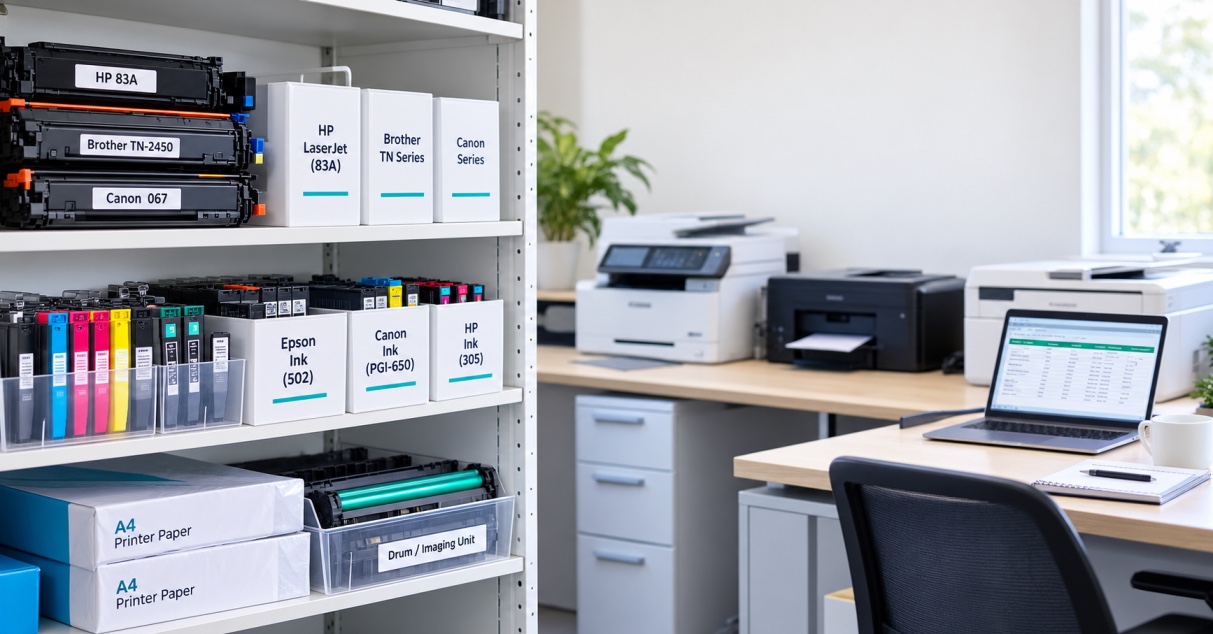
- Your exact printer model
- The cartridge or part number
- Black or colour
- Standard, high or extra-high yield
- Genuine or compatible
Don't rely on the printer brand name alone to guide the purchase — it's rarely specific enough. If you want to find the right cartridge for your printer quickly, The Toner Group's cartridge search lets you look up options by printer brand, family and model, or directly by cartridge number, which cuts down the risk of ordering the wrong thing entirely. That's particularly handy for any business juggling several printers across different departments or sites.
Genuine or Compatible — Which Should You Buy?
Both have a genuine place, depending on what you need.
Genuine cartridges come from the original printer manufacturer, engineered specifically for that printer range — think Brother toner cartridges or HP toner cartridges built purpose-fit for their own machines.
Quality compatible cartridges, made by third-party manufacturers, are designed to work with particular printer models and can be well worth considering for businesses printing regularly, especially once purchase price and ongoing running costs come into the picture.
The trick is not comparing purely on price. Weigh up compatibility, the stated yield, what the job actually demands, supplier support, and the real cost per page. A slightly cheaper cartridge isn't much of a bargain if it causes patchy print quality, compatibility headaches or downtime you didn't budget for.
A Simple Way to Work Out Your Real Printing Needs
If you're not sure which cartridge capacity actually suits you, start with your own numbers rather than the ones on the box.
Check your printer's page counter, if it has one, and note the count each time you install a new cartridge. When that cartridge needs replacing, note the count again. After a couple of cartridge changes, you'll have a genuinely useful picture of your real-world usage — far more reliable than the figure printed on the packaging.
From there, you can weigh that usage against standard and high-yield Canon ink cartridges, Canon toner cartridges or whichever brand you're running, and work out which option genuinely gives you the best value.
The Bottom Line
Understanding page yield takes a lot of the guesswork out of buying cartridges. The number on the box is a useful benchmark, built on a defined testing method — it's not a promise of exactly how many pages you'll personally get.
Your document coverage, colour use, print settings, printer type and everyday habits all shift the real result. So instead of just asking "how many pages does this print," ask the more useful question: how many pages do I realistically print, and what will each one actually cost me?
That's a far better way to weigh up standard against high-yield cartridges, genuine against compatible, and the range of consumables available for your specific printer.
If you already know your printer model, checking the exact cartridge number is your next step — then you can compare options by yield, type and price, rather than by guesswork or upfront sticker price alone. For a deeper look at making the right call for your setup, our printer buying guide walks through it in more detail.
For Australian homes, offices, schools and businesses, The Toner Group offers a broad range of genuine and compatible ink and toner printer cartridges across major printer brands, with an online search tool built to match the right cartridge to your specific printer.
Frequently Asked Questions
What does printer page yield mean? It's the estimated number of pages a cartridge can produce, based on a defined test method — a useful benchmark for comparison, not a guarantee of your personal results.
How is printer page yield calculated? Manufacturers test cartridges against recognised ISO/IEC standards — ISO/IEC 19752 for monochrome toner, ISO/IEC 19798 for colour toner, and ISO/IEC 24711 for colour inkjet — using standardised test pages and controlled printing conditions.
What does 5% coverage mean for toner yield? It means the test page used to establish the yield figure has roughly 5% of its printable area covered in toner — a manufacturer reference point, not a description of your typical documents.
Why does my cartridge print fewer pages than advertised? Usually because your documents use more coverage than the standardised test pages — more graphics, colour, bold text or solid blocks — along with your specific print settings and printing pattern.
What is the difference between standard and high-yield cartridges? Standard cartridges cost less upfront and suit lighter or occasional printing. High-yield cartridges cost more initially but produce significantly more pages, which can lower the frequency of cartridge changes for higher-volume printing.
How do I calculate cost per page? Divide the cartridge price by its stated page yield. This gives you a theoretical consumable cost per page — your real-world figure may run higher depending on what you actually print.
Does colour printing reduce cartridge yield? It can. Colour printers use multiple cartridges, and any document with logos, charts or coloured elements draws on those cartridges — sometimes unevenly, meaning one colour runs out before the others.
Is page yield the same for genuine and compatible cartridges? Not necessarily. Stated yields vary by manufacturer and product, so it's worth checking the specific yield figure for whichever cartridge you're considering, genuine or compatible.
How do I find the correct cartridge for my printer? Identify your exact printer model, then check the cartridge or part number, colour, and yield option before ordering — searching by model or cartridge number is far more reliable than searching by brand alone.
Is a high-yield cartridge better for a small business? Often, yes, for businesses printing regularly — fewer cartridge changes and a more predictable running cost. The right choice ultimately depends on your actual print volume and available cartridge options for your specific printer.