
Showing results for:
Category: Printer Basics
Clear Filter
-
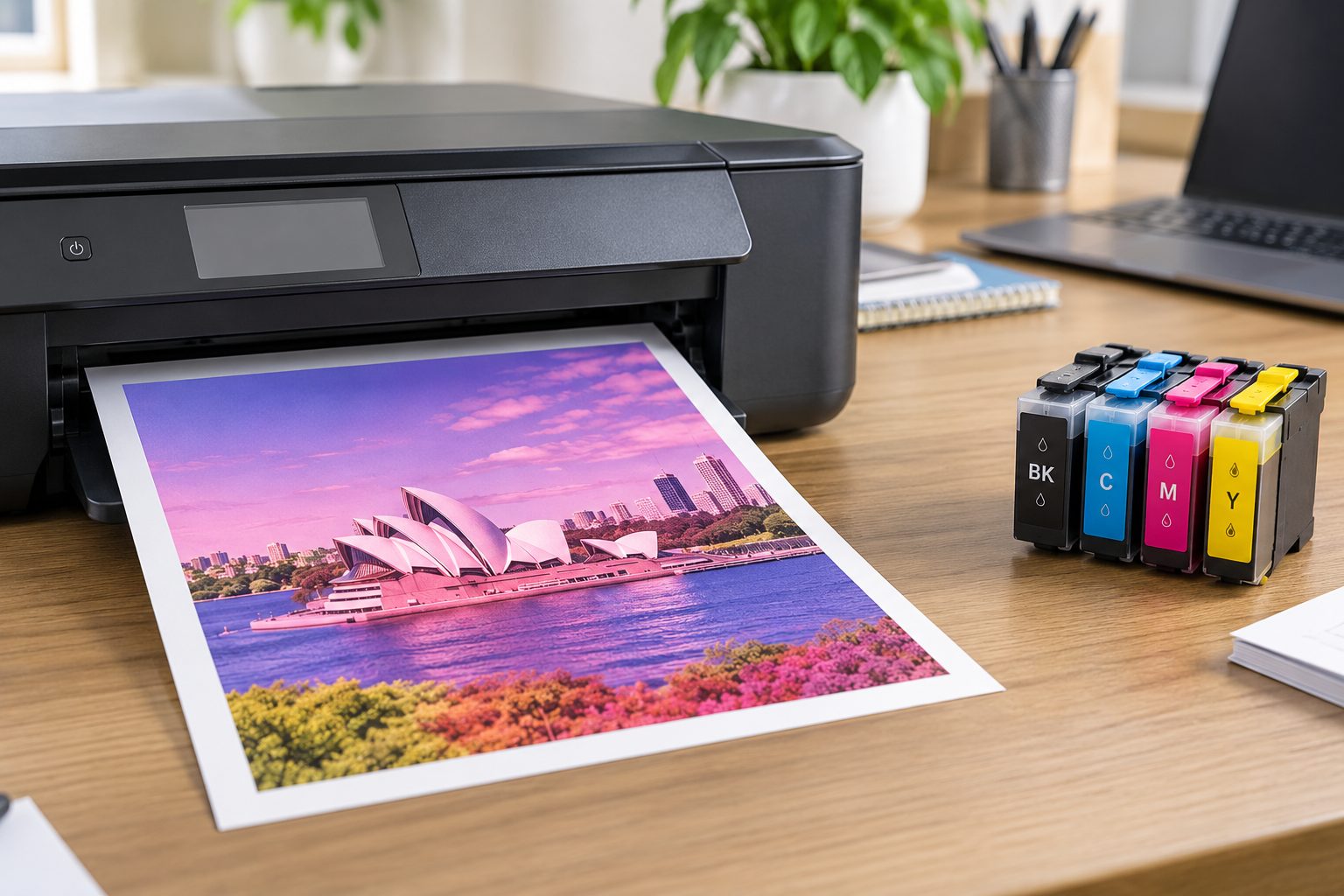
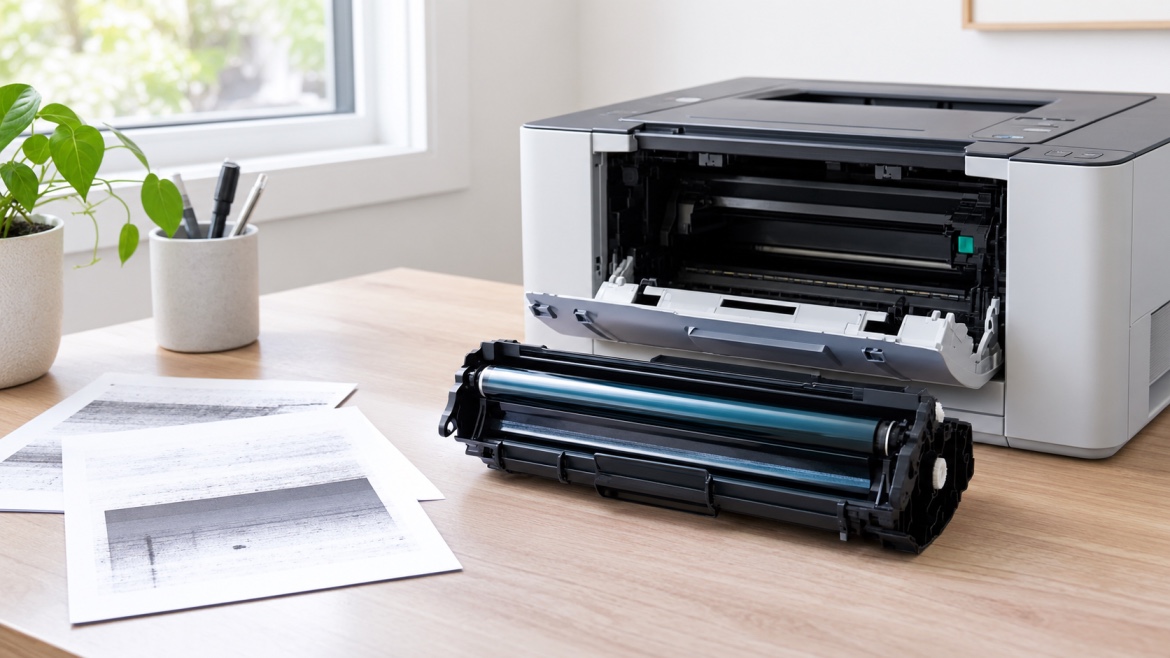
| September 15, 2026Ink vs toner is one of those printer questions that sounds simple until you actually need to replace a cartridge.Inkjet printers use liquid ink, while laser printers use dry toner powder. But choosing the right consumable involves more than knowing that difference. You also need to identify your exact printer model, find the correct cartridge number, check whether you need black or colour, and decide whether a genuine or compatible cartridge is appropriate.For an Australian home office, school, accounting practice, law firm, healthcare workplace or busy business, getting that choice wrong can mean wasted money, poor print results and avoidable downtime.This guide explains the difference between ink cartridges and toner cartridges, how inkjet and laser printers work, what cartridge numbers mean and how to check compatibility before buying.Ink vs Toner: What’s the Difference?The simplest distinction is this:Ink is a liquid used by inkjet printers, while toner is a dry powder used by laser printers.An inkjet printer uses a printhead to place tiny droplets of liquid ink onto the page. A laser printer uses an imaging process to position toner on the page, after which heat from the fuser bonds the toner to the paper.That means an ink cartridge cannot simply be used in a laser printer, and a toner cartridge is not suitable for an inkjet printer. They are different consumables designed around different printing technologies.The practical differences become more important when you consider what and how often you print.Inkjet printingLaser printingUses liquid inkUses dry toner powderUses ink cartridgesUses toner cartridgesOften suited to colour and photo printingCommonly suited to text-heavy document printingInk is delivered through a printheadToner is transferred through an imaging processAvailable in individual colours or combined configurationsAvailable as black toner or separate colour toner cartridgesNeither technology is automatically the right choice for everyone. A household printing photos and occasional colour documents may have different priorities from an office producing hundreds of invoices or contracts.Ink Cartridge vs Toner: Which One Do You Need?If you're replacing a cartridge, start with the printer, not the cartridge.An inkjet printer requires an ink cartridge that is specifically compatible with that printer. A laser printer requires the appropriate toner cartridge.This sounds obvious, but cartridge names can be confusing. Different cartridges can have similar-looking numbers, colours and packaging while being designed for different printer models.Before ordering, identify the complete printer model and then cross-reference the cartridge number.For example, don't search only for “Canon ink” or “Brother toner”. A better approach is to identify the complete printer model and use that information to locate the compatible consumable.This is particularly important for workplaces where a printer may be shared between several people. Ordering a cartridge based on a vague description can leave the business with an unusable consumable and a printer that is still out of action.If you already know your printer model, you can browse the relevant ink cartridge or toner cartridge category and narrow the options from there.Where to Find Your Printer ModelYour printer model is the foundation for finding the correct cartridge.Depending on the printer, the model number may be located:On the front or top of the printerInside the cartridge access doorOn a label at the rear or underneath the printerIn the printer's settings or information menuIn the printer software on your computerOn the original packagingIn the user manualLook for the full model designation, including letters and numbers. The printer brand alone isn't enough.For example, knowing that you own an Epson, Canon, HP or Brother printer doesn't identify the cartridge you need. A manufacturer can produce many different printers, each using different consumables.Why the exact model mattersA cartridge that fits one printer may not be compatible with another model from the same manufacturer.Getting the model right helps you avoid:Ordering the wrong cartridgeBuying an incompatible colour configurationLosing time waiting for a replacementUnnecessary returnsPrinting problems caused by an incorrect consumableFor businesses, this basic check can be particularly valuable when printer downtime affects invoices, contracts, labels, reports or other everyday documents.Find the Cartridge NumberOnce you've identified the printer, look for the cartridge number.Manufacturers use cartridge numbers, product codes or part numbers to identify specific consumables. You may find the number printed directly on the existing cartridge, its packaging or within the printer's software.The cartridge number can tell you much more than simply whether the product contains ink or toner. It helps identify the intended printer family, colour and cartridge configuration.Ink cartridge vs toner cartridge numbersInk and toner cartridges are labelled differently because they belong to different printing systems.An ink cartridge contains liquid ink and is used by an inkjet printer. Depending on the printer, you might have separate black, cyan, magenta and yellow cartridges, or a different colour arrangement.A toner cartridge contains toner powder and is designed for a laser printer. A monochrome laser printer may use one black toner cartridge, while a colour laser printer generally uses separate colour toner cartridges.The important point is simple: match the complete cartridge number to the printer model rather than relying on appearance alone.Check These Details Before BuyingBefore ordering either ink or toner, check these five details.1. Printer modelConfirm the complete model number of the printer.2. Cartridge numberCompare the number on your existing cartridge with the cartridge information for the replacement.3. ColourCheck whether you need black, a specific colour, or a complete colour set.4. Page yieldPage yield provides an indication of how many pages a cartridge is designed to print under a specified testing method.It can be useful when comparing cartridges, particularly for offices and other environments with regular printing requirements. However, actual page counts can vary according to the type and coverage of documents being printed.5. Genuine or compatibleCheck whether you're buying a cartridge made by the printer manufacturer or a compatible alternative.Neither option should be judged on price alone. Consider compatibility, expected yield, print requirements and the level of support you need.Inkjet vs Laser: Which Is Better?There isn't a universal winner in the inkjet vs laser comparison.The better technology depends on what you're printing.Inkjet may make sense when:You regularly print colour documentsPhoto printing is importantYou need a broad range of colour outputYour printing volume is relatively low or moderateYou already own an inkjet printer that meets your needsLaser may make sense when:Most of your printing is textYou print documents regularlyConsistent document output is importantYou want to consider toner capacity and page yieldYou operate a busy office or print-intensive environmentFor example, a family using a printer mainly for school assignments, forms and occasional photos may have different priorities from an accountant printing invoices and financial documents every day.A law firm may prioritise reliable text reproduction and document throughput, while a school may need a mixture of colour and general-purpose printing.So when comparing ink cartridge vs toner, don't ask only which consumable is “better”. Ask which printing technology fits the actual workload.Does Toner Last Longer Than Ink?This is one of the more useful questions to ask when comparing ink vs toner, but there isn't a single answer that applies to every cartridge.Cartridges are available in different capacities and stated page yields. Some toner cartridges are designed for high-volume printing, while some ink cartridges are designed for relatively lower-volume use.The meaningful comparison is therefore page yield and cost per printed page for the specific cartridges, rather than simply comparing the physical size of an ink cartridge with a toner cartridge.For a business printing hundreds or thousands of pages, cartridge yield can have a noticeable effect on how frequently consumables need replacing.For someone printing only occasionally, other factors may matter more.How to Check Cartridge Compatibility Before BuyingOnce you've found a potential replacement, don't stop at the cartridge number.Check that the product listing specifically identifies your printer model as compatible.A useful compatibility check follows this order:Printer model → cartridge number → colour → cartridge type → compatibility listingYou can also cross-reference the information with the printer manufacturer's documentation or compatibility lists.Watch for similar-looking cartridge numbersOne of the easiest mistakes is assuming that a similar cartridge number means the cartridges are interchangeable.Don't rely on a single matching digit or a similar-looking product name. Compare the complete number and the compatible printer models.Check the cartridge configurationA printer may require separate cartridges for each colour, while another model may use a combined colour cartridge.The same applies to laser printers. A colour laser printer may require separate cyan, magenta, yellow and black toner cartridges.Check before the old cartridge runs completely emptyIf the printer is essential to your workplace, checking the cartridge number while the existing cartridge is still installed can make replacement easier.Take a photo of the label or packaging and keep the cartridge number with your printer records. This can be particularly useful when multiple printers are used across an office.Genuine vs Compatible Ink and TonerWhen researching replacement cartridges, you'll usually encounter genuine and compatible options.Genuine cartridges are produced by the printer manufacturer. Compatible cartridges are produced by another manufacturer for use in specified printer models.The right choice depends on your requirements and the particular printer.For a low-volume home printer, the priorities may be straightforward availability and value. For a business producing important documents every day, consistency, compatibility, expected yield and supplier support may carry more weight.The key is to verify compatibility rather than assuming that every compatible cartridge will work with every printer from the same brand.Choosing the Right Cartridge Without GuessworkThe easiest way to avoid cartridge mistakes is to work backwards from your printer.First, identify the printer model. Then identify the cartridge number. Finally, verify the colour, yield and compatibility before ordering.Whether you're looking for ink cartridges for an inkjet printer or toner cartridges for a laser printer, those checks give you a much better basis for choosing the right consumable.For Australian homes, small businesses, schools, offices and larger organisations, the goal isn't simply to find the cheapest cartridge on the page. It's to find a cartridge that is correctly matched to the printer and appropriate for the way you print.If you're ready to replace a cartridge, explore The Toner Group's ink and toner categories and use your printer model or cartridge number to narrow down the available options.A few minutes spent checking compatibility can save considerably more time and money later.Frequently Asked QuestionsIs toner better than ink?Neither is universally better. Ink is used by inkjet printers and toner is used by laser printers. The better option depends on factors such as print volume, colour requirements, document type, printer technology and running costs.What is the difference between an ink cartridge and a toner cartridge?An ink cartridge contains liquid ink for an inkjet printer, while a toner cartridge contains dry toner powder for a laser printer. They use fundamentally different printing processes and are not interchangeable.Is inkjet or laser better for home use?It depends on what you print. Inkjet printers can be useful for households that regularly need colour or photo printing, while laser printers can be attractive for homes that primarily print text-heavy documents. Print volume and consumable costs should also be considered.How do I know which toner cartridge I need?Find the complete model number of your laser printer and check the cartridge number listed as compatible with that model. Don't rely on the printer brand alone.How do I know which ink cartridge I need?Identify the complete inkjet printer model and then check the compatible cartridge number and colour configuration. Compare the information with the cartridge currently installed where possible.Can you use toner instead of ink?No. Toner is designed for laser printers, while ink is designed for inkjet printers. The two consumables work with different printing mechanisms.Does a higher page-yield cartridge always offer better value?Not necessarily. Compare the cartridge price, stated page yield and your actual printing requirements. A higher-capacity cartridge can be useful for high-volume printing, but it isn't automatically the best choice for every printer or user.Why is checking the printer model so important?Manufacturers produce many printers with different cartridge requirements. The exact model helps you identify the correct cartridge and reduces the risk of ordering an incompatible product.
-
| September 11, 2026Finding a replacement ink or toner cartridge should be straightforward. But when you start looking at product listings, you may come across several different codes and terms, such as cartridge number, OEM number, part number or product code.If you're not familiar with these terms, it can be difficult to know which one matters when ordering a replacement.The good news is that these codes are mainly used to identify a specific cartridge. Once you know where to find them and how they relate to your printer, choosing a replacement becomes much easier.What Is a Printer Cartridge Number?A printer cartridge number is a code used to identify a particular ink or toner cartridge.It usually contains a combination of letters and numbers and can be found on the cartridge, its packaging or the manufacturer's product information.For example, you might come across codes such as:HP 83ABrother TN-2450Canon PG-650Each code refers to a particular consumable and helps distinguish it from other products.The numbering system isn't the same across every brand, so the format can vary between HP, Canon, Brother, Epson and other manufacturers.What Is an OEM Number?OEM stands for Original Equipment Manufacturer.An OEM number is an identification code assigned by the original manufacturer to a particular cartridge. It helps identify the exact product and can be used when looking for a genuine replacement or a compatible alternative.For example, a compatible cartridge may be described as:Compatible with HP 83AThis means it is designed to replace the original HP cartridge identified by that code.You'll often see OEM references in online cartridge listings because they make it easier to match compatible products with the original consumable.What Is a Part Number?A part number is another type of product identification code.Different manufacturers and suppliers don't always use the same terminology. One company might refer to a code as a cartridge number, while another may call it a part number or product code.In some cases, these terms refer to the same identification. In others, they may refer to different codes associated with the product.The important thing is to match the complete code with your printer's compatibility information.Where Can You Find the Cartridge Number?There are several places to look if you need to identify your replacement ink or toner.1. Look at the Existing CartridgeIf you still have the old cartridge, look for a label or printed code.The identification may appear alongside a barcode or other product information.Handle the cartridge carefully and avoid touching sensitive contacts or ink outlets.2. Look at the Original PackagingIf you kept the cartridge box, the product code is often printed on the packaging.This can be particularly useful if the old cartridge has already been thrown away.3. Check the Printer ManualYour printer's manual may list the cartridges designed for your particular model.Some manuals provide the exact code, while others provide a list of recommended consumables.4. Use the Printer Display or SoftwareSome printers display information about the installed consumable through the printer menu or accompanying software.The available information varies between models, but it can provide a useful starting point.5. Identify Your Printer ModelIf you don't have the old cartridge or its packaging, start with the exact printer model.The model number is usually printed on the front, top or rear of the printer.Once you know the model, you can find the cartridges designed for that particular machine.Why Does the Cartridge Number Matter?Ink and toner cartridges aren't universal.Two cartridges from the same brand can look almost identical while being designed for completely different printers.Using the correct identification code helps narrow down the available options and reduces the chance of ordering an unsuitable product.It can also help when comparing:Genuine and compatible cartridgesStandard and high-yield optionsBlack and colour cartridgesIndividual cartridges and multipacksInstead of searching through hundreds of products, you can search for the specific code associated with your printer.Should You Search by Cartridge Number or Printer Model?Both can be useful, depending on what information you have.If you already know the code from your existing cartridge or packaging, searching for that number can be a quick way to find the same product or a compatible alternative.If you don't know it, use your exact printer model as the starting point.A simple approach is:Printer model → compatible cartridges → specific product codeOnce you've identified the correct consumable, keep the number somewhere handy. It can make future orders much easier.Why Might a Printer Have More Than One Cartridge Number?Some printers support several cartridge options.For example, there may be different versions for:Black and colour printingStandard yield and high yieldIndividual coloursMultipacksThere can also be regional product codes or differences in packaging.Don't assume that two codes are interchangeable simply because they look similar.Compare the product information with your exact printer model before purchasing.Do Compatible Cartridges Have an OEM Number?Compatible cartridges are made by a manufacturer other than the original printer brand.They are generally identified by the original cartridge code they are designed to replace. This makes it easier for customers to find compatible alternatives.For example, a listing might say:Compatible Brother TN-2450 TonerThe TN-2450 identifies the original cartridge type that the compatible product is intended to replace.Even so, the printer model should still be used to confirm suitability.What Happens If You Buy the Wrong Cartridge?Ordering the wrong consumable can lead to a range of problems.Depending on the printer and cartridge, it may:Not physically fitFail to be recognisedProduce incorrect print outputHave incompatible electrical contactsBe unsuitable for the printer's cartridge systemIn some cases, the packaging may look almost identical to the correct product, which is why relying on appearance alone isn't a good idea.Taking a little time to identify the right code before ordering can save you from an unnecessary return or a frustrating printing problem.How to Identify the Right Cartridge Before OrderingIf you're unsure which product you need, follow these steps.Step 1: Identify the exact printer modelWrite down the full model name or number from the printer.Step 2: Find the existing cartridge informationLook at the old cartridge, packaging, manual or printer software.Step 3: Record the complete codeMake a note of every letter and number. Don't rely on a shortened version.Step 4: Match it to your printerConfirm that the cartridge is specifically listed for your printer model.Step 5: Choose the right cartridge typeIf several options are available, decide whether you need black, colour, standard yield, high yield or a multipack.Step 6: Review the product detailsBefore ordering, make sure the product code and compatibility information match your requirements.Common Mistakes When Buying Printer CartridgesA few simple mistakes can make cartridge shopping more difficult than it needs to be.Searching by brand aloneSearching for "HP ink" or "Brother toner" gives you a huge range of products.Adding your printer model or cartridge code makes the search much more specific.Using only part of the codeLeaving out a letter or number can lead you to a different product.Always use the complete identification where possible.Assuming similar codes are interchangeableA small difference in a product code can represent a completely different cartridge.Ignoring the printer modelEven when a product appears to have the right code, confirming it against the printer model provides an extra layer of confidence.Choosing based on appearanceCartridges can look very similar but have different designs, capacities or electrical contacts.The identification code and compatibility information are much more useful than appearance alone.What If You Can't Find the Cartridge Number?Don't worry if the code isn't obvious.Start with the exact printer model and look for the manufacturer's recommended consumables.You can also refer to the printer manual or the information supplied with the machine.If you're comparing products online, look for a clear compatibility list rather than relying only on a product photograph.If you're still uncertain, it's better to ask the supplier before ordering than to guess.The Bottom LineA printer cartridge number is an identification code that helps you find the right ink or toner for a particular printer.You may also encounter terms such as OEM number and part number. The terminology can vary between manufacturers, but these codes are useful for identifying specific products.The easiest approach is to start with your exact printer model, identify the correct consumable and then use its product code when searching for a replacement.Whether you're buying a genuine cartridge or a compatible alternative, matching the cartridge number, OEM number or part number with your printer can help you avoid the most common ordering mistakes.A few minutes spent identifying the right product can save much more time later.
-
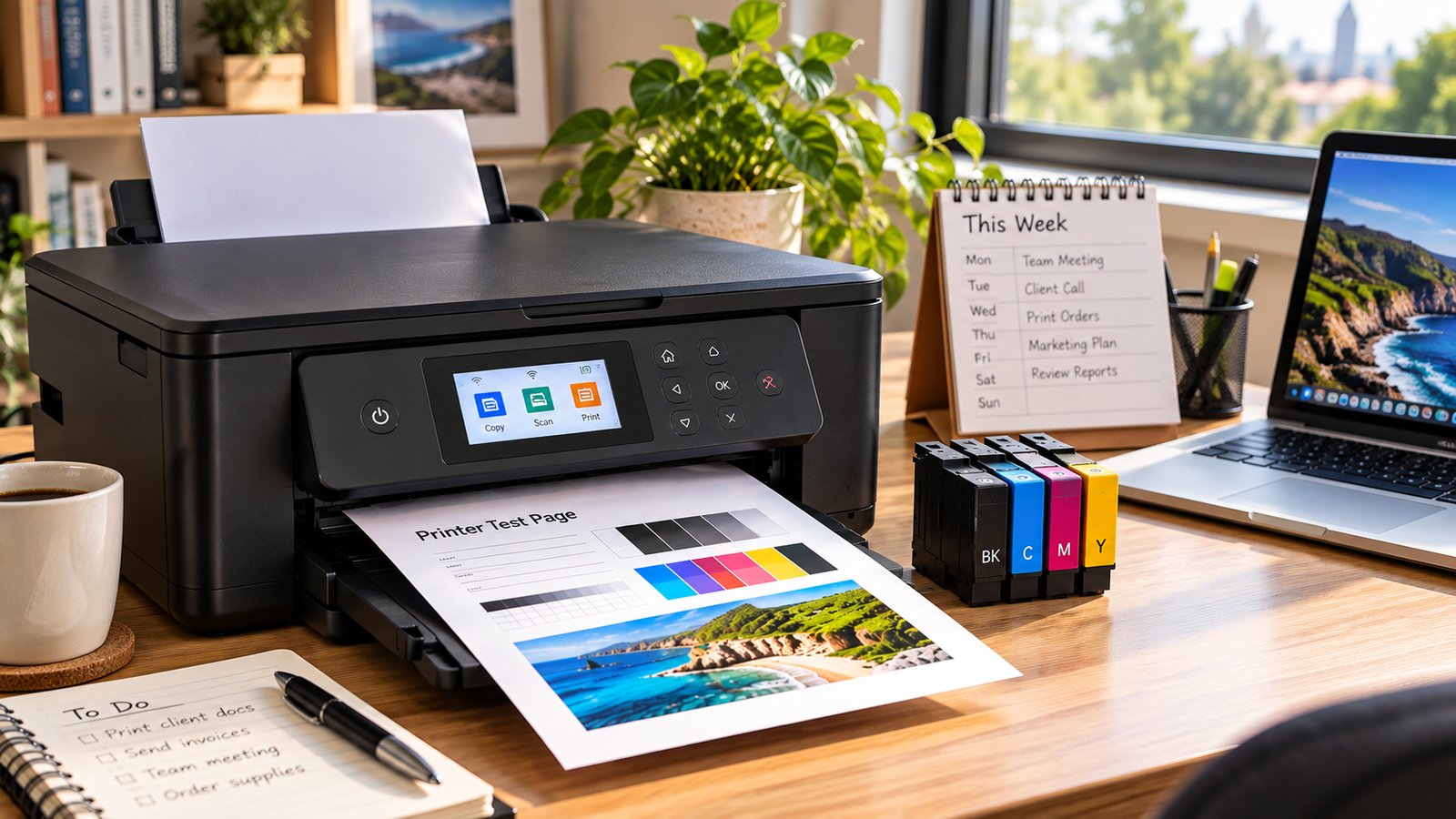
| September 09, 2026When choosing a printer, it is easy to focus on the purchase price and overlook what it will cost to use over time. A cheaper machine isn't always the most affordable option if its consumables need frequent replacement.This is where printer cost per page becomes useful. It gives you a simple way to estimate how much you spend on ink or toner for each sheet you produce.For Australian households, home offices and small businesses, understanding this figure can make it easier to compare different models and avoid unexpected printing costs.What Is Printer Cost Per Page?Printer cost per page is the estimated amount you spend on ink or toner to produce one sheet.The basic formula is:Cost per page = Cartridge price ÷ Cartridge yieldFor example, if a toner cartridge costs $100 and has a rated cartridge yield of 2,000 pages:$100 ÷ 2,000 = $0.05That means the estimated consumable cost is 5 cents per page.This calculation covers the ink or toner itself. Paper, maintenance and other consumables are separate expenses.Why Is Cost Per Page Important?The upfront price of a printer doesn't tell you what it will cost to run.Imagine two models with similar purchase prices. One uses a $50 cartridge that produces 500 pages, while the other uses a $100 cartridge rated for 2,000 pages.Although the second replacement costs more, it works out considerably cheaper for each sheet.This difference becomes more noticeable when you're producing hundreds or thousands of documents each month. For a small business handling invoices, quotes, reports and forms, a few cents saved on every sheet can add up over a year.How to Calculate the Cost Per PageWorking it out only takes a few steps.1. Find the cartridge priceStart with the current price of the replacement ink or toner.For example:Cartridge price: $80If your machine uses separate black and colour cartridges, consider each one individually. Prices can also vary between genuine and compatible options, so make sure you're comparing products designed for the same model.2. Find the cartridge yieldNext, look for the manufacturer's stated page yield.For example:Cartridge yield: 1,500 pagesThis figure represents the approximate number of sheets the consumable is expected to produce under standard testing conditions.It should be treated as a guide rather than a promise. Your results can differ depending on what you produce and how often you use the machine.3. Divide the price by the yieldNow apply the formula:$80 ÷ 1,500 = $0.053That's approximately 5.3 cents per page.You can use this figure to compare different replacement options and get a better idea of your ongoing expenses.A Simple ExampleSuppose you're comparing two black toner cartridges.Cartridge APrice: $75Yield: 1,500 pagesCost per page: 5 centsCartridge BPrice: $110Yield: 3,000 pagesCost per page: about 3.7 centsCartridge B costs more at the checkout, but it delivers a lower cost for each sheet.If your office produces several thousand documents each year, that difference can become significant.The lesson is simple: don't judge a cartridge by its price alone.How Cartridge Yield Affects the ResultCartridge yield plays a major role in the calculation.A high-yield option can produce considerably more documents before it needs replacing. However, the higher capacity only represents good value when its price makes sense compared with the number of pages it can produce.For example:$60 ÷ 1,000 pages = 6 cents per pageCompared with:$95 ÷ 2,500 pages = 3.8 cents per pageThe second option has a higher purchase price but a lower running expense.When comparing products, look at both the price and the expected yield.Does This Include the Cost of Paper?Not usually.The standard calculation looks at the consumable alone:Cartridge price ÷ cartridge yieldIf you want a broader estimate of what each completed document costs, you can add paper.For example:Ink or toner: 4 centsPaper: 2 centsBasic total: 6 cents per pageYou can also factor in maintenance kits, drums or other replacement components where applicable.For most comparisons, though, starting with the consumable is a practical way to see how different options stack up.What About Colour Documents?Colour models require a little more consideration because they often use separate cartridges for black, cyan, magenta and yellow.The amount of each colour used depends heavily on what you're producing.A text-heavy invoice might use very little colour, while a photograph, presentation or marketing flyer can consume considerably more.As a result, there isn't always one fixed figure that represents the cost of every colour page.For a more realistic estimate, think about the documents you normally produce rather than relying solely on the advertised yield.Why Your Actual Costs May DifferThe number you calculate is an estimate. Your real-world results can be higher or lower.Several factors can influence the amount of ink or toner you use.Page coverageA lightly printed document uses less consumable than a sheet covered with graphics, photos or large blocks of colour.This is one reason you may not reach the advertised yield in everyday use.Print settingsHigher-quality settings can use more ink or toner than standard modes.If you're producing everyday documents, using a standard setting where appropriate may help reduce unnecessary consumption.Maintenance cyclesInkjet models can use some ink during automatic maintenance and print-head cleaning.That ink doesn't necessarily end up on your documents, but it still contributes to your overall usage.What you're producingSomeone who prints simple invoices will have very different consumption from someone producing brochures or full-colour images.Your own habits are therefore more useful than a generic estimate when planning a budget.How to Estimate Monthly Printing CostsOnce you've calculated the approximate amount spent on each sheet, you can estimate your monthly usage.For example, if the consumable works out at 4 cents per page and you produce 1,000 pages each month:1,000 × $0.04 = $40That's an estimated $40 per month for ink or toner.Over a year:$40 × 12 = $480This gives you a much clearer picture of ongoing expenses than looking at the price of one replacement cartridge.Comparing Genuine and Compatible CartridgesCost per page is also helpful when deciding between genuine and compatible consumables.The cheapest product isn't automatically the best value. Instead, consider:Purchase priceRated yieldCost per pagePrint qualityReliabilityWarranty or guaranteeCompatibility with your exact modelFor example, a compatible cartridge may have a lower purchase price while offering a similar yield to a genuine alternative.The important thing is to make sure it is specifically designed for your machine. Choosing a product simply because it looks similar or carries the same brand family isn't enough.What Is a Good Cost Per Page?There is no single figure that works for everyone.A reasonable running cost depends on:How much you produceWhether most documents are black and white or colourThe type of work you doConsumable pricesCartridge yieldThe model you ownWhether you use genuine or compatible productsRather than looking for one "good" number, compare suitable options based on your own requirements.For someone producing only a few documents each week, the difference may not matter much. For a busy office producing thousands of pages each month, it can have a much bigger impact.A Quick Formula to RememberThe basic calculation is easy:Printer cost per page = Cartridge price ÷ Cartridge yieldFor example:$90 ÷ 2,000 = $0.045That's approximately 4.5 cents per page.To estimate annual consumable expenses, multiply that figure by the number of pages you expect to produce.For example:$0.045 × 20,000 pages = $900This can help Australian households and businesses estimate their likely expenses and compare different options before buying.What Should You Look at Before Buying a Printer?If you're considering a new machine, don't stop at the advertised purchase price.Take a few minutes to find out:How much the replacement cartridges cost.How many pages each one is rated to produce.Whether high-yield options are available.Whether reliable compatible alternatives are available.How many pages you expect to produce each month.Whether you mainly produce black-and-white or colour documents.Whether other consumables or maintenance parts will add to the running cost.A little research before buying can prevent an inexpensive machine from becoming costly to operate.The Bottom LineCalculating printer cost per page is a straightforward way to understand what you'll spend on ink or toner over time.Simply divide the cartridge price by its cartridge yield. You can then use the result to compare products, estimate monthly expenses and decide whether a printer offers good value for your needs.Keep in mind that the result is an estimate. Page coverage, print settings, maintenance and the type of documents you produce can all affect actual usage.For Australian homes, offices and small businesses, comparing the purchase price with ongoing printing costs can help you make a smarter buying decision and avoid surprises later.If you need replacement ink or toner, The Toner Group can help you find an option suited to your printer model and printing requirements.
-
| September 08, 2026You're comparing two cartridges online, and one number keeps jumping out at you: page yield. It sounds simple enough — this cartridge prints this many pages — but if you've ever bought a "3,000-page" cartridge and watched it run dry well before you got there, you already know it's not quite that straightforward.Here's printer page yield explained the plain way: it's an estimate of how many pages a cartridge can produce, based on a defined testing method. It's a genuinely useful number for comparing cartridges side by side. What it isn't is a guarantee of exactly how many pages you personally will get out of it at home or in the office.What you actually print — your documents, your settings, how much colour you use, even your specific printer — all shift that number around. If you're weighing up standard versus high-yield cartridges, or trying to nail down your real cost per page, understanding page yield properly is the place to start.Find Your Exact Printer Model FirstBefore you go anywhere near a cartridge listing, track down your exact printer model.You'll usually find it printed on the front or top of the machine, on a label around the back or underneath, tucked into the printer's settings menu, or listed in the manufacturer's printer software.This step matters more than people expect. Cartridges aren't universal, and two printers from the same brand can take completely different consumables. Searching "HP toner" or "Brother ink" on its own is far too broad to be useful — you'll end up scrolling through options that don't fit your machine at all.Once you've got the exact model, comparing standard, high-yield and compatible cartridge options becomes a lot less guesswork and a lot more straightforward.So What Does Page Yield Actually Mean?Page yield is the estimated number of pages a specific cartridge can print, based on a defined test method.For most office printers, manufacturers rely on internationally recognised ISO/IEC standards, which exist specifically so buyers have a consistent basis for comparison. ISO/IEC 19752:2025 covers toner yield for monochrome laser printers, ISO/IEC 19798:2025 covers colour toner, and ISO/IEC 24711:2021 covers ink cartridge yield for colour inkjet printers.The bit worth remembering: a page yield figure is a test result, not a personal promise. Your actual results can land above or below it, depending entirely on what you're printing.What does "5% coverage" actually mean?You've probably seen toner specs mention "5% coverage" and wondered what that's about.In plain terms, it means roughly 5% of the printable area on the test page carries toner — a manufacturer's standard reference point, not a description of your actual documents. Canon, for example, bases its published toner page counts on A4 pages at 5% coverage with default print density.A basic text letter with plenty of white space might use well under that. A page loaded with logos, tables, graphics or solid colour blocks can chew through considerably more. So a cartridge rated for 3,000 pages shouldn't be read as "3,000 pages no matter what I print" — it's a benchmark, not a guarantee.How Is Cartridge Yield Actually Tested?The specific method depends on what kind of printer and consumable you're dealing with. Monochrome toner is measured against ISO/IEC 19752, colour toner against ISO/IEC 19798, and colour inkjet cartridges against ISO/IEC 24711, each paired with a defined test-page methodology.Epson's published testing approach, as one example, involves a set of standard test patterns run across multiple printers and cartridges under controlled conditions, printed continuously. It's a deliberately controlled process, which is exactly why it's useful for comparing products fairly.Your office, though, isn't a laboratory. One day you might print a single-page invoice, then a 20-page report, then a colour presentation, then a document with a large company logo splashed across the top. Every one of those jobs draws on ink or toner differently — which is exactly why real-world results wander from the number on the box.Why Your Real Page Yield Might Look DifferentA few genuine reasons your cartridge might not stretch as far as advertised:1. Your documents simply use more coverageThis is usually the single biggest factor. Text-heavy pages with generous white space use noticeably less consumable than pages packed with graphics, images, bold headings, charts or solid colour. It's entirely normal for two people on the exact same printer and cartridge to get quite different results, purely based on what they're printing.2. Colour printing draws on multiple cartridges at onceA colour printer typically runs cyan, magenta, yellow and black cartridges. Even a document that looks mostly black and white can still pull colour if it has a logo, a chart or any coloured element buried in it — and if one colour gets used more heavily than the others, that cartridge can run out well before its neighbours.3. Print settings change how much gets usedCranking everything to maximum quality isn't always necessary. Internal memos and drafts often do fine on standard or economy settings, while client-facing documents or marketing material might genuinely warrant the higher setting. Matching quality to the job, rather than defaulting to "best" for everything, makes a real difference over time.4. Your printing pattern plays a role tooA busy office churning through hundreds of short jobs behaves differently to one running a handful of long continuous print runs. Maintenance cycles, calibration and other background processes vary by printer technology and model, and all of that feeds into the gap between the advertised yield and your everyday cartridge yield.Page Yield vs Cost Per PagePage yield becomes genuinely useful once you pair it with price.The basic sum: cost per page = cartridge price ÷ pages produced.Say a cartridge costs $90 and is rated for 3,000 pages under the relevant test standard: $90 ÷ 3,000 = 3 cents a page. That's the theoretical consumable cost, based on the stated yield — your real number can run higher if your typical printing uses more toner or ink than the standardised test pages did.Worth remembering too: cartridge cost isn't your whole printing cost. Paper, drums, maintenance components and waste toner units can all factor in depending on your printer. ISO/IEC 19752 itself is upfront that cartridge yield is only one input into cost per page, not a full cost-per-page methodology on its own.Standard vs High-Yield CartridgesOnce page yield actually makes sense, choosing between standard and high-yield cartridges gets a lot easier.A standard cartridge typically costs less upfront, which can suit occasional or light printing. A high-yield cartridge costs more to begin with but is built to produce considerably more pages before you're swapping it out.If you're printing a handful of pages a week at home, the cheapest option on the shelf isn't automatically the smart buy if it's just going to sit half-used for months. For an office churning through invoices, reports and client documents daily, a higher-yield cartridge can mean fewer cartridge changes and a running cost that's a lot easier to predict from month to month.The right call really comes down to your actual print volume, your printer model, and which cartridge options are available for it.How to Choose the Right CartridgeBefore you order anything, check off these five things:Your exact printer modelThe cartridge or part numberBlack or colourStandard, high or extra-high yieldGenuine or compatibleDon't rely on the printer brand name alone to guide the purchase — it's rarely specific enough. If you want to find the right cartridge for your printer quickly, The Toner Group's cartridge search lets you look up options by printer brand, family and model, or directly by cartridge number, which cuts down the risk of ordering the wrong thing entirely. That's particularly handy for any business juggling several printers across different departments or sites.Genuine or Compatible — Which Should You Buy?Both have a genuine place, depending on what you need.Genuine cartridges come from the original printer manufacturer, engineered specifically for that printer range — think Brother toner cartridges or HP toner cartridges built purpose-fit for their own machines.Quality compatible cartridges, made by third-party manufacturers, are designed to work with particular printer models and can be well worth considering for businesses printing regularly, especially once purchase price and ongoing running costs come into the picture.The trick is not comparing purely on price. Weigh up compatibility, the stated yield, what the job actually demands, supplier support, and the real cost per page. A slightly cheaper cartridge isn't much of a bargain if it causes patchy print quality, compatibility headaches or downtime you didn't budget for.A Simple Way to Work Out Your Real Printing NeedsIf you're not sure which cartridge capacity actually suits you, start with your own numbers rather than the ones on the box.Check your printer's page counter, if it has one, and note the count each time you install a new cartridge. When that cartridge needs replacing, note the count again. After a couple of cartridge changes, you'll have a genuinely useful picture of your real-world usage — far more reliable than the figure printed on the packaging.From there, you can weigh that usage against standard and high-yield Canon ink cartridges, Canon toner cartridges or whichever brand you're running, and work out which option genuinely gives you the best value.The Bottom LineUnderstanding page yield takes a lot of the guesswork out of buying cartridges. The number on the box is a useful benchmark, built on a defined testing method — it's not a promise of exactly how many pages you'll personally get.Your document coverage, colour use, print settings, printer type and everyday habits all shift the real result. So instead of just asking "how many pages does this print," ask the more useful question: how many pages do I realistically print, and what will each one actually cost me?That's a far better way to weigh up standard against high-yield cartridges, genuine against compatible, and the range of consumables available for your specific printer.If you already know your printer model, checking the exact cartridge number is your next step — then you can compare options by yield, type and price, rather than by guesswork or upfront sticker price alone. For a deeper look at making the right call for your setup, our printer buying guide walks through it in more detail.For Australian homes, offices, schools and businesses, The Toner Group offers a broad range of genuine and compatible ink and toner printer cartridges across major printer brands, with an online search tool built to match the right cartridge to your specific printer.Frequently Asked QuestionsWhat does printer page yield mean? It's the estimated number of pages a cartridge can produce, based on a defined test method — a useful benchmark for comparison, not a guarantee of your personal results.How is printer page yield calculated? Manufacturers test cartridges against recognised ISO/IEC standards — ISO/IEC 19752 for monochrome toner, ISO/IEC 19798 for colour toner, and ISO/IEC 24711 for colour inkjet — using standardised test pages and controlled printing conditions.What does 5% coverage mean for toner yield? It means the test page used to establish the yield figure has roughly 5% of its printable area covered in toner — a manufacturer reference point, not a description of your typical documents.Why does my cartridge print fewer pages than advertised? Usually because your documents use more coverage than the standardised test pages — more graphics, colour, bold text or solid blocks — along with your specific print settings and printing pattern.What is the difference between standard and high-yield cartridges? Standard cartridges cost less upfront and suit lighter or occasional printing. High-yield cartridges cost more initially but produce significantly more pages, which can lower the frequency of cartridge changes for higher-volume printing.How do I calculate cost per page? Divide the cartridge price by its stated page yield. This gives you a theoretical consumable cost per page — your real-world figure may run higher depending on what you actually print.Does colour printing reduce cartridge yield? It can. Colour printers use multiple cartridges, and any document with logos, charts or coloured elements draws on those cartridges — sometimes unevenly, meaning one colour runs out before the others.Is page yield the same for genuine and compatible cartridges? Not necessarily. Stated yields vary by manufacturer and product, so it's worth checking the specific yield figure for whichever cartridge you're considering, genuine or compatible.How do I find the correct cartridge for my printer? Identify your exact printer model, then check the cartridge or part number, colour, and yield option before ordering — searching by model or cartridge number is far more reliable than searching by brand alone.Is a high-yield cartridge better for a small business? Often, yes, for businesses printing regularly — fewer cartridge changes and a more predictable running cost. The right choice ultimately depends on your actual print volume and available cartridge options for your specific printer.
-
| August 21, 2026Inkjet printers are commonly used for:● Everyday documentsAn inkjet printer works by placing thousands of tiny droplets of liquid ink onto paper in carefully controlled patterns. The printer receives your document or image, processes the information, moves the printhead across the page and releases microscopic amounts of ink through tiny nozzles to create text, graphics and photos.● Although the process happens in seconds, several components work together to produce the final page. Understanding these printer basics can also make it easier to choose the right ink, troubleshoot print-quality problems and know when a cartridge or printhead may need attention.● What Is an Inkjet Printer?● An inkjet printer is a type of printer that creates images and text by depositing liquid ink directly onto paper.● Unlike a laser printer, which uses powdered toner and an imaging drum, an inkjet system uses liquid ink delivered through very small nozzles.● School assignments● Colour presentations● Photos and graphics● Home-office printing● Small-business documentsOne reason inkjet technology is versatile is that it can place very small amounts of ink precisely where they are needed. This makes it possible to reproduce fine details and a wide range of colours.How Does an Inkjet Printer Actually Print?The easiest way to understand the process is to follow what happens after you press Print.1. Your device sends the document to the printerWhen you print from a computer, phone or tablet, the printer receives digital instructions describing what needs to appear on the page.The printer's electronics interpret that information and determine where different colours and amounts of ink need to be placed.2. The printhead moves across the paperThe printhead is one of the most important components in an inkjet printer.Depending on the printer design, the printhead may be integrated into the cartridge or built into the printer itself. Its job is to deliver extremely small ink droplets through microscopic nozzles.As the printhead moves across the page, the printer controls which nozzles fire and when.3. Tiny ink droplets are releasedThe printer doesn't simply spray a continuous stream of ink.Instead, individual droplets are released in precisely controlled amounts. In thermal inkjet systems, a tiny heating element rapidly heats the ink, creating a bubble that pushes a droplet through the nozzle. As the bubble collapses, more ink is drawn into the chamber for the next cycle.Other inkjet systems use different mechanisms. For example, piezoelectric printheads use an electromechanical action to eject droplets rather than heating the ink.4. The printer builds the image line by lineThe printhead and paper-feed system work together.The printhead places ink across one section of the page, while rollers move the paper through the printer. This process repeats until enough droplets have been placed to form the complete document or image.What looks like a solid line or photograph to your eyes is actually made from a huge number of individually positioned ink droplets.What Does the Ink Cartridge Do?The ink cartridge is essentially the printer's ink supply.Depending on the printer, you may have:● A separate black cartridge● Separate cyan, magenta and yellow cartridges● A black cartridge plus a tri-colour cartridge● Individual cartridges for additional photo coloursThe printer draws ink from these supplies and delivers it to the printhead.In some designs, the printhead is part of the cartridge. In others, cartridges supply ink to a separate printhead built into the printer. HP describes both integrated and separate printhead designs in its inkjet systems.This difference is important when troubleshooting. If the printhead is built into the printer, replacing an ink cartridge doesn't necessarily replace the component responsible for placing the ink onto the page.How Do Inkjet Printers Create Different Colours?Most conventional colour inkjet printers rely on a combination of cyan, magenta, yellow and black (CMYK).The printer controls how much of each colour is placed on different areas of the paper. By combining tiny droplets in different patterns and proportions, it can create the appearance of many different colours and shades.For example, combinations of cyan and yellow can create the appearance of green, while magenta and yellow can produce red tones.The printer doesn't necessarily put one large blob of mixed colour onto the page. Instead, it uses carefully positioned droplets and patterns that your eyes perceive as continuous colours.This technique is one reason an inkjet printer can reproduce photographs and detailed graphics despite using only a limited number of basic ink colours.Why Does Print Quality Change?If an inkjet printer suddenly produces faded colours, streaks or missing sections, the issue isn't always an empty cartridge.The printhead contains extremely small nozzles, and dried ink or other particles can interfere with ink delivery. HP notes that printhead maintenance routines may use some ink to help keep the nozzles functioning correctly.Common signs of a print-quality problem include:● Horizontal lines or streaks● Missing colours● Faded sections● Uneven text● Incorrect colour reproduction● Blank areas on the pagePaper can also affect the final result. Ink interacts with the paper surface, so the same printer and cartridge combination can produce different results on standard office paper compared with photo paper.That's why choosing the correct ink cartridge is only one part of getting consistent prints. The printer, ink and paper all contribute to the final result.Why Can an Ink Cartridge Use Ink Even When You're Not Printing?This surprises many printer owners.Some inkjet printers use a small amount of ink during startup, calibration and printhead maintenance. These routines can help prepare the printing system and reduce problems caused by dried ink or blocked nozzles.This also means the number of pages you actually print from a cartridge may differ from its advertised page yield.Your real-world yield can be affected by:● The amount of ink used on each page● The type of documents you print● Print settings● Printer maintenance cycles● How frequently the printer is used● The printer and cartridge designSo a cartridge's published page yield is useful for comparison, but it shouldn't be treated as an exact promise of how many pages you will get.Inkjet Printer vs Laser Printer: What's the Difference?The simplest distinction is the material and process used to create the page.Inkjet printers use liquid ink droplets, while laser printers use powdered toner. Laser printers use an electrostatic process involving a drum before toner is transferred and fused to the paper.For many home users and small offices, inkjet printers are attractive when colour printing, photos or graphics are important. Laser printers can be particularly useful where fast, high-volume document printing is the priority.Neither technology is automatically better for every situation. The right choice depends on what you print, how often you print and what matters most to you.Why Choosing the Right Ink Cartridge MattersUnderstanding how an inkjet printer works makes one thing clear: the cartridge is part of a larger printing system.A cartridge needs to match the printer's requirements. Using the wrong cartridge can lead to compatibility problems, poor output or the printer failing to recognise the supply.Before buying replacement ink, check:● Your printer brand● Exact printer model● Cartridge number● Colour● Genuine or compatible cartridge● Standard or high-yield option, if availableThe Toner Group's Ink & Toner Finder allows customers to search by printer brand, printer model or cartridge number, which can help reduce the guesswork when looking for replacement supplies.If you use an HP printer, you can also browse HP ink cartridges from The Toner Group or explore Canon ink cartridges when looking for compatible supplies.Final ThoughtsSo, how does an inkjet printer work?It starts with digital information from your computer or mobile device. The printer processes that information, controls the movement of the printhead and releases microscopic droplets of liquid ink through tiny nozzles. Those droplets are placed in precise patterns until they form the text, graphics or images you see on the finished page.The process may look simple from the outside, but the coordination between the ink cartridge, printhead, paper-feed system and printer electronics is what makes modern inkjet printing possible.Once you understand these printer basics, choosing replacement ink and diagnosing common print-quality problems becomes much easier.Need the right ink for your printer?Before ordering, check your exact printer model and cartridge number. You can use The Toner Group's Ink & Toner Finder to search by printer or cartridge number. FAQs1. How does an inkjet printer work in simple terms?An inkjet printer creates a page by releasing tiny droplets of liquid ink through microscopic nozzles and placing them precisely onto paper to form text and images.2. What is the printhead in an inkjet printer?The printhead is the component responsible for placing ink onto the paper. It contains or controls very small nozzles that release the ink droplets used to create the printed image.3. How does an inkjet printer create colour?Colour models typically combine cyan, magenta, yellow and black ink in different amounts and patterns to create the appearance of a wide range of colours.4. Why does an inkjet printer sometimes use ink during maintenance?Printers may use some ink during startup, calibration and printhead servicing. These routines can help maintain ink flow and reduce nozzle problems.5. What should I check before buying a new ink cartridge?Check the printer brand, exact model, cartridge number, colour and whether you need a genuine or compatible cartridge. If a high-yield option is available, compare its capacity and cost with your normal printing needs.
Recent Posts
Oct 01, 2026
Sep 30, 2026
Sep 29, 2026