Ink vs toner is one of those printer questions that sounds simple until you actually need to replace a cartridge.
Inkjet printers use liquid ink, while laser printers use dry toner powder. But choosing the right consumable involves more than knowing that difference. You also need to identify your exact printer model, find the correct cartridge number, check whether you need black or colour, and decide whether a genuine or compatible cartridge is appropriate.
For an Australian home office, school, accounting practice, law firm, healthcare workplace or busy business, getting that choice wrong can mean wasted money, poor print results and avoidable downtime.
This guide explains the difference between ink cartridges and toner cartridges, how inkjet and laser printers work, what cartridge numbers mean and how to check compatibility before buying.
Ink vs Toner: What’s the Difference?
The simplest distinction is this:
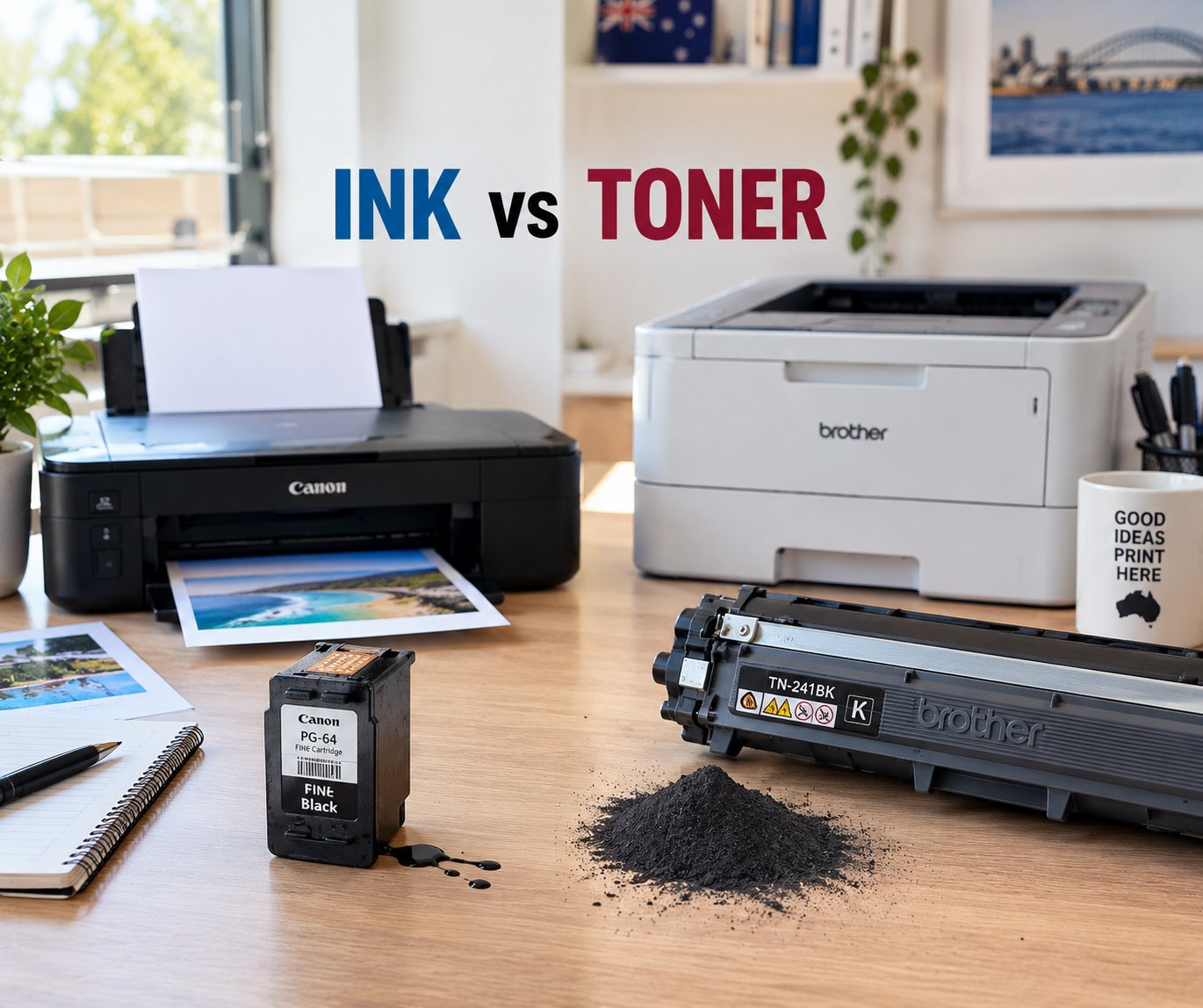
Ink is a liquid used by inkjet printers, while toner is a dry powder used by laser printers.
An inkjet printer uses a printhead to place tiny droplets of liquid ink onto the page. A laser printer uses an imaging process to position toner on the page, after which heat from the fuser bonds the toner to the paper.
That means an ink cartridge cannot simply be used in a laser printer, and a toner cartridge is not suitable for an inkjet printer. They are different consumables designed around different printing technologies.
The practical differences become more important when you consider what and how often you print.
| Inkjet printing | Laser printing |
| Uses liquid ink | Uses dry toner powder |
| Uses ink cartridges | Uses toner cartridges |
| Often suited to colour and photo printing | Commonly suited to text-heavy document printing |
| Ink is delivered through a printhead | Toner is transferred through an imaging process |
| Available in individual colours or combined configurations | Available as black toner or separate colour toner cartridges |
Neither technology is automatically the right choice for everyone. A household printing photos and occasional colour documents may have different priorities from an office producing hundreds of invoices or contracts.
Ink Cartridge vs Toner: Which One Do You Need?
If you're replacing a cartridge, start with the printer, not the cartridge.
An inkjet printer requires an ink cartridge that is specifically compatible with that printer. A laser printer requires the appropriate toner cartridge.
This sounds obvious, but cartridge names can be confusing. Different cartridges can have similar-looking numbers, colours and packaging while being designed for different printer models.
Before ordering, identify the complete printer model and then cross-reference the cartridge number.
For example, don't search only for “Canon ink” or “Brother toner”. A better approach is to identify the complete printer model and use that information to locate the compatible consumable.
This is particularly important for workplaces where a printer may be shared between several people. Ordering a cartridge based on a vague description can leave the business with an unusable consumable and a printer that is still out of action.
If you already know your printer model, you can browse the relevant ink cartridge or toner cartridge category and narrow the options from there.
Where to Find Your Printer Model
Your printer model is the foundation for finding the correct cartridge.
Depending on the printer, the model number may be located:
- On the front or top of the printer
- Inside the cartridge access door
- On a label at the rear or underneath the printer
- In the printer's settings or information menu
- In the printer software on your computer
- On the original packaging
- In the user manual
Look for the full model designation, including letters and numbers. The printer brand alone isn't enough.
For example, knowing that you own an Epson, Canon, HP or Brother printer doesn't identify the cartridge you need. A manufacturer can produce many different printers, each using different consumables.
Why the exact model matters
A cartridge that fits one printer may not be compatible with another model from the same manufacturer.
Getting the model right helps you avoid:
- Ordering the wrong cartridge
- Buying an incompatible colour configuration
- Losing time waiting for a replacement
- Unnecessary returns
- Printing problems caused by an incorrect consumable
For businesses, this basic check can be particularly valuable when printer downtime affects invoices, contracts, labels, reports or other everyday documents.
Find the Cartridge Number
Once you've identified the printer, look for the cartridge number.
Manufacturers use cartridge numbers, product codes or part numbers to identify specific consumables. You may find the number printed directly on the existing cartridge, its packaging or within the printer's software.
The cartridge number can tell you much more than simply whether the product contains ink or toner. It helps identify the intended printer family, colour and cartridge configuration.
Ink cartridge vs toner cartridge numbers
Ink and toner cartridges are labelled differently because they belong to different printing systems.
An ink cartridge contains liquid ink and is used by an inkjet printer. Depending on the printer, you might have separate black, cyan, magenta and yellow cartridges, or a different colour arrangement.
A toner cartridge contains toner powder and is designed for a laser printer. A monochrome laser printer may use one black toner cartridge, while a colour laser printer generally uses separate colour toner cartridges.
The important point is simple: match the complete cartridge number to the printer model rather than relying on appearance alone.
Check These Details Before Buying
Before ordering either ink or toner, check these five details.
1. Printer model
Confirm the complete model number of the printer.
2. Cartridge number
Compare the number on your existing cartridge with the cartridge information for the replacement.
3. Colour
Check whether you need black, a specific colour, or a complete colour set.
4. Page yield
Page yield provides an indication of how many pages a cartridge is designed to print under a specified testing method.
It can be useful when comparing cartridges, particularly for offices and other environments with regular printing requirements. However, actual page counts can vary according to the type and coverage of documents being printed.
5. Genuine or compatible
Check whether you're buying a cartridge made by the printer manufacturer or a compatible alternative.
Neither option should be judged on price alone. Consider compatibility, expected yield, print requirements and the level of support you need.
Inkjet vs Laser: Which Is Better?
There isn't a universal winner in the inkjet vs laser comparison.
The better technology depends on what you're printing.
Inkjet may make sense when:
- You regularly print colour documents
- Photo printing is important
- You need a broad range of colour output
- Your printing volume is relatively low or moderate
- You already own an inkjet printer that meets your needs
Laser may make sense when:
- Most of your printing is text
- You print documents regularly
- Consistent document output is important
- You want to consider toner capacity and page yield
- You operate a busy office or print-intensive environment
For example, a family using a printer mainly for school assignments, forms and occasional photos may have different priorities from an accountant printing invoices and financial documents every day.
A law firm may prioritise reliable text reproduction and document throughput, while a school may need a mixture of colour and general-purpose printing.
So when comparing ink cartridge vs toner, don't ask only which consumable is “better”. Ask which printing technology fits the actual workload.
Does Toner Last Longer Than Ink?
This is one of the more useful questions to ask when comparing ink vs toner, but there isn't a single answer that applies to every cartridge.
Cartridges are available in different capacities and stated page yields. Some toner cartridges are designed for high-volume printing, while some ink cartridges are designed for relatively lower-volume use.
The meaningful comparison is therefore page yield and cost per printed page for the specific cartridges, rather than simply comparing the physical size of an ink cartridge with a toner cartridge.
For a business printing hundreds or thousands of pages, cartridge yield can have a noticeable effect on how frequently consumables need replacing.
For someone printing only occasionally, other factors may matter more.
How to Check Cartridge Compatibility Before Buying
Once you've found a potential replacement, don't stop at the cartridge number.
Check that the product listing specifically identifies your printer model as compatible.
A useful compatibility check follows this order:
Printer model → cartridge number → colour → cartridge type → compatibility listing
You can also cross-reference the information with the printer manufacturer's documentation or compatibility lists.
Watch for similar-looking cartridge numbers
One of the easiest mistakes is assuming that a similar cartridge number means the cartridges are interchangeable.
Don't rely on a single matching digit or a similar-looking product name. Compare the complete number and the compatible printer models.
Check the cartridge configuration
A printer may require separate cartridges for each colour, while another model may use a combined colour cartridge.
The same applies to laser printers. A colour laser printer may require separate cyan, magenta, yellow and black toner cartridges.
Check before the old cartridge runs completely empty
If the printer is essential to your workplace, checking the cartridge number while the existing cartridge is still installed can make replacement easier.
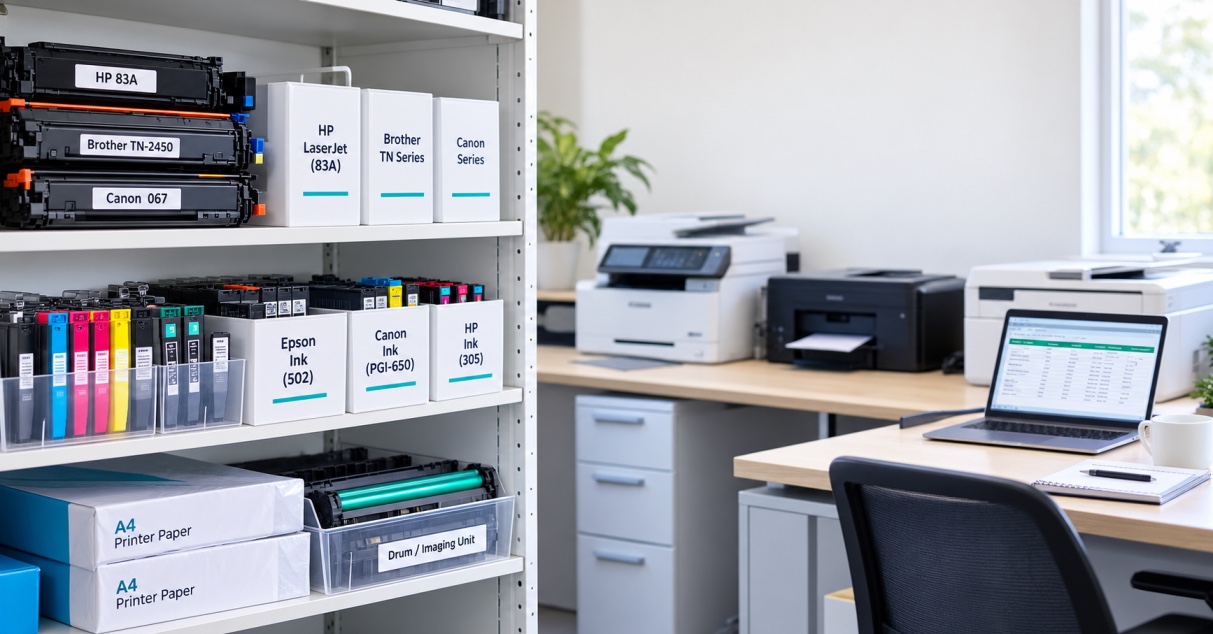
Take a photo of the label or packaging and keep the cartridge number with your printer records. This can be particularly useful when multiple printers are used across an office.
Genuine vs Compatible Ink and Toner
When researching replacement cartridges, you'll usually encounter genuine and compatible options.
Genuine cartridges are produced by the printer manufacturer. Compatible cartridges are produced by another manufacturer for use in specified printer models.
The right choice depends on your requirements and the particular printer.
For a low-volume home printer, the priorities may be straightforward availability and value. For a business producing important documents every day, consistency, compatibility, expected yield and supplier support may carry more weight.
The key is to verify compatibility rather than assuming that every compatible cartridge will work with every printer from the same brand.
Choosing the Right Cartridge Without Guesswork
The easiest way to avoid cartridge mistakes is to work backwards from your printer.
First, identify the printer model. Then identify the cartridge number. Finally, verify the colour, yield and compatibility before ordering.
Whether you're looking for ink cartridges for an inkjet printer or toner cartridges for a laser printer, those checks give you a much better basis for choosing the right consumable.
For Australian homes, small businesses, schools, offices and larger organisations, the goal isn't simply to find the cheapest cartridge on the page. It's to find a cartridge that is correctly matched to the printer and appropriate for the way you print.
If you're ready to replace a cartridge, explore The Toner Group's ink and toner categories and use your printer model or cartridge number to narrow down the available options.
A few minutes spent checking compatibility can save considerably more time and money later.
Frequently Asked Questions
Is toner better than ink?
Neither is universally better. Ink is used by inkjet printers and toner is used by laser printers. The better option depends on factors such as print volume, colour requirements, document type, printer technology and running costs.
What is the difference between an ink cartridge and a toner cartridge?
An ink cartridge contains liquid ink for an inkjet printer, while a toner cartridge contains dry toner powder for a laser printer. They use fundamentally different printing processes and are not interchangeable.
Is inkjet or laser better for home use?
It depends on what you print. Inkjet printers can be useful for households that regularly need colour or photo printing, while laser printers can be attractive for homes that primarily print text-heavy documents. Print volume and consumable costs should also be considered.
How do I know which toner cartridge I need?
Find the complete model number of your laser printer and check the cartridge number listed as compatible with that model. Don't rely on the printer brand alone.
How do I know which ink cartridge I need?
Identify the complete inkjet printer model and then check the compatible cartridge number and colour configuration. Compare the information with the cartridge currently installed where possible.
Can you use toner instead of ink?
No. Toner is designed for laser printers, while ink is designed for inkjet printers. The two consumables work with different printing mechanisms.
Does a higher page-yield cartridge always offer better value?
Not necessarily. Compare the cartridge price, stated page yield and your actual printing requirements. A higher-capacity cartridge can be useful for high-volume printing, but it isn't automatically the best choice for every printer or user.
Why is checking the printer model so important?
Manufacturers produce many printers with different cartridge requirements. The exact model helps you identify the correct cartridge and reduces the risk of ordering an incompatible product.