Finding a replacement ink or toner cartridge should be straightforward. But when you start looking at product listings, you may come across several different codes and terms, such as cartridge number, OEM number, part number or product code.
If you're not familiar with these terms, it can be difficult to know which one matters when ordering a replacement.
The good news is that these codes are mainly used to identify a specific cartridge. Once you know where to find them and how they relate to your printer, choosing a replacement becomes much easier.
What Is a Printer Cartridge Number?
A printer cartridge number is a code used to identify a particular ink or toner cartridge.
It usually contains a combination of letters and numbers and can be found on the cartridge, its packaging or the manufacturer's product information.
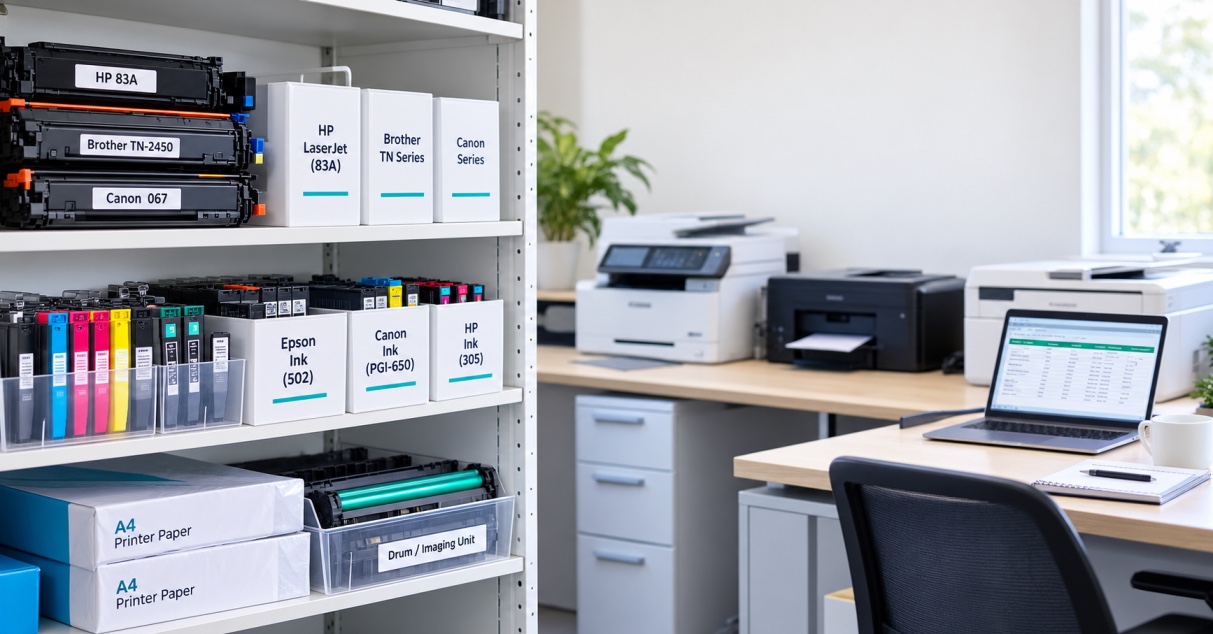
For example, you might come across codes such as:
- HP 83A
- Brother TN-2450
- Canon PG-650
Each code refers to a particular consumable and helps distinguish it from other products.
The numbering system isn't the same across every brand, so the format can vary between HP, Canon, Brother, Epson and other manufacturers.
What Is an OEM Number?
OEM stands for Original Equipment Manufacturer.
An OEM number is an identification code assigned by the original manufacturer to a particular cartridge. It helps identify the exact product and can be used when looking for a genuine replacement or a compatible alternative.
For example, a compatible cartridge may be described as:
Compatible with HP 83A
This means it is designed to replace the original HP cartridge identified by that code.
You'll often see OEM references in online cartridge listings because they make it easier to match compatible products with the original consumable.
What Is a Part Number?
A part number is another type of product identification code.
Different manufacturers and suppliers don't always use the same terminology. One company might refer to a code as a cartridge number, while another may call it a part number or product code.
In some cases, these terms refer to the same identification. In others, they may refer to different codes associated with the product.
The important thing is to match the complete code with your printer's compatibility information.
Where Can You Find the Cartridge Number?
There are several places to look if you need to identify your replacement ink or toner.
1. Look at the Existing Cartridge
If you still have the old cartridge, look for a label or printed code.
The identification may appear alongside a barcode or other product information.
Handle the cartridge carefully and avoid touching sensitive contacts or ink outlets.
2. Look at the Original Packaging
If you kept the cartridge box, the product code is often printed on the packaging.
This can be particularly useful if the old cartridge has already been thrown away.
3. Check the Printer Manual
Your printer's manual may list the cartridges designed for your particular model.
Some manuals provide the exact code, while others provide a list of recommended consumables.
4. Use the Printer Display or Software
Some printers display information about the installed consumable through the printer menu or accompanying software.
The available information varies between models, but it can provide a useful starting point.
5. Identify Your Printer Model
If you don't have the old cartridge or its packaging, start with the exact printer model.
The model number is usually printed on the front, top or rear of the printer.
Once you know the model, you can find the cartridges designed for that particular machine.
Why Does the Cartridge Number Matter?
Ink and toner cartridges aren't universal.
Two cartridges from the same brand can look almost identical while being designed for completely different printers.
Using the correct identification code helps narrow down the available options and reduces the chance of ordering an unsuitable product.
It can also help when comparing:
- Genuine and compatible cartridges
- Standard and high-yield options
- Black and colour cartridges
- Individual cartridges and multipacks
Instead of searching through hundreds of products, you can search for the specific code associated with your printer.
Should You Search by Cartridge Number or Printer Model?
Both can be useful, depending on what information you have.
If you already know the code from your existing cartridge or packaging, searching for that number can be a quick way to find the same product or a compatible alternative.
If you don't know it, use your exact printer model as the starting point.
A simple approach is:
Printer model → compatible cartridges → specific product code
Once you've identified the correct consumable, keep the number somewhere handy. It can make future orders much easier.
Why Might a Printer Have More Than One Cartridge Number?
Some printers support several cartridge options.
For example, there may be different versions for:
- Black and colour printing
- Standard yield and high yield
- Individual colours
- Multipacks
There can also be regional product codes or differences in packaging.
Don't assume that two codes are interchangeable simply because they look similar.
Compare the product information with your exact printer model before purchasing.
Do Compatible Cartridges Have an OEM Number?
Compatible cartridges are made by a manufacturer other than the original printer brand.
They are generally identified by the original cartridge code they are designed to replace. This makes it easier for customers to find compatible alternatives.
For example, a listing might say:
Compatible Brother TN-2450 Toner
The TN-2450 identifies the original cartridge type that the compatible product is intended to replace.
Even so, the printer model should still be used to confirm suitability.
What Happens If You Buy the Wrong Cartridge?
Ordering the wrong consumable can lead to a range of problems.
Depending on the printer and cartridge, it may:
- Not physically fit
- Fail to be recognised
- Produce incorrect print output
- Have incompatible electrical contacts
- Be unsuitable for the printer's cartridge system
In some cases, the packaging may look almost identical to the correct product, which is why relying on appearance alone isn't a good idea.
Taking a little time to identify the right code before ordering can save you from an unnecessary return or a frustrating printing problem.
How to Identify the Right Cartridge Before Ordering
If you're unsure which product you need, follow these steps.
Step 1: Identify the exact printer model
Write down the full model name or number from the printer.
Step 2: Find the existing cartridge information
Look at the old cartridge, packaging, manual or printer software.
Step 3: Record the complete code
Make a note of every letter and number. Don't rely on a shortened version.
Step 4: Match it to your printer
Confirm that the cartridge is specifically listed for your printer model.
Step 5: Choose the right cartridge type
If several options are available, decide whether you need black, colour, standard yield, high yield or a multipack.
Step 6: Review the product details
Before ordering, make sure the product code and compatibility information match your requirements.
Common Mistakes When Buying Printer Cartridges
A few simple mistakes can make cartridge shopping more difficult than it needs to be.
Searching by brand alone
Searching for "HP ink" or "Brother toner" gives you a huge range of products.
Adding your printer model or cartridge code makes the search much more specific.
Using only part of the code
Leaving out a letter or number can lead you to a different product.
Always use the complete identification where possible.
Assuming similar codes are interchangeable
A small difference in a product code can represent a completely different cartridge.
Ignoring the printer model
Even when a product appears to have the right code, confirming it against the printer model provides an extra layer of confidence.
Choosing based on appearance
Cartridges can look very similar but have different designs, capacities or electrical contacts.
The identification code and compatibility information are much more useful than appearance alone.
What If You Can't Find the Cartridge Number?
Don't worry if the code isn't obvious.
Start with the exact printer model and look for the manufacturer's recommended consumables.
You can also refer to the printer manual or the information supplied with the machine.
If you're comparing products online, look for a clear compatibility list rather than relying only on a product photograph.
If you're still uncertain, it's better to ask the supplier before ordering than to guess.
The Bottom Line
A printer cartridge number is an identification code that helps you find the right ink or toner for a particular printer.
You may also encounter terms such as OEM number and part number. The terminology can vary between manufacturers, but these codes are useful for identifying specific products.
The easiest approach is to start with your exact printer model, identify the correct consumable and then use its product code when searching for a replacement.
Whether you're buying a genuine cartridge or a compatible alternative, matching the cartridge number, OEM number or part number with your printer can help you avoid the most common ordering mistakes.
A few minutes spent identifying the right product can save much more time later.