Inkjet printers are commonly used for:
● Everyday documentsAn inkjet printer works by placing thousands of tiny droplets of liquid ink onto paper in carefully controlled patterns. The printer receives your document or image, processes the information, moves the printhead across the page and releases microscopic amounts of ink through tiny nozzles to create text, graphics and photos.
● Although the process happens in seconds, several components work together to produce the final page. Understanding these printer basics can also make it easier to choose the right ink, troubleshoot print-quality problems and know when a cartridge or printhead may need attention.
● What Is an Inkjet Printer?
● An inkjet printer is a type of printer that creates images and text by depositing liquid ink directly onto paper.
● Unlike a laser printer, which uses powdered toner and an imaging drum, an inkjet system uses liquid ink delivered through very small nozzles.
● School assignments
● Colour presentations
● Photos and graphics
● Home-office printing
● Small-business documents
One reason inkjet technology is versatile is that it can place very small amounts of ink precisely where they are needed. This makes it possible to reproduce fine details and a wide range of colours.
How Does an Inkjet Printer Actually Print?
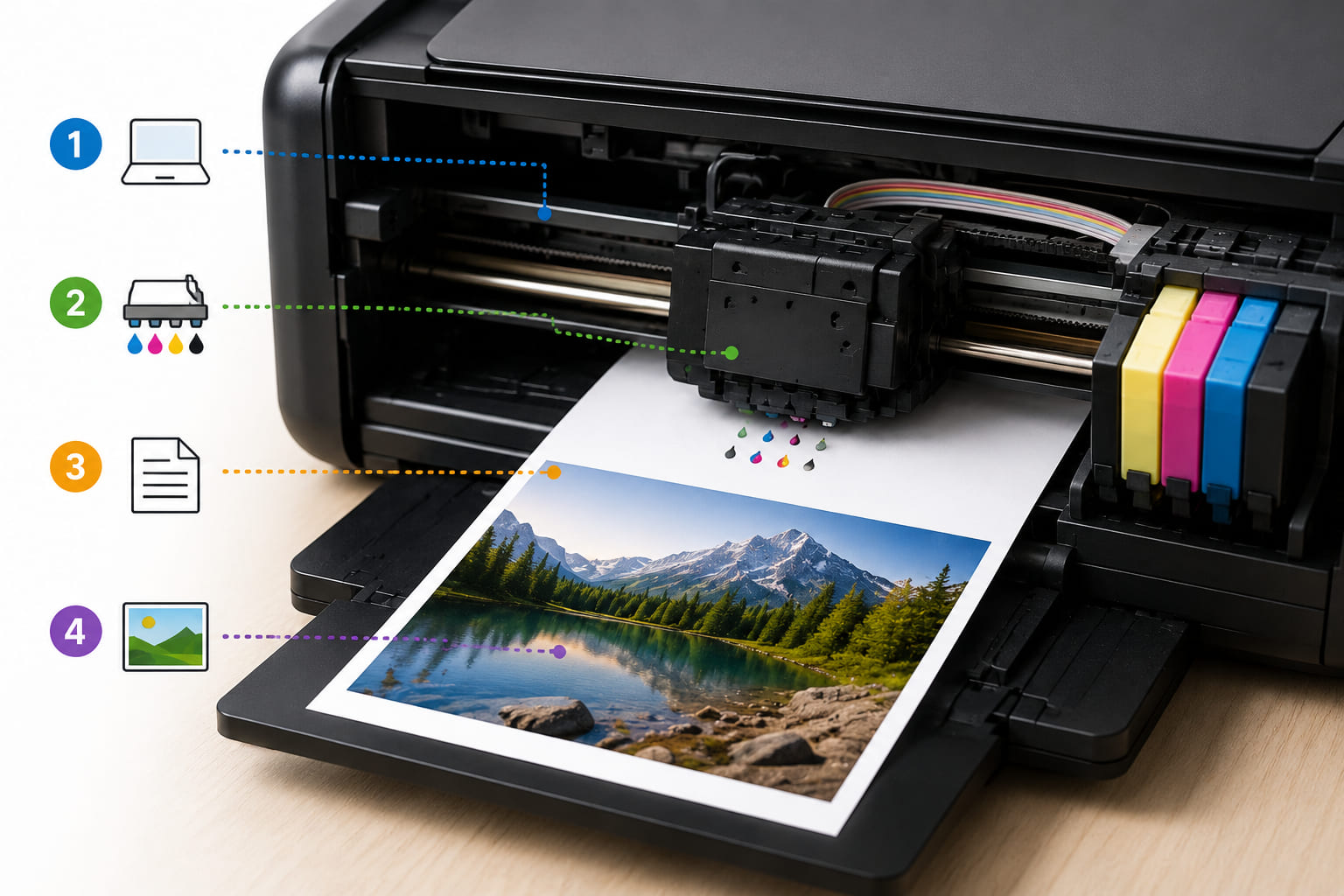
The easiest way to understand the process is to follow what happens after you press Print.
1. Your device sends the document to the printer
When you print from a computer, phone or tablet, the printer receives digital instructions describing what needs to appear on the page.
The printer's electronics interpret that information and determine where different colours and amounts of ink need to be placed.
2. The printhead moves across the paper
The printhead is one of the most important components in an inkjet printer.
Depending on the printer design, the printhead may be integrated into the cartridge or built into the printer itself. Its job is to deliver extremely small ink droplets through microscopic nozzles.
As the printhead moves across the page, the printer controls which nozzles fire and when.
3. Tiny ink droplets are released
The printer doesn't simply spray a continuous stream of ink.
Instead, individual droplets are released in precisely controlled amounts. In thermal inkjet systems, a tiny heating element rapidly heats the ink, creating a bubble that pushes a droplet through the nozzle. As the bubble collapses, more ink is drawn into the chamber for the next cycle.
Other inkjet systems use different mechanisms. For example, piezoelectric printheads use an electromechanical action to eject droplets rather than heating the ink.
4. The printer builds the image line by line
The printhead and paper-feed system work together.
The printhead places ink across one section of the page, while rollers move the paper through the printer. This process repeats until enough droplets have been placed to form the complete document or image.
What looks like a solid line or photograph to your eyes is actually made from a huge number of individually positioned ink droplets.
What Does the Ink Cartridge Do?
The ink cartridge is essentially the printer's ink supply.
Depending on the printer, you may have:
● A separate black cartridge
● Separate cyan, magenta and yellow cartridges
● A black cartridge plus a tri-colour cartridge
● Individual cartridges for additional photo colours
The printer draws ink from these supplies and delivers it to the printhead.
In some designs, the printhead is part of the cartridge. In others, cartridges supply ink to a separate printhead built into the printer. HP describes both integrated and separate printhead designs in its inkjet systems.
This difference is important when troubleshooting. If the printhead is built into the printer, replacing an ink cartridge doesn't necessarily replace the component responsible for placing the ink onto the page.
How Do Inkjet Printers Create Different Colours?
Most conventional colour inkjet printers rely on a combination of cyan, magenta, yellow and black (CMYK).
The printer controls how much of each colour is placed on different areas of the paper. By combining tiny droplets in different patterns and proportions, it can create the appearance of many different colours and shades.
For example, combinations of cyan and yellow can create the appearance of green, while magenta and yellow can produce red tones.
The printer doesn't necessarily put one large blob of mixed colour onto the page. Instead, it uses carefully positioned droplets and patterns that your eyes perceive as continuous colours.
This technique is one reason an inkjet printer can reproduce photographs and detailed graphics despite using only a limited number of basic ink colours.
Why Does Print Quality Change?
If an inkjet printer suddenly produces faded colours, streaks or missing sections, the issue isn't always an empty cartridge.
The printhead contains extremely small nozzles, and dried ink or other particles can interfere with ink delivery. HP notes that printhead maintenance routines may use some ink to help keep the nozzles functioning correctly.
Common signs of a print-quality problem include:
● Horizontal lines or streaks
● Missing colours
● Faded sections
● Uneven text
● Incorrect colour reproduction
● Blank areas on the page
Paper can also affect the final result. Ink interacts with the paper surface, so the same printer and cartridge combination can produce different results on standard office paper compared with photo paper.
That's why choosing the correct ink cartridge is only one part of getting consistent prints. The printer, ink and paper all contribute to the final result.
Why Can an Ink Cartridge Use Ink Even When You're Not Printing?
This surprises many printer owners.
Some inkjet printers use a small amount of ink during startup, calibration and printhead maintenance. These routines can help prepare the printing system and reduce problems caused by dried ink or blocked nozzles.
This also means the number of pages you actually print from a cartridge may differ from its advertised page yield.
Your real-world yield can be affected by:
● The amount of ink used on each page
● The type of documents you print
● Print settings
● Printer maintenance cycles
● How frequently the printer is used
● The printer and cartridge design
So a cartridge's published page yield is useful for comparison, but it shouldn't be treated as an exact promise of how many pages you will get.
Inkjet Printer vs Laser Printer: What's the Difference?
The simplest distinction is the material and process used to create the page.
Inkjet printers use liquid ink droplets, while laser printers use powdered toner. Laser printers use an electrostatic process involving a drum before toner is transferred and fused to the paper.
For many home users and small offices, inkjet printers are attractive when colour printing, photos or graphics are important. Laser printers can be particularly useful where fast, high-volume document printing is the priority.
Neither technology is automatically better for every situation. The right choice depends on what you print, how often you print and what matters most to you.
Why Choosing the Right Ink Cartridge Matters
Understanding how an inkjet printer works makes one thing clear: the cartridge is part of a larger printing system.
A cartridge needs to match the printer's requirements. Using the wrong cartridge can lead to compatibility problems, poor output or the printer failing to recognise the supply.
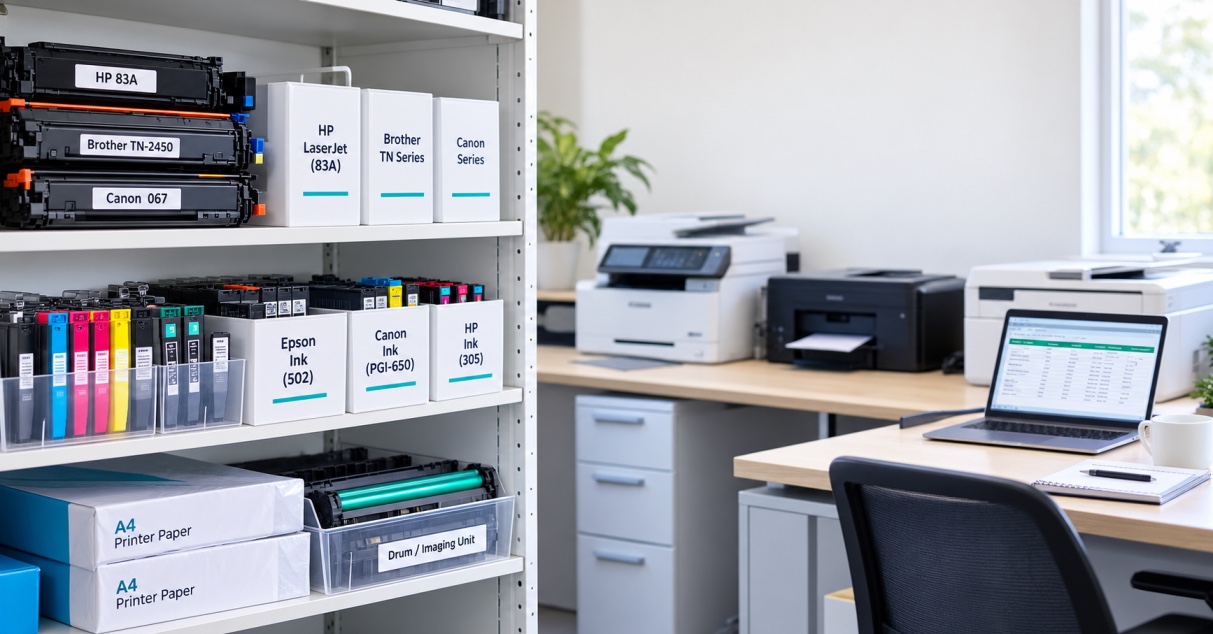
Before buying replacement ink, check:
● Your printer brand
● Exact printer model
● Cartridge number
● Colour
● Genuine or compatible cartridge
● Standard or high-yield option, if available
The Toner Group's Ink & Toner Finder allows customers to search by printer brand, printer model or cartridge number, which can help reduce the guesswork when looking for replacement supplies.
If you use an HP printer, you can also browse HP ink cartridges from The Toner Group or explore Canon ink cartridges when looking for compatible supplies.
Final Thoughts
So, how does an inkjet printer work?
It starts with digital information from your computer or mobile device. The printer processes that information, controls the movement of the printhead and releases microscopic droplets of liquid ink through tiny nozzles. Those droplets are placed in precise patterns until they form the text, graphics or images you see on the finished page.
The process may look simple from the outside, but the coordination between the ink cartridge, printhead, paper-feed system and printer electronics is what makes modern inkjet printing possible.
Once you understand these printer basics, choosing replacement ink and diagnosing common print-quality problems becomes much easier.
Need the right ink for your printer?
Before ordering, check your exact printer model and cartridge number. You can use The Toner Group's Ink & Toner Finder to search by printer or cartridge number.
FAQs
1. How does an inkjet printer work in simple terms?
An inkjet printer creates a page by releasing tiny droplets of liquid ink through microscopic nozzles and placing them precisely onto paper to form text and images.
2. What is the printhead in an inkjet printer?
The printhead is the component responsible for placing ink onto the paper. It contains or controls very small nozzles that release the ink droplets used to create the printed image.
3. How does an inkjet printer create colour?
Colour models typically combine cyan, magenta, yellow and black ink in different amounts and patterns to create the appearance of a wide range of colours.
4. Why does an inkjet printer sometimes use ink during maintenance?
Printers may use some ink during startup, calibration and printhead servicing. These routines can help maintain ink flow and reduce nozzle problems.
5. What should I check before buying a new ink cartridge?
Check the printer brand, exact model, cartridge number, colour and whether you need a genuine or compatible cartridge. If a high-yield option is available, compare its capacity and cost with your normal printing needs.