If you need to replace just one cartridge, you might wonder whether it has to be the same brand as the others already in your printer.
For example, perhaps your printer has genuine cartridges installed, but you have found a compatible replacement for one colour. Or maybe you have cartridges from different suppliers and want to know whether they can be used together.
The good news is that you can often mix different printer cartridge brands in the same printer.
What matters most is not whether every cartridge has the same brand name. The important thing is whether each cartridge is made for your particular printer and the correct cartridge reference.
Can You Mix Printer Cartridge Brands?
In many cases, yes.
A printer does not normally require every cartridge to come from the same manufacturer. If each cartridge is designed for the printer, different brands can often work alongside one another.
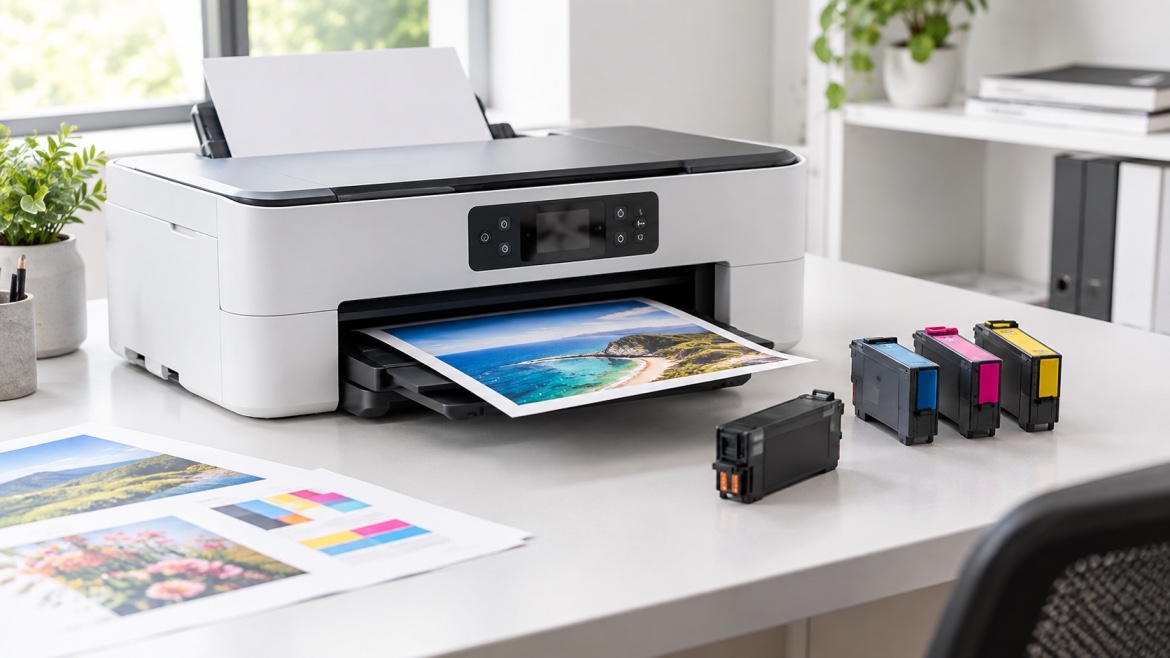
For example, a colour printer could have:
- A genuine black cartridge
- A compatible cyan cartridge
- A genuine magenta cartridge
- A compatible yellow cartridge
If all four are the correct replacements for that printer, they can generally be used together.
The main thing to remember is compatibility comes first.
Can You Mix Genuine and Compatible Cartridges?
Yes, this is often possible.
A genuine cartridge is made by the printer manufacturer, while a compatible cartridge is produced by another manufacturer for use in a particular printer.
You do not normally need to replace all the cartridges just because you have decided to use a compatible one.
For instance, if your black cartridge is empty, you could replace it with a compatible cartridge while keeping the genuine colour cartridges already installed.
As long as the replacement is designed for your printer and is correctly installed, the two types can often work together.
Does the Cartridge Brand Matter?
The brand is worth considering, but it is not the first thing to look at.
Before buying a replacement, pay attention to:
- Your exact printer model
- The cartridge number
- Whether it is ink or toner
- Whether the cartridge is genuine or compatible
- Any chip or recognition requirements
- The printers listed as compatible with the cartridge
A cartridge can look almost identical to another one and still be the wrong replacement.
That is why choosing a cartridge based only on its appearance, brand or price can cause problems.
What Happens When You Mix Different Cartridge Brands?
If the cartridges are suitable for the same printer, you may not notice any difference at all.
The printer uses each cartridge for its particular colour or printing function. It does not necessarily matter that one cartridge came from a different manufacturer.
There can, however, be differences between cartridges, such as:
- Colour appearance
- Print density
- Page yield
- Ink or toner formulation
- Cartridge construction
- How the printer recognises the cartridge
These differences depend on the individual cartridges and printer rather than simply the fact that the brands are different.
Can You Mix Brands in a Colour Printer?
Yes, in many colour printers you can.
Colour printers usually have separate cartridges for black, cyan, magenta and yellow. Each one can potentially come from a different manufacturer, provided it is the correct cartridge for the printer.
For example, you could have a compatible cyan cartridge alongside genuine black, magenta and yellow cartridges.
For everyday documents, you may not notice much difference.
With photos, graphics or colour-sensitive work, however, you might notice variations in colour between cartridges. If consistent colour is important, using cartridges from the same range may make things simpler.
What About Laser Printers?
The same basic idea applies to laser printers.
You can often use genuine and compatible toner cartridges together, provided each one is made for your particular printer.
For example, a compatible black toner cartridge can be used while other cartridges or toners from the original manufacturer remain installed.
The important detail is the correct toner reference.
Some laser printers also use chips, sensors or other systems to identify the cartridge. If the replacement is not correctly recognised, the printer may display an error or toner message.
Why Isn't My Printer Recognising the New Cartridge?
If your printer does not recognise a cartridge, the fact that it comes from a different brand may not be the reason.
There are several things worth looking at.
The cartridge may be the wrong one
Some cartridges look very similar but are designed for different printer models.
Make sure the cartridge number matches your printer.
The cartridge may not be seated correctly
If the cartridge has not clicked into position properly, the printer may not recognise it.
Remove it carefully and reinstall it according to the printer's instructions.
Protective material may still be attached
New cartridges can have protective tape, seals or packaging that need to be removed before installation.
Leaving these in place can prevent the cartridge from working correctly.
The cartridge chip may not be recognised
Some cartridges have a chip that communicates information to the printer.
If the chip is damaged or not compatible with the printer, you may see a cartridge error or recognition message.
The cartridge may not actually be compatible
A cartridge being described as "compatible" does not mean it works with every printer from that brand.
It needs to be made for the specific printer model and cartridge reference.
Does Mixing Brands Affect Print Quality?
It can, but using different brands does not automatically mean your print quality will be poor.
Print quality can be affected by the cartridge, printer condition, paper, print settings and the type of document being printed.
Colour differences are generally easier to notice than differences in ordinary black-and-white documents.
If you are printing reports, forms or schoolwork, small differences may not matter.
If you are printing photographs, marketing material or documents where colour needs to remain consistent, cartridge differences may be more noticeable.
Can Mixing Cartridge Brands Damage the Printer?
Simply using cartridges from different brands does not automatically damage a printer.
The bigger concern is using a cartridge that is unsuitable for the machine.
Problems can occur if a cartridge:
- Does not fit correctly
- Has the wrong cartridge reference
- Is not designed for the printer
- Leaks ink or toner
- Has a damaged component
- Is installed incorrectly
A cartridge that fits physically is not necessarily the correct cartridge.
Always match the replacement to the exact printer model.
Do You Need to Use All Genuine Cartridges?
Not necessarily.
Genuine cartridges are made by the printer manufacturer and are designed specifically for its printers. They are one option for replacing an empty cartridge.
Compatible cartridges are another option and are available for many popular printers.
The important question is whether the cartridge is suitable for your printer and your printing needs.
If you mainly print everyday documents at home, school or work, a suitable compatible cartridge may be perfectly practical.
Can You Mix Compatible Cartridges From Different Brands?
In many cases, yes.
You could use a compatible black cartridge from one manufacturer and compatible colour cartridges from another, provided each cartridge is designed for your printer.
However, compatible cartridges are not all made in exactly the same way. Different manufacturers can use different cartridge components, formulations and chips.
If you notice a problem after changing one cartridge, look at that particular cartridge first rather than assuming that using different brands together is the problem.
What Should You Look At Before Buying a Different Brand?
If you are trying a different cartridge brand for the first time, a few simple steps can save you from buying the wrong product.
1. Find the exact printer model
The full model number is more useful than simply knowing the printer brand.
2. Find the cartridge number
The cartridge number helps identify the correct replacement.
3. Decide between genuine and compatible
Both options are available for many printers, so consider what suits your budget and printing requirements.
4. Confirm compatibility
Make sure the cartridge is specifically listed for your printer model or the correct cartridge reference.
5. Look for any installation requirements
If your printer uses a cartridge chip or other recognition system, make sure the replacement is designed to work with it.
Taking a minute to confirm these details can prevent a lot of frustration later.
Common Mistakes When Mixing Cartridge Brands
Most problems come from choosing the wrong cartridge rather than simply mixing brands.
Some common mistakes include:
Buying by appearance: Two cartridges can look almost identical but have different compatibility requirements.
Looking only at the printer brand: Knowing that you have a Canon, HP, Brother or Epson printer is not enough. The exact model matters.
Assuming all compatible cartridges are identical: Compatible cartridges can differ between manufacturers.
Replacing every cartridge unnecessarily: If one cartridge is empty, there is usually no need to replace the others simply because they come from a different brand.
Ignoring the cartridge number: The cartridge reference is one of the simplest ways to identify the correct replacement.
So, Can You Mix Different Printer Cartridge Brands?
In many cases, yes, you can mix printer cartridge brands.
You can often use a combination of genuine and compatible cartridges, or compatible cartridges from different manufacturers.
The key is making sure each one is the correct cartridge for your printer.
If your printer is recognising the cartridges and producing good-quality prints, there is generally no reason to replace a working cartridge just because another one comes from a different brand.
When buying a replacement, focus on the printer model, cartridge number and compatibility rather than the brand alone.
The Bottom Line
Different cartridge brands can often be used together without causing problems.
You may be able to mix genuine and compatible cartridges, or use compatible cartridges from different manufacturers. What matters most is whether each cartridge is properly matched to your printer.
Before buying, confirm the printer model and cartridge number, then make sure the replacement is specifically designed for that machine.
A different brand does not automatically mean a problem. The right cartridge matters more than having the same brand across every slot.