
Showing results for:
Category: Buying Guides
Clear Filter
-
| November 06, 2026Choosing the right Lexmark toner cartridges starts with one essential detail: knowing your exact printer model.Lexmark laser printers use specific toner supplies designed for particular printer models and families. Choosing a cartridge based only on its appearance or a similar-looking product code can lead to compatibility problems, unnecessary returns and avoidable printer downtime.Whether you're buying toner for a busy Australian office, small business, school or home workspace, understanding compatibility, cartridge types and printing requirements can make the buying process much easier.This guide explains how to choose the correct toner, understand the difference between genuine and compatible products, compare standard and high-yield options, and avoid common mistakes when ordering printer supplies.How Do You Choose the Right Lexmark Toner Cartridges?Lexmark toner cartridges contain the toner powder used by compatible Lexmark laser printers to produce printed documents. The correct cartridge depends on your exact printer model, cartridge code and, in some cases, regional product requirements.The most reliable approach is to confirm your printer and cartridge information before ordering.Follow These Steps Before Buying1. Check Your Exact Printer ModelLook at the front, side or rear of your printer for the complete model number. You may also find this information in your printer settings, documentation or previous toner orders.Even printers within the same Lexmark product family can require different supplies.2. Check Your Existing Cartridge CodeYour current toner cartridge may display a part number or cartridge code. This can provide a useful starting point when identifying a replacement.However, always verify the information rather than relying solely on an old cartridge label.3. Confirm CompatibilityCheck that the toner is specifically listed as compatible with your printer model.A cartridge may look almost identical to another product but still be unsuitable for your machine.4. Check the Required ColourMono laser printers generally use black toner. Colour laser printers may require separate:BlackCyanMagentaYellowAlways confirm which cartridge or cartridges your printer requires before ordering.5. Consider Your Printing VolumeSome printer ranges offer standard-capacity, high-yield or extra-high-yield toner options.A business that prints regularly may benefit from a higher-capacity option, while lower-volume users may have different requirements.Are Lexmark Toner Cartridges Compatible With All Lexmark Printers?No. Lexmark printer cartridges are not universally compatible with every Lexmark printer.Each printer family is designed to work with specific toner supplies. One of the most common toner purchasing mistakes is assuming that a cartridge from another Lexmark printer will work because the products look similar.Before placing an order, confirm:Your exact printer modelThe correct cartridge codeThe required cartridge colourThe capacity you needAny applicable regional product requirementsSome printer supplies can use region-specific product codes, so it is important to check the information relevant to your printer and location.You can use Lexmark's official printer supplies finder to help verify suitable products. You can also browse the Lexmark toner range at The Toner Group when comparing available products.Genuine vs Compatible Lexmark Toner CartridgesWhen purchasing replacement toner, buyers generally have two main options: genuine manufacturer supplies or compatible third-party products.Understanding the difference can help you choose the option that best suits your printer and printing requirements.Genuine Lexmark TonerGenuine Lexmark toner cartridges are manufactured by Lexmark for use with supported Lexmark printing systems.Lexmark produces different supply options across selected printer ranges, including standard-capacity and higher-capacity cartridges.Genuine toner may suit businesses that:Prefer original manufacturer suppliesWant products designed by the printer manufacturerFollow specific manufacturer supply requirementsRequire particular Lexmark supply programs or optionsThe correct genuine cartridge still depends on your exact printer model.Compatible Lexmark TonerCompatible toner cartridges are manufactured by third-party companies rather than Lexmark.A compatible cartridge should only be considered when it is specifically listed for your printer model and the product information has been carefully reviewed.Before choosing a compatible option, consider:Verified printer compatibilitySupplier product informationProduct specificationsSupport and return policiesYour printing requirementsQuality and performance can vary between third-party manufacturers and suppliers. For that reason, compatible products should be assessed individually rather than assuming all products offer identical results.Standard vs Lexmark High-Yield Toner: Which Is Better?The best cartridge capacity depends on how much you print and which toner options are supported by your printer.A standard-capacity cartridge may be suitable for lower or occasional printing volumes. Higher-capacity products can be useful for workplaces with regular printing requirements.Standard TonerStandard cartridges may suit:Home officesSmall businesses with lower printing volumesUsers who print occasionallyPrinters with limited monthly usageHigh-Yield TonerHigh-yield toner may be worth considering when:Your printer is used regularlyYour business prints large volumes of documentsToner replacements are frequentYour printer specifically supports the high-yield cartridgeSome Lexmark printer ranges also offer extra-high-yield supplies.However, a higher-yield cartridge is only useful when it is compatible with your printer. Always check the supported cartridge options before ordering.For busy workplaces, keeping records of printer models and toner codes can also make future reordering significantly easier.How to Replace a Lexmark Toner CartridgeReplacing toner is generally straightforward, but the exact procedure can vary between printer models.Always refer to the instructions provided for your specific Lexmark printer.Step 1: Confirm the Replacement CartridgeBefore opening the product, check that the cartridge matches your printer model and required cartridge code.Step 2: Prepare the PrinterFollow your printer's instructions for accessing the toner compartment.Step 3: Remove the Existing CartridgeCarefully remove the old cartridge according to the manufacturer's instructions.Step 4: Prepare the New CartridgeFollow the handling and preparation instructions supplied with the replacement product.Step 5: Install the CartridgeInsert the cartridge into the correct position without forcing it.Step 6: Close All CoversEnsure the printer's access panels and covers are properly closed.Step 7: Check the Printer StatusAllow the printer to recognise the replacement cartridge and check for any remaining messages or errors.If you are unsure about the correct procedure, use the documentation for your exact printer model rather than guessing.Why Is My Lexmark Printer Still Showing a Toner Message?A toner warning may remain after replacement for several reasons. Installing a new cartridge does not always resolve every printer message.Possible causes can include:Incorrect cartridge installationAn incompatible cartridgeA printer-specific supply recognition issueAn incorrectly closed printer coverAnother maintenance or printer-related issueStart by confirming that the replacement cartridge is correct for your printer.If the problem continues, check the exact error message displayed on the printer. Searching for the precise model and error information is usually more useful than repeatedly removing and reinstalling the cartridge.How Businesses Can Avoid Costly Toner ProblemsBusinesses can reduce toner-related interruptions by maintaining accurate records and creating a simple supply management process.Keep Printer and Toner RecordsCreate a basic list containing:Printer locationExact printer modelRequired toner codeRequired coloursPreferred cartridge capacityThis is particularly useful for offices with multiple printers.Don't Wait Until You Run OutOrdering toner only after a printer stops working can create unnecessary disruption.Instead, establish a basic reorder point based on your normal printing requirements.For example:When spare toner stock reaches a pre-set level, review printing requirements and order the correct verified cartridge.This simple process can reduce last-minute purchasing mistakes.Monitor Print QualityPoor print quality does not always mean that toner is empty.Faded printing, lines, streaks or marks may involve:Toner levelsPrinter settingsOther consumablesPrinter componentsMaintenance requirementsIdentifying the actual cause before purchasing additional supplies can help avoid unnecessary spending.Avoid Over-OrderingKeeping excessive quantities of toner can create unnecessary inventory.Instead, review:How frequently each printer is usedWhich cartridges are replaced most oftenSeasonal changes in printing volumeHow many spare cartridges your business realistically needsWhat Should You Do If Your Required Lexmark Toner Is Out of Stock?If the correct cartridge is unavailable, don't automatically substitute a similar-looking toner.The safest approach is to confirm the available options for your exact printer.Wait for the Correct ProductThis may be the best option when there is no verified alternative.Check a Suitable Compatible OptionIf considering compatible toner, confirm that it is specifically listed for your printer and review the supplier's product information carefully.Compare Reliable SuppliersAnother supplier may have verified stock of the correct cartridge.However, availability should never be prioritised over compatibility.Review Your Future Stock LevelsIf your business regularly experiences supply shortages, review your reorder process and maintain an appropriate amount of spare stock based on actual usage.Finding Reliable Lexmark Toner Suppliers in AustraliaA reliable toner supplier should provide clear product information and make it easier to identify the correct cartridge.When comparing suppliers, look for:Clear Compatibility InformationProducts should clearly identify the printer models they are designed to support.Accurate Product DescriptionsThe listing should clearly explain whether the product is genuine or compatible.Transparent Ordering InformationYou should understand exactly what product you are purchasing before completing your order.Support for Compatibility QuestionsA supplier should provide assistance when buyers are unsure about their printer or cartridge requirements.If you regularly buy Lexmark toner cartridges, maintaining accurate printer and cartridge records will make online ordering much quicker and more reliable.Lexmark Toner Near Me: Is Local Availability the Best Option?Searching for Lexmark toner near me can help you find nearby suppliers, particularly when you need a cartridge quickly.However, local availability should not be the only consideration.Before purchasing, check:Printer modelCartridge codeRequired colourProduct typeVerified compatibilityOnline ordering can also be useful when the correct cartridge is clearly identified and available for delivery.For Australian businesses searching for Lexmark toner Australia, getting the correct cartridge is generally more important than purchasing the first product that appears in a local search.When Toner Isn't the ProblemNot every printing issue means you need a new cartridge.Faded PrintingPossible causes can include toner levels, printer settings or other printer-related issues.Streaks and LinesReplacing toner may not always solve streaking. The cause can depend on the printer model and the type of print defect.Persistent Toner MessagesIf a new cartridge has been installed but the message remains, check the exact error and your printer's installation instructions.Other Printer ConsumablesSome printers use additional components that may eventually require replacement or maintenance.The safest approach is to identify the exact printer model and problem before purchasing additional suppliesLexmark Black and Colour Toner CartridgesLexmark black toner cartridges are used in mono printers and also form part of many colour printing systems.Colour laser printers may require separate:BlackCyanMagentaYellowAlways check which individual cartridges your printer requires.Don't assume that replacing one cartridge will solve every colour-printing issue.A Lexmark colour toner cartridge should be selected according to the exact requirements of your printer, while a Lexmark black toner cartridge should also be chosen using verified printer and cartridge informationCan Lexmark Toner Cartridges Be Recycled?Lexmark operates collection and recycling programs for eligible genuine supplies.Program availability, eligibility and return requirements can vary, so check Lexmark's current official recycling information before returning a cartridge.Where recycling or cartridge collection programs are available, following the correct return process can help ensure eligible supplies are handled appropriately.Businesses that use significant volumes of toner may also benefit from establishing a clear process for storing and managing used cartridges before they are returned or recycled.Frequently Asked Questions About Lexmark Toner CartridgesAre Lexmark toner cartridges compatible with all Lexmark printers?No. Toner cartridges are designed for specific printer models and families. Always check your exact printer model and verified cartridge code before ordering.Where can I buy Lexmark toner cartridges in Australia?You can purchase toner from suppliers offering products suitable for your specific printer. Whether buying online or locally, confirm the printer model and cartridge code before ordering.What is the difference between genuine and compatible toner?Genuine cartridges are manufactured by Lexmark. Compatible cartridges are produced by third-party manufacturers. Buyers should review compatibility and product information carefully before choosing.What is Lexmark high-yield toner?High-yield toner is a higher-capacity supply option available for some supported printer ranges. Availability varies by printer model.Can compatible toner be used in a Lexmark printer?Suitability depends on the specific cartridge and printer. Always check verified compatibility information and supplier product details before purchasing.How often should I replace my toner cartridge?There is no fixed timeframe. Replacement depends on your printing volume, cartridge capacity and printer usage.Can a toner cartridge cause streaky printing?A toner cartridge can be one possible cause, but streaks and print defects may also involve other printer components or maintenance requirements.Conclusion: Choosing the Right Lexmark TonerChoosing the right Lexmark toner cartridges is about accuracy rather than guesswork.Start with your exact printer model, confirm the correct cartridge code and check verified compatibility information before placing an order.For businesses with regular printing requirements, keeping accurate records and maintaining a simple reorder process can reduce incorrect orders and unexpected downtime.Whether you choose genuine supplies or a suitable compatible option, make sure you understand exactly what product you are purchasing and that it is specifically designed for your printer.Explore the available Lexmark toner range at The Toner Group or contact the team if you need assistance identifying suitable products for your printer.
-
| November 05, 2026Choosing the right Brother 2250 toner cartridge is easier when you know exactly what to check. The toner code, your printer model and the type of cartridge you need all matter. A quick compatibility check before ordering can help you avoid buying the wrong product and dealing with unnecessary printing downtime.The TN-2250 is a genuine Brother black high-yield toner cartridge designed for selected Brother laser printers. Brother Australia lists it with an approximate yield of up to 2,600 pages in accordance with ISO/IEC 19752. Actual page output can vary depending on printing conditions and the type of documents being printed. Brother Australia's official TN2250 product informationWhether you are replacing toner for a home office, small business, school or larger workplace, this guide explains how to confirm compatibility, understand your options and make a more informed purchaseStart With Your Printer ModelThe safest way to find the correct toner is to start with your exact printer model rather than relying only on a product name from a search result.You may see the TN-2250 described in several ways online, including:TN2250TN-2250Brother toner TN2250Brother TN-2250 toner cartridge blackThese are useful search variations, but the important information is still the same: does your printer actually require the TN-2250?Before ordering, check:Your exact printer modelThe code on your existing toner cartridgeThe compatibility information for the replacementWhether the product is genuine or compatibleHow many cartridges are includedThis is particularly important if your workplace uses several Brother printers. Similar-looking models can require completely different consumables.If you are managing more than one Brother device, you can also browse the wider Brother printer supplies range to identify the different products available for different printer models.Why the Toner Code MattersA printer brand alone is not enough to identify the correct replacement.The toner code gives you a much more specific starting point. In this case, TN-2250 identifies the high-yield black cartridge discussed in this guide.However, you should still confirm that the code is listed for your particular printer before buying. Taking a minute to check compatibility is much easier than arranging a return after receiving the wrong cartridge.Which Printers Use the TN-2250?The TN-2250 is not designed as a universal cartridge for every Brother printer. Compatibility depends on the printer model.One confirmed example is the Brother DCP-7060D. Brother Australia's official consumables page lists both the standard TN-2230 and the high-yield TN-2250 for this printer. Brother lists the TN-2250 at approximately 2,600 pages under the ISO/IEC 19752 testing standard. Brother DCP-7060D consumables and accessoriesThis matters for people searching for Brother DCP7060D toner. The printer has more than one toner option, so checking the cartridge type is important.A Quick Compatibility ChecklistBefore placing an order, ask:What is my exact printer model?Check the front or back of the printer, or look at the model information in your printer settings.What cartridge am I currently using?Check the code printed on the existing cartridge or its packaging.Is TN-2250 officially listed for my printer?Use manufacturer information or verified compatibility details.Do I need a standard or high-yield option?Check the available consumables for your specific printer.Brother's Australian support website also provides manuals, troubleshooting information, downloads and consumable details for the DCP-7060D. Brother DCP-7060D support and downloadsGenuine and Compatible Toner: What's the Difference?One of the main decisions when buying replacement toner is whether to choose a genuine cartridge or a compatible alternative.A Genuine Brother TN-2250 toner cartridge is produced by Brother. A compatible cartridge is manufactured by a third party and sold as an alternative for selected compatible printers.These are different product types, so it is important to understand what you are comparing.When Genuine Toner May Make SenseA genuine cartridge may suit users or businesses that specifically want an original Brother consumable.This can include:Businesses with procurement requirements for genuine productsOffices that standardise their printer suppliesUsers who prefer original manufacturer consumablesWorkplaces managing multiple printersBrother describes the TN2250 as a genuine black high-yield toner cartridge engineered for Brother laser printers and designed to provide consistent output.For some buyers, choosing genuine toner is simply the most straightforward option because it matches their purchasing requirements.What About Compatible Toner?A Brother TN 2250 compatible toner cartridge is produced by a third-party manufacturer rather than Brother.Compatible products can vary between manufacturers, so it is worth checking more than the product title before making a decision.Look at:The exact printer models listed as compatibleWhether the product is clearly identified as compatibleSupplier returns informationAvailable warranty or guarantee detailsProduct supportDo not assume that every compatible cartridge offers the same specifications or support.Which Option Should You Choose?There is no single answer that suits every buyer.If you specifically require an original Brother product, a genuine cartridge is the clear choice. If you are considering a compatible alternative, confirm the product details and compatibility information before ordering.The most important thing is to compare similar products fairly. A genuine cartridge and a compatible cartridge should not be treated as identical simply because they are intended for similar printer models.How to Replace the Toner CartridgeReplacing a Brother 2250 toner cartridge is generally straightforward, but the exact procedure depends on your printer model.Always use the manufacturer's instructions for your particular machine rather than relying on instructions for a different Brother printer.Step 1: Check the Replacement FirstBefore opening the packaging, confirm:The toner codeYour printer modelWhether the cartridge is genuine or compatibleThe quantity suppliedKeeping the packaging until you have confirmed the product is correct can also be useful if you need assistance with an order.Step 2: Follow Your Printer's InstructionsOpen the printer according to the manufacturer's guidance and carefully remove the existing toner assembly.Avoid forcing any component. If something does not move as expected, stop and check the instructions for your model.Step 3: Prepare the New CartridgeRemove the packaging and protective materials according to the instructions supplied with the cartridge.Avoid touching internal printer components unnecessarily.Step 4: Install the CartridgeInstall the replacement according to your printer's instructions and make sure it is properly seated.Step 5: Check the PrinterClose the printer and allow it to complete its normal startup process. If needed, print a test page.Brother's support centre provides model-specific manuals and troubleshooting information, which can be useful if you are unsure about the replacement process. Brother Australia support resources for the DCP-7060DWhy Is Your Brother Printer Showing a Toner Replacement Message?A toner replacement message does not automatically mean there is a fault with your printer.In many cases, the machine is simply telling you that the toner needs attention or replacement.Start by reading the exact message displayed.Then:Confirm your printer model.Check the toner currently installed.Confirm the replacement cartridge code.Follow the instructions for that specific printer.Do not automatically order another cartridge without checking the message first.Print Quality Problems Are Not Always Caused by TonerFaded pages, streaks and other print-quality problems can have different causes.Before ordering another cartridge, consider:What message the printer is displayingWhether the toner is actually lowWhether the issue appeared suddenlyWhether the printer requires further troubleshootingBrother's support pages provide model-specific FAQs and troubleshooting resources, which can help you investigate a problem before buying additional supplies. Brother DCP-7060D troubleshooting and supportManaging Toner for an OfficeFor a home user, running out of toner can be inconvenient. For an office, school, healthcare provider or professional business, it can interrupt important day-to-day work.A simple system for managing printer supplies can reduce last-minute orders and incorrect purchases.Keep a Basic Printer ListRecord:Printer ModelToner CodeLocationSpare StockBrother DCP-7060DTN-2250OfficeAs requiredYou do not need complex software. A basic spreadsheet can make future ordering much easier.Set a Reorder PointInstead of waiting until the final cartridge is empty, decide when it makes sense to reorder.A small office may prefer to reorder when only one replacement remains. Larger organisations may need a different system based on the number of printers and their normal printing volume.The aim is not to overstock. It is to avoid unnecessary interruptions.Don't Assume Similar Printers Use the Same TonerThis is one of the most common ordering mistakes.Different Brother printers can require different toner cartridges, even when the models appear similar. Keeping printer models and toner codes together makes future purchasing faster and more accurate.Is Buying a Five-Pack Worth It?Buying multiple cartridges at once can be practical, but only if you have confirmed that the toner is correct for your printer and you expect to use the quantity.A multipack may suit:Offices with regular printing needsBusinesses that want replacement stock availableOrganisations that prefer fewer individual ordersUsers managing several compatible printersBefore buying a larger quantity, consider how often you print and how much toner you already have in storage.For buyers who have confirmed their requirements and need multiple genuine cartridges, the 5 x Genuine Brother TN-2250 High Yield toner cartridge pack provides a five-unit option for the relevant product.The important thing is to confirm compatibility first and quantity second.How to Compare Toner Prices ProperlyPeople searching for TN2250 toner best price are usually looking for good value, which is understandable. However, the lowest advertised price is not always the most useful comparison.Compare Like With LikeBefore comparing prices, make sure you are looking at:The same toner codeGenuine products versus genuine productsCompatible products versus compatible productsSimilar pack quantitiesComparing a single compatible cartridge with a five-pack of genuine cartridges does not give you a meaningful price comparison.Consider Your Actual Printing NeedsFor occasional printing, buying a large quantity may not be necessary.For a busy office, keeping appropriate replacement stock may be more practical than repeatedly making urgent purchases.The best option depends on:Your printer compatibilityYour printing volumeThe quantity you needYour preference for genuine or compatible productsWhat to Check Before Ordering OnlineOrdering toner online is convenient, but it is still important to check the details before completing your purchase.Check the Toner CodeIf your printer requires TN-2250, make sure that exact code appears in the product information.Check Your Printer ModelDo not assume that every Brother printer uses the same cartridge.Check the Product TypeConfirm whether you are buying a genuine cartridge or a compatible alternative.Check the QuantityMake sure you understand whether the listing includes:One cartridgeMultiple cartridgesA multipackA specific genuine or compatible productAsk Before GuessingIf you are unsure whether a product is suitable for your printer, it is better to confirm before placing the order.For compatibility or product enquiries, you can contact The Toner Group and check the details before purchasing.Frequently Asked QuestionsWhat printer uses the Brother 2250 toner cartridge?The TN-2250 is used with selected Brother printers. One confirmed example is the Brother DCP-7060D, where Brother Australia lists TN-2250 as the high-yield toner option. Always check your exact printer model before ordering.Can I buy Brother 2250 toner cartridges in a 5-pack?Yes. Multipacks are available for buyers who need several replacement cartridges. Before purchasing, confirm that the toner code is correct for your printer and check the exact quantity included in the listing.Where can I buy a Brother 2250 toner cartridge online in Australia?Look for a supplier that clearly identifies the toner code, product type and compatibility information. Before ordering, confirm your exact printer model and check whether you are purchasing genuine or compatible toner.Why is my Brother printer showing a toner replacement message?The printer may simply be indicating that the toner needs replacement or attention. Check the exact message and follow the manufacturer's instructions for your specific printer model before assuming there is a fault.Is TN-2250 a high-yield cartridge?Yes. Brother Australia lists the TN-2250 as a high-yield toner option for the DCP-7060D, with an approximate yield of 2,600 pages under ISO/IEC 19752 testing.How do I know if I am ordering the correct toner?Check both your exact printer model and the toner code required for that model. Matching only the printer brand is not enough to confirm compatibility.Is genuine Brother toner different from compatible toner?Yes. Genuine toner is produced by Brother, while compatible toner is manufactured by a third party. Product descriptions should clearly identify which type of cartridge you are purchasing.Should I buy one cartridge or a multipack?It depends on how often you print. A multipack may suit regular business printing, while occasional users may prefer to purchase a smaller quantity.Final ThoughtsChoosing the correct Brother 2250 toner cartridge is mainly about checking the right details before you buy.Confirm your exact printer model, check the toner code and understand whether you are purchasing a genuine or compatible product. For the Brother DCP-7060D, Brother officially lists the TN-2250 as its high-yield toner option.Once compatibility is confirmed, you can decide whether a single cartridge or a multipack better suits your printing requirements.Taking a few minutes to check these details can help avoid incorrect purchases, unnecessary returns and interruptions when you need your printer.
-
| September 28, 2026Buying toner sounds simple until you start looking at your options.For the same printer, you might find genuine toner, compatible toner and remanufactured toner. The cartridges may all be designed to work with your printer, but they are made differently and can offer different advantages.So which one should you choose?The answer depends on how much you print, what you expect from your printer, your budget and how important print consistency is to you.Let's look at the differences without making it complicated.What Is Genuine Toner?Genuine toner is made by the original printer manufacturer for its own printers.For example, an HP toner cartridge made for an HP laser printer is genuine HP toner. The same applies to Brother, Canon, Epson and other printer manufacturers.These cartridges are made specifically for the manufacturer's printers and are generally the most straightforward option when you want to use the original consumable.Why Do People Choose Genuine Toner?Genuine toner can be a good fit when you:Prefer to use the original manufacturer's cartridgeWant a cartridge specifically designed for your printerRely on your printer for regular business or office workPrefer to stay with the manufacturer's recommended consumablesWant to minimise concerns about cartridge compatibilityThe main consideration is usually cost. Genuine cartridges can be more expensive than compatible or remanufactured alternatives.That doesn't necessarily make them the right choice for everyone. It comes down to what matters most for your printing.What Is Compatible Toner?Compatible toner is a new cartridge made by a third-party manufacturer rather than the original printer brand.It is designed to fit and work with a particular printer model or cartridge number.A well-made compatible cartridge can provide reliable everyday printing without being an original-brand cartridge.Why Do People Choose Compatible Toner?Compatible toner is often considered by people who:Want to reduce the cost of printingPrint regularly at home or in the officeNeed an alternative to genuine cartridgesWant a new cartridge rather than a reused oneAre comfortable using a third-party productOne important point is that not all compatible toner cartridges are made to the same standard.This is where toner quality matters.A very cheap cartridge isn't necessarily good value if the print quality is inconsistent or the cartridge causes problems during use.It's worth looking at the cartridge manufacturer, supplier, guarantee and exact compatibility rather than choosing on price alone.What Is Remanufactured Toner?A remanufactured toner cartridge starts with a previously used cartridge.Instead of throwing the cartridge away, it is processed and prepared for another use. Depending on the remanufacturing process, the cartridge may be cleaned, inspected, refilled and have certain components replaced or serviced.The exact process can vary between suppliers.The idea is simple: reuse an existing cartridge rather than starting with a completely new cartridge housing.Why Consider Remanufactured Toner?A remanufactured cartridge may appeal to people who:Want an alternative to genuine tonerAre looking for a potentially lower-cost optionPrefer to reuse cartridge componentsWant to reduce unnecessary cartridge wasteDon't mind using a professionally remanufactured cartridgeAs with compatible cartridges, the quality can depend heavily on how the cartridge has been processed and tested.Genuine vs Compatible vs Remanufactured TonerHere's the simplest way to understand the difference:Toner typeWhat it isWhat to considerGenuine tonerMade by the original printer manufacturerUsually costs moreCompatible tonerA new cartridge made by a third-party manufacturerQuality can vary between suppliersRemanufactured tonerA previously used cartridge that has been processed and refilledQuality depends on the remanufacturing processNone of these options is automatically right for every printer user.The better question is: Which option makes sense for the way you print?Does Genuine Toner Always Give Better Print Quality?Genuine cartridges are made by the original printer manufacturer, but the label alone isn't the only thing that determines your printing experience.Toner quality also depends on the cartridge construction, toner formulation, components and how well the cartridge is suited to the printer.With a genuine cartridge, you are buying the original manufacturer's consumable.With compatible and remanufactured cartridges, the supplier and manufacturing or remanufacturing standards become much more important.If print quality matters to you, look for consistent:Text claritySolid black areasGrey shadingPage-to-page outputCartridge performance throughout its usable lifeFor everyday documents, a good-quality compatible or remanufactured cartridge may be suitable for your needs.If you specifically prefer the original manufacturer's consumable, genuine toner is the obvious option.Is Compatible Toner Safe to Use?Using a compatible toner cartridge does not automatically mean your printer will be damaged.The important thing is whether the cartridge is correctly designed for your particular printer and cartridge reference.A cartridge that looks similar isn't necessarily the correct one.Before buying, confirm:Your exact printer modelThe cartridge numberWhether the cartridge is specifically listed as compatible with that printerThis small step can save you from ordering the wrong cartridge.Is Remanufactured Toner Reliable?It can be, but the quality of the remanufacturing process matters.A professionally remanufactured cartridge may be cleaned, inspected, refilled and tested before being sold again.However, remanufactured cartridges are not all processed in exactly the same way.If reliability is important, look at the supplier's quality process, guarantee and customer support rather than assuming every remanufactured cartridge will perform identically.What About Cost Per Page?The price of the cartridge is only part of the picture.It's also useful to consider how many pages the cartridge is expected to print.A simple calculation is:Cost per page = Cartridge price ÷ Page yieldFor example, if a toner cartridge costs $100 and has a stated yield of 2,000 pages:$100 ÷ 2,000 = 5 cents per pageThis gives you a better starting point for comparing cartridges.Keep in mind that actual results can vary. A document filled with graphics and large areas of black will generally use more toner than a simple page of text.Should You Choose Toner Based on Price?Price matters, especially if you print frequently, but it shouldn't be the only thing you look at.A cartridge that costs less upfront may not be good value if you experience:Poor or inconsistent print qualityLower-than-expected page outputCartridge errorsWasted pagesFrequent troubleshootingInstead of asking only "Which cartridge is cheapest?", consider "Which cartridge gives me the value and reliability I need?"That small change in how you compare cartridges can make the decision much easier.How Do You Choose the Right Toner?Before placing an order, work through these simple steps.1. Find Your Exact Printer ModelStart with the full printer model, not just the brand.A single manufacturer can have many printers that use completely different cartridges.2. Find the Cartridge NumberThe cartridge number is often the most useful piece of information when looking for a replacement.You may find it on your existing cartridge, its packaging, your printer documentation or the manufacturer's information.3. Decide Which Type Suits YouThink about what you actually want from the cartridge.Do you prefer:The original manufacturer's cartridge?A new third-party alternative?A professionally remanufactured cartridge?A lower overall printing cost?There isn't a need to choose based on what someone else uses. Your printing habits are what matter.4. Compare Page YieldLook at the expected page yield alongside the cartridge price.This can give you a much clearer idea of your potential printing cost.5. Look at the SupplierThe supplier matters, particularly when you're buying compatible or remanufactured toner.Look for clear product information, cartridge guarantees and support if something doesn't go as expected.Which Toner Is Best for Home Printing?For occasional home printing, your priorities may be different from those of a busy office.If you only print school assignments, forms and occasional documents, you may be more interested in keeping cartridge costs reasonable.A good-quality compatible cartridge may be worth considering if it is correctly matched to your printer.If you prefer to use the original manufacturer's consumables, genuine toner remains an option.Which Toner Is Better for Business Printing?Businesses often print more frequently, so consistency and predictable running costs can become more important.You may want to consider:Expected monthly page volumeCost per pagePrint qualityCartridge reliabilityReplacement availabilitySupplier supportFor a business that depends on its printer every day, avoiding interruptions may be more important than saving the maximum amount on each cartridge.Common Mistakes When Buying TonerChoosing only by priceThe cheapest cartridge isn't always the cheapest to use.Consider the yield and expected performance as well.Buying based only on the printer brandKnowing that you have a Brother, Canon, HP or another brand isn't enough.Always confirm the exact printer model and cartridge number.Assuming all compatible cartridges are identicalCompatible toner can vary between manufacturers and suppliers.Quality, components and testing standards can be different.Ignoring page yieldTwo cartridges that fit the same printer may have different expected yields.Leaving the purchase until the last minuteIf your printer is important for work or study, having a suitable replacement ready can save you from an unexpected interruption.A Simple Way to Compare Your OptionsIf you're unsure which cartridge type to choose, ask yourself four questions:What printer do I have?Find the exact model.What cartridge does it use?Confirm the cartridge number.How much do I print?Think about your normal usage rather than an unusually busy month.What matters most to me?It might be original manufacturer support, lower cost, reuse, print quality or overall value.Once you have those answers, the choice between genuine, compatible and remanufactured toner becomes much clearer.The Bottom LineChoosing between genuine, compatible and remanufactured toner isn't simply about finding the cheapest cartridge.Genuine toner gives you the original manufacturer's option. Compatible toner offers a new third-party alternative, while remanufactured toner reuses an existing cartridge that has been processed and prepared for further use.Whichever route you take, start by identifying your exact printer model and cartridge number. Then consider toner quality, page yield, price, guarantee and supplier support.The right cartridge is the one that fits your printer and makes sense for the way you actually print.
-
| September 21, 2026If you’ve ever bought toner for a printer, you’ve probably noticed that the same printer can have both a standard toner and a high-yield toner option.The high-yield cartridge usually costs more, so it’s tempting to grab the cheaper one and move on.But that doesn't always work out cheaper.The real difference comes down to how many pages the cartridge can produce, how much you print and what each page costs you.For someone printing the occasional document at home, standard toner may do the job perfectly well. For a busy office printing invoices, reports, forms or client documents every day, a high-yield cartridge can mean fewer replacements and a lower cost per page.So, what is the difference between standard and high-yield toner, and which one makes sense for your printer?Let's break it down.What Is Standard Toner?A standard toner cartridge is the regular-capacity option available for a particular printer.It contains less toner than a high-yield version and generally has a lower rated page yield. The upfront price is usually lower as well.For households and smaller workplaces with fairly light printing needs, standard toner can be a sensible option.Say you have a home office and mainly print letters, invoices, forms and the occasional document. If a standard cartridge lasts you several months, paying extra for a larger cartridge may not give you much practical benefit.The cartridge price alone, however, doesn't tell the whole story.Imagine a standard cartridge costs $60 and has a rated yield of 1,500 pages:$60 ÷ 1,500 = 4 cents per rated pageThat gives you a simple figure to use when comparing it with another cartridge.Actual printing costs can vary because your documents won't necessarily use toner at the same rate as the pages used for yield testing.What Is High-Yield Toner?A high-yield toner cartridge contains more toner and is designed to produce more pages than the standard version for the relevant printer.You'll see different naming conventions depending on the manufacturer. Terms such as high capacity, XL, HY or X may be used, but the exact cartridge number is more reliable than the label.The biggest advantage is capacity.Instead of replacing a cartridge as often, you can print more pages before the next replacement is needed. That's particularly useful in workplaces where the printer gets a workout every day.For example, suppose a high-yield cartridge costs $90 and has a rated yield of 3,000 pages:$90 ÷ 3,000 = 3 cents per rated pageYou’re paying more upfront, but the rated cost per page is lower than the standard example above.There can also be a practical benefit. If you're regularly printing hundreds of pages, fewer cartridge changes means less interruption and fewer consumables to keep in the cupboard.Standard vs High-Yield Toner: What's the Difference?The simplest way to look at it is lower upfront cost versus greater capacity. Standard tonerHigh-yield tonerUpfront priceUsually lowerUsually higherToner capacityLowerHigherRated page yieldLowerHigherReplacement frequencyUsually higherUsually lowerSuitable forLight to moderate printingModerate to heavy printingCost per pageMay be higherMay be lowerNeither option automatically wins.If you print very little, the lower purchase price of a standard cartridge may suit you better.If your printer is producing documents all week, the extra capacity of a high-yield cartridge can be more useful.The sensible comparison is cartridge price + page yield + your actual printing habits.What Does Toner Page Yield Mean?Toner page yield refers to the number of pages a cartridge is expected to produce under a defined testing method.It's one of the most useful figures when comparing cartridges, but it isn't a promise that your cartridge will print exactly that number of pages.Think about the difference between printing a two-page letter and printing pages packed with graphics, tables and dark images. They won't use the same amount of toner.Your printer settings, document content and printing conditions can all affect the result.Current international standards include ISO/IEC 19752:2025 for monochrome toner cartridges and ISO/IEC 19798:2025 for colour toner cartridges. These standards provide defined methods for measuring cartridge yield and make comparisons between products more meaningful. (ISO)Your everyday results can still differ from the published figure.That's why page yield is best used as a comparison tool, rather than a guaranteed number of pages.How Much Does Toner Cost Per Page?A quick calculation can tell you quite a bit.Cartridge price ÷ rated page yield = approximate cost per rated pageFor example:CartridgePriceRated yieldApprox. cost per rated pageStandard$551,500 pages3.67cHigh-yield$903,000 pages3cThe high-yield cartridge costs $35 more to purchase.However, based on the rated yield, each page costs less.This is why choosing toner purely because it has the lower shelf price can be misleading.Of course, toner is only one part of your overall printing costs. Paper, maintenance, printer servicing and replacement parts can also add up.For cartridge comparisons, though, cost per page gives you a much clearer picture than the purchase price alone.How Does Printing Volume Affect Your Choice?Your printing volume matters more than whether one cartridge looks cheaper at first glance.Occasional printingIf you're printing a few documents here and there at home, standard toner may be all you need.There's little point paying considerably more for capacity that you won't use for a long time.Regular printingIf you're printing throughout the week, it’s worth looking at both cartridge options and working out the approximate cost per page.The extra capacity of high-yield toner may start to make more sense, particularly if you're frequently replacing standard cartridges.Heavy printingBusy offices, schools, healthcare providers, accountants, law firms and other print-heavy workplaces can go through toner quickly.In these environments, fewer cartridge changes can make day-to-day printing a little easier.There's no magic page count where everyone should switch to high-yield. Cartridge prices and page yields vary between printer models, so your own usage is a better guide.A simple way to start is to look at how many cartridges you've gone through over the past few months.How Do You Find the Right Toner for Your Printer?Once you've decided between standard and high-yield, you still need the cartridge that actually belongs in your printer.Start with the exact printer model.You can usually find the model number on the front or top of the machine. It may also appear in your computer's printer settings or on the original packaging.Next, look at the cartridge number.For example, if you're replacing an existing cartridge, the product number printed on it can be a useful starting point when searching for a replacement.Then consider:The exact printer modelCartridge numberBlack or colourStandard or high-yield capacityRated page yieldGenuine or compatible cartridgeThe Toner Group's Ink & Toner Finder can help Australian customers search for cartridges using their printer or cartridge details.It's much safer to match the specific model and cartridge number than to search broadly for something like "HP black toner" or "Brother toner".Genuine or Compatible Toner: Does It Matter?You may also come across genuine OEM and compatible toner when shopping for a replacement.Genuine cartridges are produced by the printer manufacturer.Compatible cartridges are made by another manufacturer for use with particular printers.Both can be available in standard and high-yield capacities, depending on the printer and cartridge family.If you're considering a compatible cartridge, pay attention to the printer models and cartridge numbers listed for it. Compatibility is specific to the cartridge and printer combination.For a home user, the priorities may be different from those of an office printing hundreds of pages every week. Consider the type of printing you do, how frequently the printer is used and the level of support you want from your supplier.Is High-Yield Toner Actually Worth It?Sometimes yes. Sometimes standard toner makes more sense.It comes down to the numbers.Suppose you print 2,000 pages a month and your standard cartridge is rated for 1,000 pages. You could be replacing cartridges fairly regularly.If the high-yield alternative produces 3,000 pages and gives you a lower cost per rated page, it may be a more practical option.Now imagine you print only 100 pages a month.That larger cartridge might last a very long time. In that situation, the higher upfront price may not offer much advantage.So rather than asking whether high-yield toner is simply "better", ask:How much do I print, and what will each page cost?That's a far more useful way to decide.Before Buying Your Next Toner CartridgeA few details are worth looking at before placing an order:Printer model: Match the exact model number.Cartridge number: Compare it with the cartridge already in your printer.Page yield: Look at the manufacturer's rated yield.Printing volume: Consider how many pages you normally produce each month.Cost per page: Divide cartridge price by rated yield.Capacity: Decide whether standard or high-yield suits your workload.Cartridge type: Consider genuine and compatible options available for your printer.Colour: Choose the correct black or colour cartridge.Supplier support: Look for clear product information and assistance if you're unsure about compatibility.Spending a couple of minutes on these details can save you from ordering the wrong cartridge or paying more than necessary.Standard or High-Yield Toner: Which One Makes Sense?There isn't one answer for every printer user.Standard toner can be a good fit for lighter printing where keeping the initial purchase price down matters.High-yield toner can be useful for regular or heavier printing, particularly when the additional capacity brings down the cost per page and reduces how often you need a replacement.For Australian homes and businesses, the decision really comes down to printing volume, page yield and cost per page.Don't automatically choose the cheapest cartridge on the shelf, and don't assume the biggest cartridge is always the best value either.Look at how much you actually print and choose the capacity that fits your workload.If you know your printer model or existing cartridge number, you can browse The Toner Group's toner range or use the Ink & Toner Finder to find options available for your machine.Frequently Asked QuestionsIs high-yield toner better than standard toner?Not necessarily. High-yield toner produces more pages, but its value depends on your printing volume, cartridge price and cost per page.Is high-yield toner cheaper per page?It can be. Divide the cartridge price by its rated page yield to get an approximate cost per rated page, then compare it with the standard option for the same printer.Does high-yield toner last longer?It is designed to produce more pages than the standard cartridge for the relevant printer. How long it lasts depends on how much and what you print.Does high-yield toner fit the same printer as standard toner?Some printer models support both standard and high-yield cartridges, while others may not. Always match the cartridge number with your specific printer.Why does my toner run out before the advertised page yield?Published yields come from defined testing conditions. Your documents may use more toner than the test pages, particularly when printing graphics, images or pages with heavy coverage.Final TakeawayWhen choosing between standard vs high-yield toner, the price on the cartridge is only one part of the equation.Look at the rated page yield, cost per page and the amount you print.For occasional printing, standard toner may be perfectly adequate. For a busy office printer, high-yield toner may reduce replacement frequency and provide a lower cost per rated page.Most importantly, match the cartridge to your exact printer model and cartridge number.That way, you're not simply buying more toner. You're choosing a cartridge that makes sense for the way you actually print.
-
| September 10, 2026Standing in front of a shelf — or worse, a browser tab full of near-identical listings — trying to work out which toner or ink cartridge actually fits your printer is one of those small tasks that shouldn't be this confusing, and yet somehow always is. Buy the wrong one and you're stuck with something that won't fit, won't be recognised, or just isn't the best value for what you actually print.The short version: work backwards from your printer. Identify the exact model, find the cartridge number, check the colour and yield, then properly confirm compatibility before you order. That's the process most guides give you. What most of them skip is the handful of genuinely sneaky gotchas that catch out even people who've followed every one of those steps correctly.Find Your Exact Printer Model — And Watch for the Submodel TrapKnowing you own an HP, Canon or Brother printer tells you almost nothing useful — each brand runs hundreds of models, each often needing a different cartridge. Track down the specific model name or number: on the front or top of the machine, on a label around the back or underneath, inside the cartridge access door, on the settings or status page, or in the manufacturer's software.Here's the detail beginners miss: the model name on the front of the printer sometimes covers a small family of internal hardware revisions sold under one umbrella name, particularly with budget and mid-range models. If a cartridge that should fit doesn't seem to be recognised, check the manufacturer's support page for your exact model and any suffix or revision letters, rather than assuming the front-panel name tells the whole story. This rarely matters — but if you've followed every other step correctly and something's still off, this is usually why.In an office running several machines, don't assume two printers from the same brand share a cartridge. Record the complete model number for each device individually.Find the Cartridge Number — But Be Careful With Starter CartridgesOnce you've got the model, the cartridge number is usually the fastest way to find the right replacement — typically printed on the existing cartridge, its packaging, or the manufacturer's documentation. Numbering varies hugely between brands: HP uses codes like CF410X and W2010A, Brother uses TN-2530XL, Canon uses CART-070H, Lexmark uses codes like B226H00. Searching an exact code beats searching something vague like "black toner for HP."Here's a genuine trap: the cartridge shipped inside a brand-new printer — the "starter" cartridge — sometimes carries a unique code never sold as a standalone retail product. Search for that exact starter number and you can end up hunting for something that was never meant to be purchased separately, instead of the correct standalone replacement code. If your first search comes up empty despite the printer clearly needing a refill, check the printer's official supported-consumables list rather than trusting the number on the cartridge you're removing.Check These Five Things Before You BuyBefore clicking "buy," it's worth thirty seconds on each of these:Printer model — the exact model, not just the brand.Cartridge number — matched as completely as possible to the OEM or manufacturer code.Colour — black, cyan, magenta, yellow, or a full set.Page yield — standard versus high-yield, where both exist.Genuine or compatible — a decision that deserves more thought than it usually gets.A genuine cartridge comes from the printer's own manufacturer. A compatible cartridge is made by a third-party supplier specifically for your printer model, and it isn't automatically a lesser choice — quality genuinely varies between suppliers, in both directions. For occasional home printing, price is often the deciding factor. For a busy accounting office, medical practice or law firm, consistency and reliability usually matter just as much as the sticker price.Watch for Region-Locked Chips on Overseas ListingsA cost-conscious trap worth knowing: the same-looking cartridge number can exist as different regional variants, sometimes with region-specific chip firmware. A cartridge from an overseas marketplace listing — even showing the identical code — might carry a chip built for a different market, and depending on the printer and cartridge generation, it may simply not be recognised locally. If an overseas listing looks unusually cheap for what appears to be the identical code, check it's actually sourced for the Australian market before assuming it's just a better price on the same product.Confirm Compatibility Properly — Don't Trust the ShapeThis is the step that prevents the most expensive mistakes. Two cartridges can look almost identical while using entirely different chips, fittings or configurations. A good process: confirm the printer's full model number, confirm the cartridge number, check the manufacturer's documentation or a reputable supplier's compatibility listing, confirm your exact model appears in it, confirm the yield tier, confirm genuine or compatible, and if compatible, check the supplier's warranty and compatibility policy specifically.You can browse HP toner cartridges, Canon toner cartridges or Lexmark toner cartridges directly once you know your printer family, or use a cartridge finder tool that searches by brand, family, model or cartridge number if you're not sure which code your machine takes.Chips, Firmware, and a Trust Question Worth AskingMost modern cartridges carry a chip that communicates directly with the printer, reporting things like remaining capacity. A compatible cartridge needs more than the correct physical shape — its chip and electronics need to genuinely work with your specific printer, and firmware updates can occasionally shift what "compatible" means for a given model over time.A more subtle version of this is worth knowing: some manufacturers use largely the same chip and electronics across an entire family of cartridge shell sizes — standard, high and extra-high yield — with toner fill quantity being the actual differentiator between tiers, not the chip itself. That means the reliability of a stated yield ultimately comes down to how honestly a supplier has filled the shell relative to what it's labelled, not just whether the chip reports correctly. It's worth choosing a supplier transparent about how they verify yield claims, rather than assuming every box labelled "high-yield" contains what it says purely because the chip communicates normally.None of this means avoiding compatible cartridges — it means a supplier who clearly identifies compatible models and genuinely stands behind the product matters more than the price difference alone.How the Major Brands DifferThere's no universal numbering system, so don't try to read every code the same way. Brother uses TN toner families with separate ink ranges, and high-yield versions carry different suffixes like the TN-2530XL. HP spans CF, W and other series, often with separate codes for standard and high-yield versions of the same model. Canon runs different systems across its inkjet and laser ranges — PG/CLI ink codes and CART toner codes — so a Canon ink cartridge number should never be assumed to carry across every Canon printer. Epson runs model-specific ink ranges across its home, photo and EcoTank families, and Lexmark, Kyocera, Xerox, Ricoh and Fujifilm each follow their own model-specific consumable codes too.The lesson holds regardless of brand: model plus cartridge number beats guessing from appearance, every time.Two Buying Decisions Beginners Rarely Think to CheckSome inkjet printers use a single combined tri-colour cartridge covering cyan, magenta and yellow together, rather than three separate ones. Run out of just one colour and you're forced to replace the whole combined cartridge, discarding whatever remains of the other two. If your printing leans heavily on one colour, individual colour cartridges are usually the more cost-effective setup over time, even if they look similarly priced to a combined unit on the shelf — worth factoring in when comparing running costs between printer models, not just cartridges.It's also worth checking whether the printer itself is nearing the end of its practical life before buying cartridges in bulk. An ageing, discontinued model with scarce spare parts is a genuine risk to stock up heavily for — if the printer fails before you've worked through the cartridges, that bulk "bargain" was never actually a saving.Genuine vs Compatible — There's No Single Right Answer, and Don't Just Chase the Cheapest PriceA genuine cartridge is the simple choice if you want the manufacturer's own consumable without comparing alternatives. A quality compatible can make real sense when controlling ongoing costs matters, particularly for high-volume printing — but don't judge one purely on how much cheaper it looks. Weigh up compatibility with your exact printer, stated yield, supplier warranty, customer feedback, print quality, availability and genuine cost per page.This is where the single biggest mistake in cartridge buying happens: a $40 cartridge isn't automatically cheaper than a $60 one. If it produces fewer usable pages, causes reprints, or needs replacing sooner, its real cost per page can end up higher. High-yield cartridges work the same way in reverse — a higher upfront price can still be cheaper overall if you print enough to use the extra capacity. The right question isn't "which cartridge costs less," it's "which cartridge gives me the right combination of compatibility, yield, reliability and cost per page."A Simple Buying ChecklistBefore ordering, check: the exact printer model, the full cartridge number, the colour needed, standard versus high or extra-high yield, genuine versus compatible, whether your exact model appears on the compatibility list, the estimated cost per page, and whether the supplier offers a clear warranty and returns policy. Answer all eight and you're very unlikely to end up with the wrong cartridge.Where to Find the Right CartridgeIf you already know your printer or cartridge number, there's no need to spend ages comparing boxes. The Toner Group's Ink & Toner Finder lets you search by printer or cartridge number across a broad range of brands, covering genuine and compatible options across Brother, HP, Canon, Epson, Lexmark, Kyocera, Ricoh, Sharp, OKI, Fujifilm and more. For Australian homes, small businesses and larger offices, starting from the model rather than guessing from appearance is consistently the safer path.Frequently Asked QuestionsHow do I know which printer cartridge I need? Find your printer's exact model number, then match it with the cartridge number recommended for that model. Don't rely on the brand or cartridge appearance alone.Where can I find my printer cartridge number? It's commonly printed on the existing cartridge or its packaging. You may also find it in the printer manual, settings menu, or manufacturer's documentation.Can I use a compatible cartridge instead of a genuine one? Often, yes, provided the compatible cartridge is specifically designed for your printer model. Check the supplier's compatibility information, warranty and return policy before buying.Are high-yield cartridges worth buying? If you print regularly, they can be. Compare the cartridge price against its expected page yield and calculate the approximate cost per page rather than comparing purchase prices alone.What happens if I buy the wrong printer cartridge? It may not physically fit, may not be recognised by the printer, or may produce incorrect results. Checking the exact printer model and cartridge number before ordering is the easiest way to avoid the problem.Final ThoughtsChoosing the right printer cartridge comes down to avoiding guesswork. Start with the exact printer model, find the cartridge number, check colour and yield, then properly confirm compatibility rather than trusting appearance. From there, weigh genuine against compatible based on reliability and real cost per page — not just which box looks cheaper.If you're managing several printers, keep a running record of each model and its matching cartridge numbers — it saves real time later and cuts the chance of ordering the wrong consumable. And if you're ever unsure, search by printer model or cartridge number rather than trying to identify a cartridge by how it looks.
-
| August 24, 2026Buying a printer cartridge online should be straightforward. Find your printer, choose the right cartridge and place your order.But if you have ever ordered a cartridge only to discover it does not fit your printer, you know how frustrating it can be. You are left waiting for a replacement, dealing with a return or, worse, putting an important job on hold.For Australian homes, small businesses and busy offices, the cheapest cartridge is not always the best buy. You need to consider printer model, cartridge number, print volume, page yield, compatibility and cost per page before making a decision.This guide walks you through what to check when buying printer ink or toner cartridges online, including the difference between genuine and compatible cartridges and when a high-yield option may make more sense.If you already know your printer model, you can use The Toner Group's Ink & Toner Finder to search by printer or cartridge number.Why Choosing the Right Printer Cartridge MattersThe right cartridge should do more than fit into your printer. It should suit the way you actually print.For a home user, buying the wrong cartridge can mean wasted money and another wait for delivery. In a small business, the problem can be bigger. If the office printer is used for invoices, contracts, reports, forms or other day-to-day documents, running out of the right consumable at the wrong time can interrupt the workflow.It is also worth looking beyond the price on the product page.A $40 cartridge is not necessarily cheaper than a $60 cartridge if the $40 option produces considerably fewer pages. This is where page yield and cost per page become useful when comparing cartridges.Your printing habits matter too:Occasional home printing: A standard-yield cartridge may be perfectly adequate.Home office: XL or high-yield cartridges may reduce how often you need to replace them.Small business: Compare cost per page and expected monthly usage.Schools and offices: Higher-yield cartridges can make sense when printers are used regularly.High-volume workplaces: Bulk ordering and managed print services may help simplify cartridge supply and control ongoing printing costs.The goal is not simply to find a cheap cartridge. It is to find the right cartridge at a sensible overall cost.Find Your Printer Model FirstBefore searching for a printer cartridge online, start with the exact printer model.You can normally find the model number:On the front or top of the printerOn a label underneath or behind the printerIn the printer's settings or information menuIn the manufacturer's printer softwareOn the original box or manualFor example, searching for "HP printer ink" is too broad. Searching for the exact printer model gives you a much better chance of finding the correct cartridge.This matters because cartridges are not universal. Even printers from the same manufacturer can use completely different ink or toner cartridges.The Toner Group's online search allows customers to select a brand, printer family and model, or search directly by cartridge number. Its range covers brands including HP, Canon, Brother, Epson, Lexmark, Kyocera, Ricoh and others.A good rule to follow:Identify the exact printer model before you start comparing cartridges.Once you have the model, finding the cartridge number is the next step.Find the Cartridge NumberThe cartridge number is often more useful than the printer brand when you are shopping online.You may also see it described as an OEM code, cartridge code or part number. It identifies the particular cartridge associated with a printer or printer family.Look for the number on:Your existing cartridgeThe cartridge boxYour printer manualThe inside of the cartridge compartmentThe printer's software or settingsThe manufacturer's documentationIf you still have the old cartridge, checking its label is often the quickest option.For example, The Toner Group's product listings identify cartridges by their specific codes. Its Lexmark range, for instance, lists both genuine and compatible products against OEM codes, making it easier to compare options for the relevant printer.Check These Details Before BuyingBefore you click Add to Cart, check these five things:Printer model — Does the listing specifically support your printer?Cartridge number — Does the code match?Colour — Black, cyan, magenta, yellow or a colour combination?Page yield — Standard, XL, high yield or extra high yield?Cartridge type — Genuine or compatible?It is worth taking an extra 30 seconds to check these details. That is much easier than discovering after delivery that you ordered the wrong cartridge.If you are looking for an HP cartridge, for example, compare the exact cartridge number and printer compatibility rather than choosing a product simply because it says "HP ink".Genuine vs Compatible Cartridges: Which Is Right for You?When buying printer cartridges, you will usually come across two main choices: genuine and compatible.Genuine printer cartridgesGenuine cartridges are made by the original printer manufacturer.They are designed specifically for the manufacturer's printers and are generally the straightforward choice if you want the manufacturer's own consumable.They can be a good fit when:Consistent manufacturer-specified performance is importantYou prefer OEM consumablesYour workplace has specific procurement requirementsYou want manufacturer-backed support or warranty where applicableThe main drawback is usually the higher purchase price.Compatible printer cartridgesCompatible cartridges are made by a third-party manufacturer rather than the original printer manufacturer.A compatible cartridge is designed for use with specified printer models and can offer a lower upfront cost than a genuine equivalent.The key point is to buy based on confirmed compatibility rather than price alone.The Toner Group stocks both genuine and compatible options across its range. Its Lexmark listings, for example, show genuine and compatible cartridges against the relevant OEM codes.Genuine or compatible: which should you choose?There is no single answer for every customer.If you prioritise the manufacturer's own consumable and straightforward OEM support, genuine may be the better choice.If keeping printing costs down is more important, a properly matched compatible cartridge can be worth considering.For a small office printing hundreds of pages a month, the difference can add up. For a home printer used occasionally, the price difference may matter less than convenience.Rather than asking only "Which is cheaper?", ask:"Which option gives me the right combination of compatibility, yield, print requirements and overall cost?"Understanding Page Yield and Cost Per PagePage yield tells you approximately how many pages a cartridge is expected to print under the relevant testing conditions.A standard-yield cartridge generally produces fewer pages than an XL or high-yield version.For someone who prints occasionally, standard yield may be enough. If you regularly print invoices, reports, assignments or other documents, a high-yield cartridge may reduce how frequently you need to replace it.The simplest way to compare cartridges is to calculate cost per page:Cost per page = cartridge price ÷ stated page yieldFor example:CartridgePriceStated yieldApprox. cost per pageA$40500 pages$0.08B$601,000 pages$0.06Although Cartridge B costs more at checkout, its estimated cost per page is lower.That does not automatically make it the better choice. Your actual printing can vary depending on what you print, how much ink or toner each page uses and your printer settings. But it gives you a much better comparison than looking at the ticket price alone.For offices, schools and other higher-volume environments, high-yield and XL cartridges are worth considering when the printer and cartridge support them.Ink or Toner: What Do You Actually Need?One common mistake is confusing ink cartridges with toner cartridges.The simple distinction is:Ink cartridges are used by inkjet printers.Toner cartridges are used by laser printers.They are not interchangeable.If you have an inkjet printer, you need the appropriate ink cartridge. If you have a laser printer, you need the correct toner cartridge.This is another reason your printer model matters so much. Once you know the exact model, you can search for the appropriate consumable rather than trying to work it out from the cartridge's appearance.For businesses that print large volumes of text documents, laser printers and toner are commonly used because of their suitability for office printing. However, the right consumable always depends on the printer you already own.Check Cartridge Compatibility Before BuyingYou have found a cartridge that looks right. Before ordering, check it one more time.Match the product against:Your exact printer modelCartridge/OEM numberColourStandard or high-yield specificationGenuine or compatible statusDo not rely on the cartridge's shape or packaging. Two cartridges can look similar while being designed for different printers.The Toner Group's Ink & Toner Finder can help narrow the search by printer model or cartridge number.It is also useful for businesses to keep a simple record of:Printer model → Cartridge number → Cartridge type → Typical monthly usageThat can save time when someone else in the office needs to reorder supplies.If you are unsure about compatibility, check the product specifications or contact the supplier before placing the order. The Toner Group states that its customer support team can assist with cartridge compatibility and orders, and its website provides phone and email contact options.Popular Printer Cartridges for Home and Small BusinessThere is no universal "best" printer cartridge. The right option depends on your printer and how much you print.Here are a few examples of the types of products available through The Toner Group:HP ink cartridges for home and home-office printersHP has a broad range of ink cartridges across its DeskJet, ENVY, OfficeJet and other printer families.If you use an HP inkjet printer, start with the exact printer model and then compare the cartridge number and yield. Avoid buying an HP cartridge simply because it is labelled as an HP product.Canon ink cartridges for everyday printingCanon offers ink consumables for a wide range of home and office inkjet printers. The Toner Group has a dedicated Canon ink cartridge range where customers can narrow their search by printer.This can be useful for home users, students and small offices that rely on Canon inkjet printers.Lexmark toner for office printingLexmark has a strong presence in business printing, with toner options available across its printer and multifunction ranges.The Toner Group maintains a dedicated Lexmark toner cartridge range, allowing customers to search for the appropriate consumable for their printer.For higher-volume printers, look closely at the stated yield when comparing standard and high-yield options.Compatible cartridges for cost-conscious printingIf reducing consumable costs is a priority, compatible cartridges can be another option to investigate.The important thing is not simply finding the lowest price. Check the cartridge code, printer compatibility, stated yield and supplier's warranty or returns information before buying.That approach gives you a more realistic idea of the value you are getting.What Should You Look for When Buying Printer Cartridges Online?If you want to make the process quick, use this checklist:1. Identify your printer model.Don't rely on the brand alone.2. Find the cartridge number.Check the existing cartridge, packaging or printer documentation.3. Confirm the colour.Black and colour cartridges can have different codes.4. Compare page yield.Look at standard versus XL or high-yield options.5. Calculate cost per page.Price ÷ stated yield gives you a useful comparison.6. Decide between genuine and compatible.Consider your budget, printing needs and preference for OEM consumables.7. Check the final compatibility information.Make sure your exact printer model is listed.8. Check delivery and returns.This matters particularly when a cartridge is needed urgently for business printing.Find the Right Printer Cartridge OnlineBuying printer cartridges does not need to involve guesswork.Start with your printer model, find the cartridge number, check the colour and compatibility, then compare page yield and cost per page. Finally, decide whether a genuine or compatible cartridge makes the most sense for the way you print.For occasional home printing, convenience and compatibility may be your biggest priorities. For a small business or office, looking at yield and ongoing cost can make a noticeable difference to your printing budget.The Toner Group offers printer ink and toner cartridges across major brands and provides an online Ink & Toner Finder that lets customers search by printer or cartridge number. The website also states that prices are displayed in Australian dollars and include GST.Find your printer cartridge online and check the exact model before ordering.If you manage printing for a school, office, healthcare practice, accounting firm, legal practice or larger organisation, it can also be worth discussing regular or bulk supply requirements so you are not waiting for a cartridge to run out before placing the next order.The right cartridge is the one that fits your printer, suits your workload and makes sense for your budget.Frequently Asked QuestionsHow do I know which printer cartridge I need?Find your printer's exact model number first, then check the cartridge number shown on the old cartridge, packaging, manual or printer documentation. Match both before ordering.Is genuine or compatible printer ink better?Neither is automatically better for every situation. Genuine cartridges are made by the original printer manufacturer, while compatible cartridges are third-party alternatives. Compare compatibility, yield, price and your printing requirements before choosing.Are high-yield printer cartridges worth it?They can be, particularly if you print regularly. Compare the cartridge price with its stated page yield to work out the approximate cost per page.What is cost per page for printer cartridges?Cost per page is calculated by dividing the cartridge price by its stated page yield. For example, a $60 cartridge rated for 1,000 pages works out to approximately 6 cents per page.What's the difference between ink and toner?Ink cartridges are used in inkjet printers, while toner cartridges are used in laser printers. They are different consumables and cannot simply be substituted for one another.Can I buy printer cartridges online in Australia?Yes. You can buy printer ink and toner cartridges online from Australian suppliers. Before ordering, check the exact printer model, cartridge number, colour, yield and cartridge type.How can I avoid ordering the wrong cartridge online?The safest approach is to search using your exact printer model or cartridge number rather than the printer brand alone. The Toner Group's Ink & Toner Finder supports both printer and cartridge-number searches.
Recent Posts
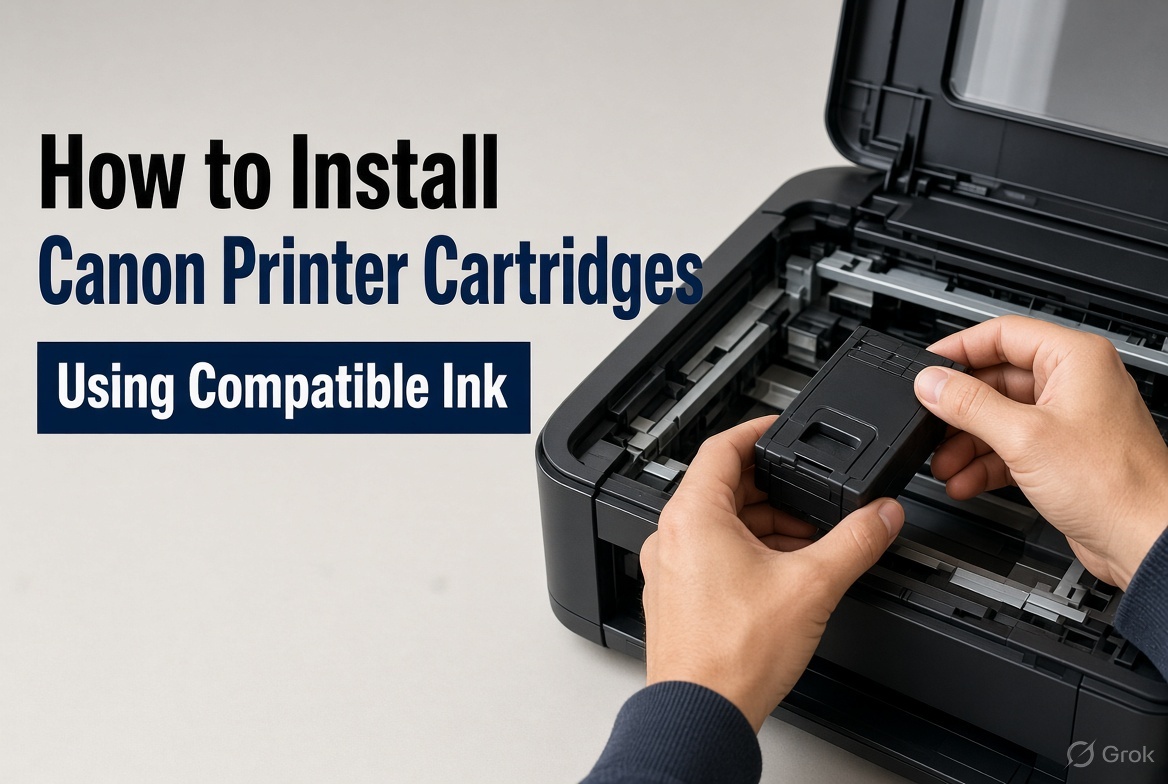
Nov 20, 2026
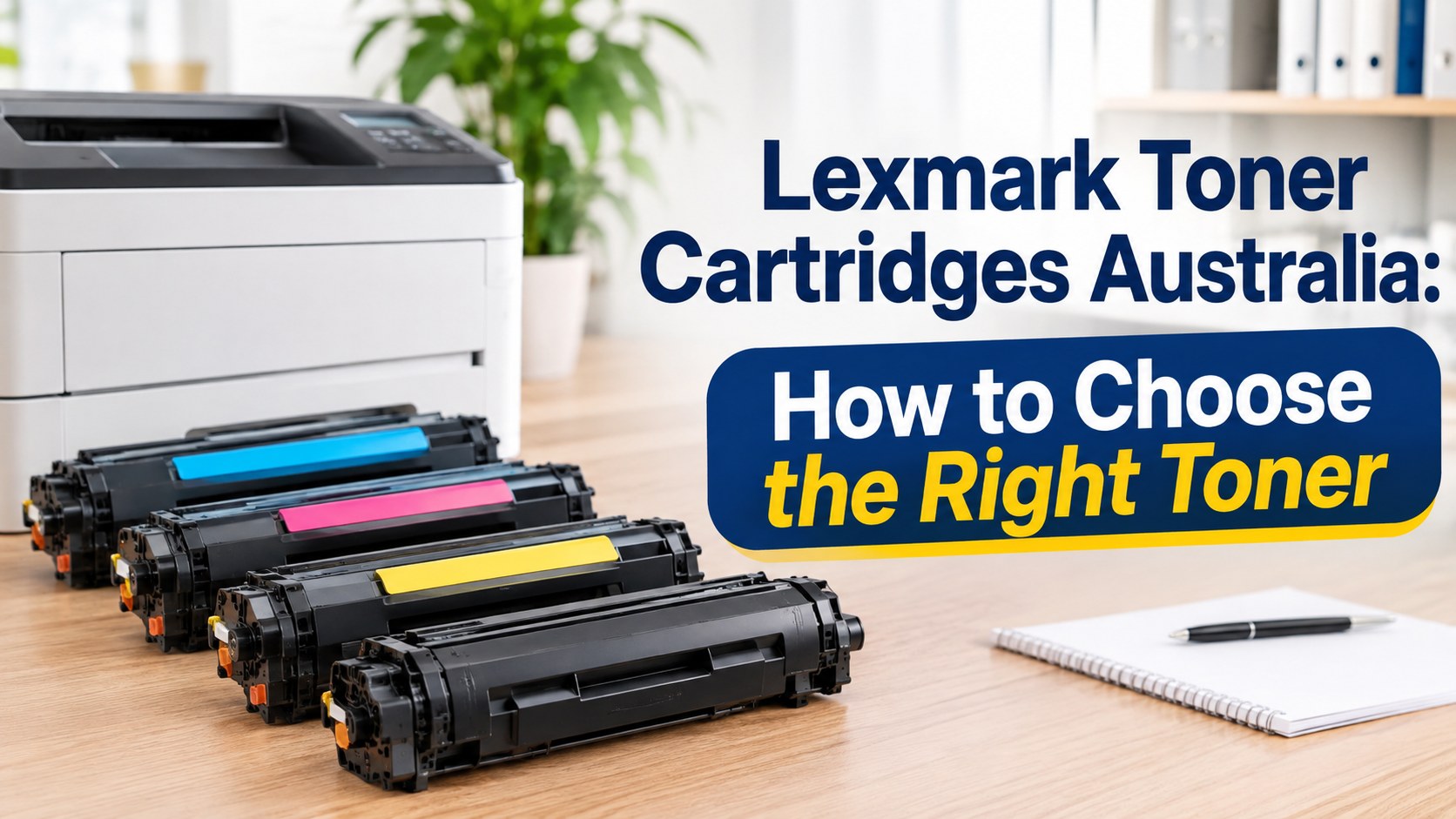
Nov 19, 2026
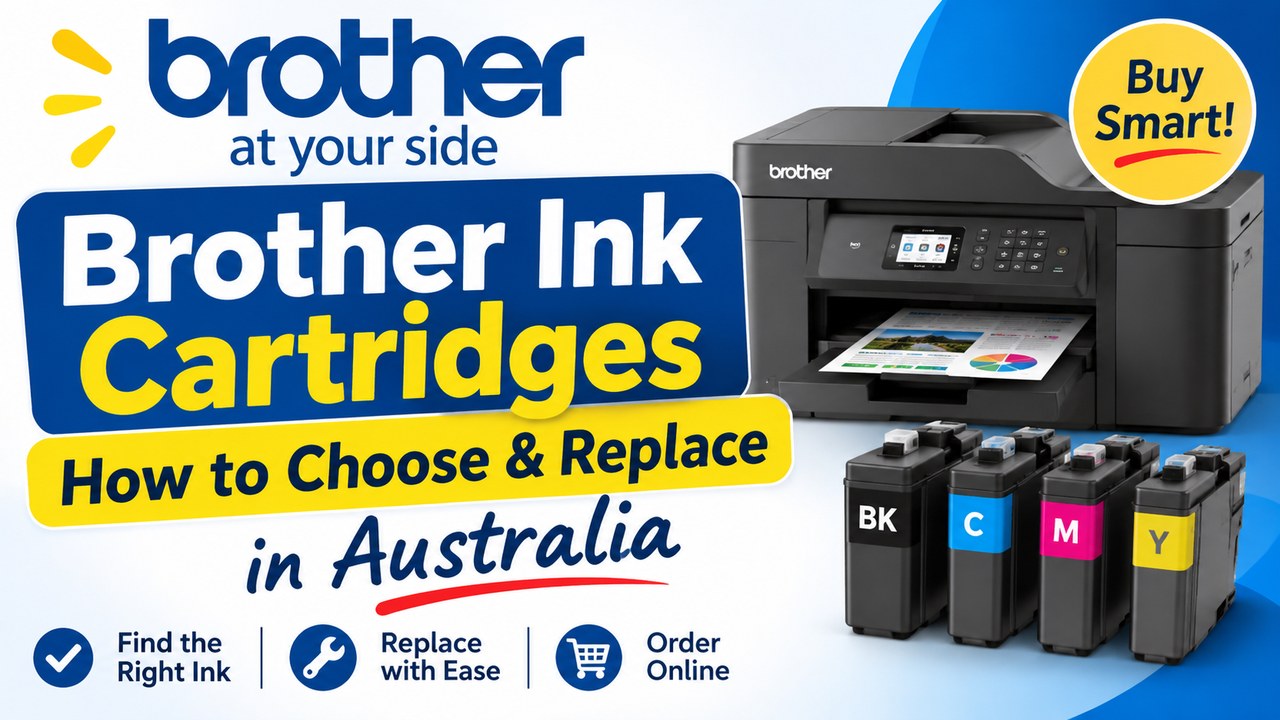
Nov 18, 2026