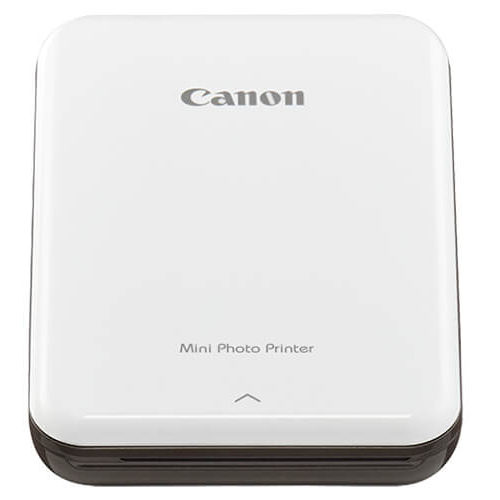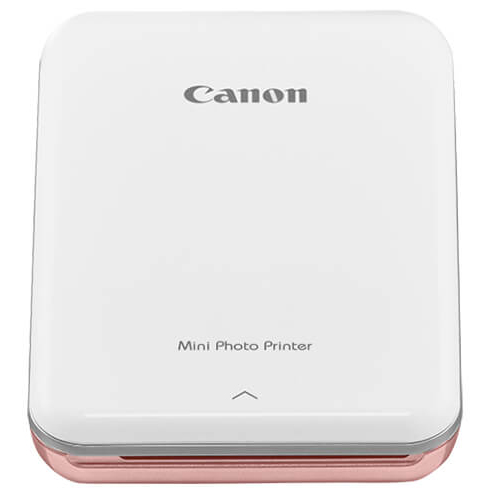
Elevate Your Business Printing with Canon Mini Photo Printer ROSE
Australian business owners, if you're seeking a portable, high-quality printing solution that delivers vibrant photos in seconds, the Canon Mini Photo Printer ROSE is your premier choice. This compact device is compatible with Canon Ink printer systems, allowing you to print cherished memories or professional marketing materials directly from your smartphone or tablet via Bluetooth. Whether you need to create instant product shots, event photos, or client gifts, this printer offers unmatched convenience. Buy Canon Mini Photo Printer ROSE online today and experience the perfect blend of portability and performance. For a cheap Canon Ink printer that doesn't compromise on quality, this is the ideal solution for businesses across Australia.
High-Impact Printing for Australian Businesses
The Canon Mini Photo Printer ROSE transforms how you approach photo printing. Instead of outsourcing or using bulky equipment, you can produce professional-grade prints in just 50 seconds per page. This speed is crucial for client meetings, events, or real-time content creation. Key benefits include:
- Drastic Cost Reductions: Eliminate expensive third-party printing services. Print only what you need, when you need it.
- Consistent Performance: Engineered for reliable output, ensuring every print meets your standards.
- Advanced Formulation: Dye-sublimation technology delivers smudge-resistant, waterproof, and long-lasting prints.
- Seamless Workflow: The Canon Mini Print App provides intuitive editing tools, filters, and templates to enhance your photos before printing.
This printer is designed to integrate smoothly into your daily operations, saving time and money while elevating your brand's visual appeal.
Reliable Performance for MINI Photo Printer
Specifically designed for the Canon MINI Series, this printer ensures flawless compatibility with your MINI Photo Printer device. Manufactured to precise Canon standards, it is recognized instantly by the hardware, offering a true plug-and-play experience. Whether you're using it as a MINI Photo Printer replacement or adding a second unit to your office, you can trust that every print will be vibrant and accurate. The Bluetooth connectivity works seamlessly with iOS and Android devices, making it a versatile tool for any business environment.
Features and Advantages
- Compact Design: Lightweight and portable, perfect for on-the-go professionals.
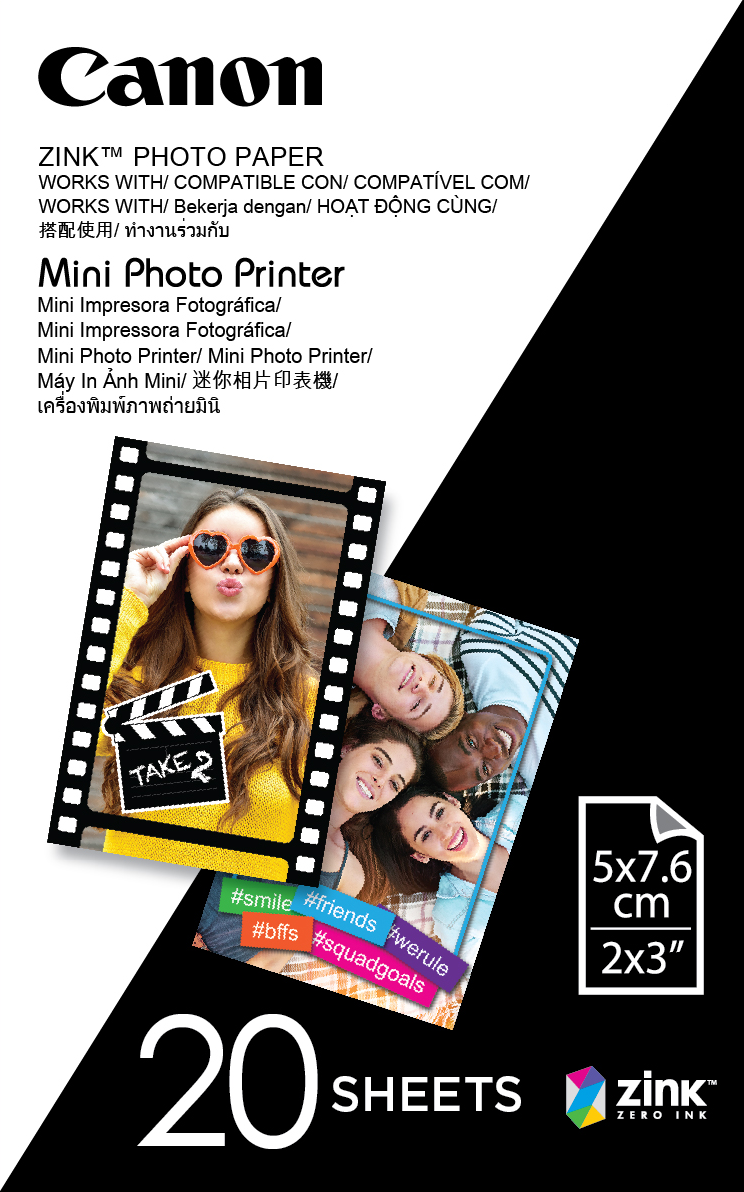
- High-Yield Capacity: Each paper pack includes an ink cartridge, allowing up to 20 prints per set.
- Compatibility Guarantee: Works exclusively with Canon Mini Photo Paper and Ink Cartridge sets for optimal results.
- Easy Installation: Simply load the paper and ink, connect via Bluetooth, and start printing.
- Quality Control: Every unit undergoes rigorous testing to ensure consistent, high-quality output.
- Competitive Pricing: Affordable upfront cost and low per-print expense compared to traditional photo printing.
- Smudge-Resistant: Prints are waterproof and resistant to fingerprints, making them ideal for handling and display.
Why Choose This Canon Ink printer
Proven Consistency
Canon's reputation for reliability means you can count on the Mini Photo Printer ROSE to deliver stunning results every time. No faded colors or misaligned prints—just professional quality.
Direct Savings
By printing in-house, you avoid markup costs from print shops. The low cost per print makes it an economical choice for businesses that frequently use photos for marketing or client relations.
User-Friendly Design
With no complicated setup or maintenance, this printer is ready to use out of the box. The app guides you through each step, from editing to printing, ensuring a hassle-free experience.
Professional Quality
Dye-sublimation technology produces true-to-life colors with smooth gradations. Your photos will look like they came from a professional lab, enhancing your brand's credibility.
FAQs
Q: Is the Canon Mini Photo Printer ROSE compatible with my smartphone?
A: Yes, it works with any iOS or Android device via Bluetooth. Simply download the Canon Mini Print App from the App Store or Google Play.
Q: Will using compatible paper or ink damage my printer?
A: We recommend using genuine Canon Mini Photo Paper and Ink Cartridges to ensure optimal performance and avoid potential damage. Compatible third-party products may not yield the same quality.
Q: How does the print quality compare to OEM photo prints?
A: The quality is comparable to professional lab prints, with vibrant colors, sharp details, and a protective coating that prevents smudging and fading.
Q: What is the page yield per cartridge?
A: Each ink cartridge included with the paper pack prints up to 20 photos (standard size). Replacement packs are available for continued use.
Q: Does the printer come with a warranty?
A: Yes, the Canon Mini Photo Printer ROSE is covered by a 1-year manufacturer's warranty. For any issues, contact Canon Australia directly.
Order Today
Don't miss the opportunity to streamline your business printing. The Canon Mini Photo Printer ROSE is a versatile, cost-effective solution that adds value to any Australian enterprise. Order your Canon Mini Photo Printer ROSE online now and enjoy fast free shipping to Sydney, Melbourne, Brisbane, Adelaide, and Perth metropolitan areas. For other regions, we'll contact you with reduced shipping options. Enhance your business with instant, high-quality photo printing today!
Based on 0 reviews
0.0
Customer Reviews
Customer Reviews
Related Products
FAQs
You can confidently place an order through our website, or if you prefer, you can call our friendly team to place your order by phone. We also accept orders and inquiries via email.
We process and dispatch most orders within 1–2 business days. Delivery times may vary based on your location, but we aim to provide fast and reliable shipping across Australia.
We accept all major credit and debit cards, PayPal, and other secure payment options to make your shopping experience safe and convenient.
Yes, returns and exchanges are accepted for unopened or defective items. Please contact our support team or refer to our Returns Policy page for details.